
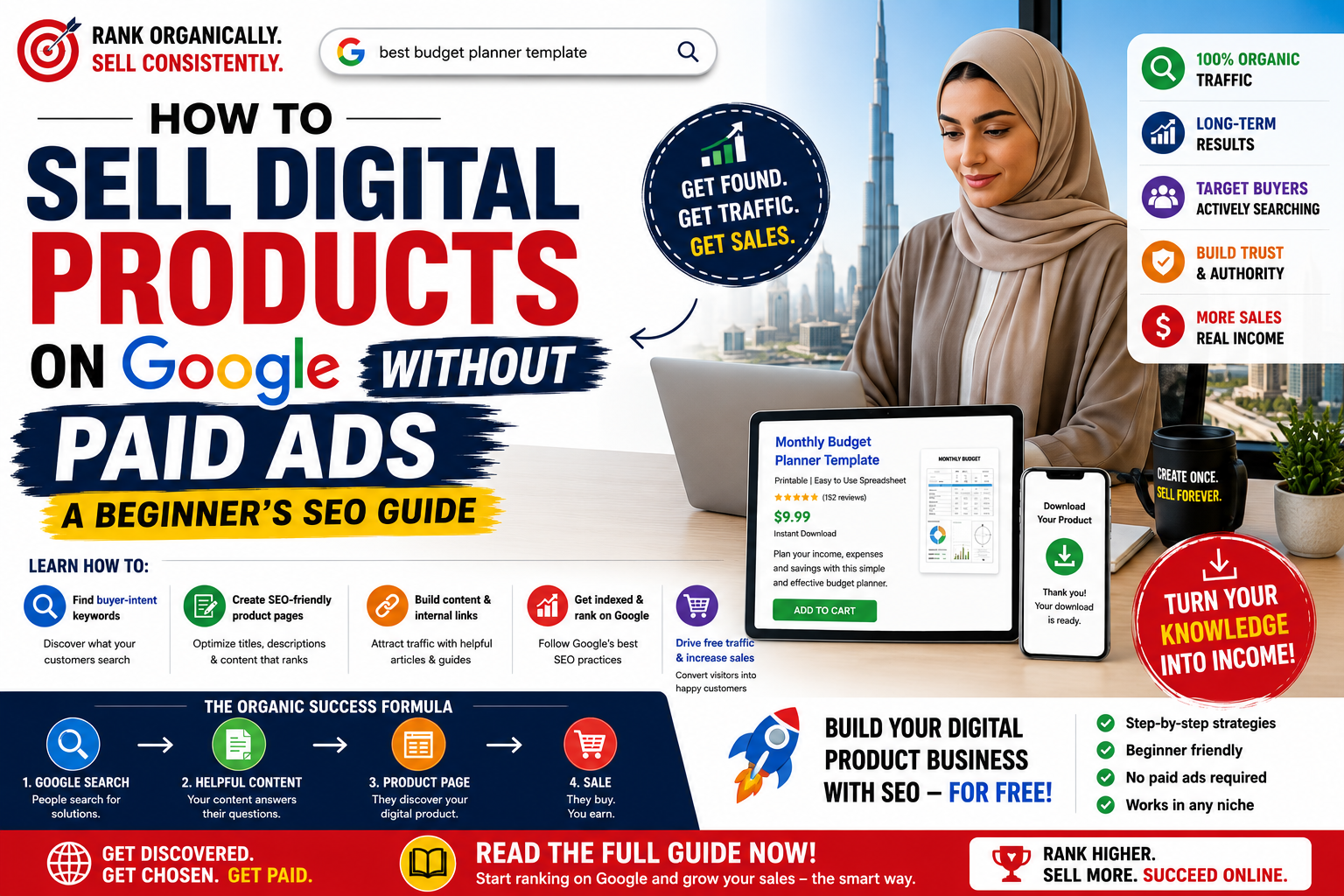
You do not need to pay for Google Ads to sell digital products online.
If you sell ebooks, templates, online courses, printable guides, study materials, spreadsheets, software, video tutorials, AI prompts, checklists, design assets or other downloadable products, SEO (Search Engine Optimization) can help potential buyers discover your products through Google.
The basic strategy is simple:
Find what people search for → create a useful digital product → create a search-friendly product page → get the page indexed by Google → build useful supporting content → improve the page over time.
Unlike paid advertising, organic Google traffic does not require you to pay every time somebody clicks your product.
This beginner's guide explains how to do it step by step.
To sell digital products through Google organically:
Choose a digital product people are actively searching for.
Research the exact questions and keywords buyers use.
Create a dedicated product page.
Optimize the page title, headings, description and URL.
Clearly explain what the buyer receives.
Add useful original content around the product.
Make sure Google can crawl and index the page.
Build internal links to the product.
Create supporting articles targeting related questions.
Monitor your Google Search performance and improve pages that start receiving impressions.
The goal isn't simply to "rank on Google."
The goal is to appear when someone who needs your product searches for a solution.
SEO stands for Search Engine Optimization.
It is the process of making your website and product pages easier for search engines to understand and easier for potential customers to find.
For example, suppose you create an ebook called:
My Complete Guide
That title tells Google very little about the product.
Compare it with:
KCSE Biology Revision Guide With Questions and Answers
Someone might actually search:
KCSE Biology questions and answers
Biology revision notes PDF
KCSE Biology topical questions
How to revise Biology for KCSE
The second product title gives Google much stronger information about the topic and also matches the language potential customers use.
That is the foundation of digital-product SEO.
Digital products have an important advantage:
People frequently search for solutions before buying them.
A student may search:
"KCSE mathematics revision questions with answers"
A small-business owner might search:
"invoice template for small business"
A job seeker could search:
"professional CV template"
A parent might search:
"printable weekly meal planner"
A creator could search:
"Canva social media templates"
An entrepreneur might search:
"AI prompts for small business"
Each search represents a problem, goal or need.
If your product page provides a strong answer to that need, Google can potentially connect the searcher with your page.
One of the biggest beginner mistakes is:
Create first. Research later.
Reverse that process.
Before spending days creating a 100-page ebook, determine whether people are looking for information or products related to the topic.
Start with a problem.
For example:
Problem: Students struggle to remember what they study.
Possible digital products:
study planner
revision timetable
memory techniques ebook
exam preparation checklist
AI study prompt pack
short study-skills video course
Then research how people describe that problem.
Possible searches could include:
how to study effectively
how to remember what I study
best study timetable
exam revision planner
how to prepare for exams
study techniques for students
These queries can guide both your product development and SEO strategy.
Not every Google search has equal commercial value.
Someone searching:
"What is a CV?"
is probably looking for information.
Someone searching:
"professional CV template download"
is much closer to taking action.
This is known as search intent.
For digital products, useful commercial keyword patterns often include terms such as:
template
download
guide
workbook
checklist
planner
course
tutorial
questions and answers
prompts
spreadsheet
toolkit
examples
printable
You can combine these with the customer's problem.
Instead of targeting:
budgeting
you might target:
monthly budget spreadsheet template
Instead of:
parenting
consider:
positive parenting guide for toddlers
Instead of:
AI
consider:
ChatGPT prompts for small business owners
Specific searches frequently have lower volume than huge generic keywords, but they can attract visitors with much stronger intent.
Beginners shouldn't automatically compete for massive keywords.
Imagine trying to rank for:
fitness
You would compete against enormous websites.
A more realistic target could be:
30-day home workout planner for beginners
This is called a long-tail keyword.
Long-tail searches are longer and more specific.
Examples:
|
Broad Keyword |
More Specific Search |
|
CV |
CV template for graduate with no experience |
|
Study guide |
KCSE Biology revision guide with answers |
|
Budget |
monthly budget spreadsheet for couples |
|
AI prompts |
ChatGPT prompts for small businesses |
|
Meal planner |
printable weekly meal planner for families |
|
Course |
beginner Excel course for small business |
A smaller website can often build topical relevance faster by answering highly specific questions instead of chasing the biggest keyword immediately.
SEO cannot rescue a poor product.
Your digital product should deliver the result implied by the search.
Suppose somebody searches:
"Small business social media content planner template."
A suitable product might contain:
monthly content calendar
weekly posting planner
content idea generator
caption planner
hashtag research sheet
campaign tracker
analytics tracker
Now your product closely matches the user's problem.
That alignment matters.
Google's current guidance continues to emphasize helpful, reliable, people-first and genuinely valuable content, including for visibility within its generative AI search experiences.
Every important digital product should have its own accessible web page.
Avoid relying exclusively on social-media posts or images.
Google needs a page it can crawl, understand and potentially index.
A strong digital-product page should clearly communicate:
Product name
What exactly is being sold?
Problem
What problem does it solve?
Outcome
What should the buyer be able to accomplish?
Contents
What exactly is included?
Target customer
Who is it designed for?
Format
PDF? Video? ZIP? Spreadsheet? Template? Software?
Price
What does it cost?
Preview
Can customers see examples or screenshots?
Creator information
Who created it?
Frequently asked questions
What questions could prevent someone from buying?
Purchase instructions
What happens after clicking the purchase button?
The objective is to make the page useful even before someone purchases.
Your product title is one of your most important SEO elements.
Avoid titles that sound clever but don't explain the product.
The Ultimate Success System
What is it?
Google—and potential customers—may struggle to understand.
Freelancer Income & Expense Tracker Spreadsheet
Weak:
Ace Your Exams
Better:
KCSE Mathematics Revision Guide: Questions, Answers & Practice Tests
The optimized version communicates:
audience
topic
product type
important features
A useful formula is:
Primary Topic + Product Type + Main Benefit/Feature
For example:
ChatGPT Prompts for Real Estate Agents: 200 AI Prompts for Marketing & Lead Generation
Do not force keywords unnaturally into the title. Clarity comes first.
Keep the product URL descriptive and relatively simple.
Instead of something like:
/product/847294?id=82
prefer a descriptive structure such as:
/product/kcse-biology-revision-guide
or:
/product/monthly-budget-spreadsheet
The URL alone won't guarantee rankings, but descriptive URLs make pages easier for users and search engines to understand.
Many sellers make another mistake:
They upload an attractive cover image and write two sentences.
That gives search engines very little textual information about the product.
Instead, create a detailed product description.
A useful structure is:
Immediately explain what the product is and who it helps.
Describe the specific problem your target customer experiences.
Explain how your product helps solve it.
Clearly list the contents.
Define the intended customer.
Explain what the buyer can accomplish.
Explain how to download, access or use it.
Answer common buying questions.
Tell the visitor what to do next.
Modern search is increasingly conversational.
People search things like:
"What digital products can teachers sell online?"
rather than only:
"teacher digital products."
This makes question-based content extremely useful.
Add clear questions and direct answers to product pages and supporting articles.
For example:
Yes. The template is designed for beginners and includes instructions explaining how to customize each section.
You receive the product as a downloadable PDF file immediately after completing your purchase.
The PDF can be opened on most modern smartphones, tablets and computers.
This format helps human readers quickly understand your product while making the page's subject matter explicit.
Importantly, Google says there is no special schema or AI-only file required to appear in AI Overviews or AI Mode. The page first needs to meet normal Google Search requirements and be eligible for indexing and snippets.
Don't rely exclusively on your product page.
Create useful articles around the problems your product solves.
Suppose you sell:
Ultimate Study Planner for University Students
You could publish:
How to Create a Study Timetable That Actually Works
How to Study Effectively and Remember More
How Many Hours Should a University Student Study?
Best Revision Techniques for Exams
How to Stop Procrastinating When Studying
How to Use AI to Create a Study Plan
Best Study Methods for Difficult Subjects
Inside relevant articles, naturally introduce the product.
For example:
If you don't want to build your timetable from scratch, a structured study planner can help you organize subjects, revision sessions and deadlines in one place.
Then link to the product.
This strategy creates a topic cluster.
Instead of Google discovering one isolated sales page, it discovers multiple useful pages demonstrating that your website covers the subject comprehensively.
Internal links connect pages on your own website.
Suppose you publish an article:
How to Create a Monthly Budget
Within that article you could link to:
Monthly Budget Spreadsheet Template
You could also publish:
50/30/20 Budgeting Method Explained
and link that article to the same product.
Another article:
How to Track Monthly Expenses
can also point toward the product.
The structure becomes:
Helpful Article → Product
Helpful Article → Product
Helpful Article → Product
Related Article → Related Article
Google specifically recommends making important content easy to discover through internal links.
Don't only tell customers what they're buying.
Show them.
Depending on the product, add:
cover image
screenshots
sample pages
dashboard previews
template examples
before-and-after examples
short demonstration videos
Use descriptive image alt text where appropriate.
For example:
KCSE Biology revision guide sample questions and answers
is more informative than:
image123.jpg
Google's current AI-search guidance also recommends supporting textual content with high-quality images and video when appropriate.
Structured data gives search engines machine-readable information about a page.
For ecommerce websites, appropriate structured data can help Google understand information such as:
product
price
availability
ratings
reviews
creator or organization
However, structured data should accurately represent what visitors can actually see on the page.
Don't add fake reviews or misleading information simply to generate rich results.
Google specifically recommends ensuring that structured data matches the visible content on the page.
A perfectly optimized product cannot receive Google traffic if Google doesn't know it exists.
Use Google Search Console to monitor your website.
Check whether important product pages are indexed.
Also create and submit an XML sitemap where appropriate.
Your website should allow Googlebot to crawl the pages you want appearing in Search.
Avoid accidentally blocking important pages through:
robots.txt
noindex directives
authentication walls
incorrect canonical tags
server/CDN restrictions
For AI Overviews and AI Mode specifically, Google says a supporting page needs to be indexed and eligible to appear in regular Google Search with a snippet.
One of the strongest organic strategies is to capture customers before they search for a product.
Suppose you sell a:
Small Business Cash Flow Spreadsheet
Don't only target:
cash flow spreadsheet template
Create content answering:
How do I track cash flow for a small business?
How do I calculate monthly business expenses?
How do I know if my business is profitable?
What financial records should a small business keep?
How do I create a simple cash flow forecast?
A person could discover your article while researching the problem and then realize your spreadsheet provides the solution.
That creates a funnel:
Google Search → Helpful Answer → Product Discovery → Product Page → Purchase
No advertising click is required.
Google's AI Overviews have changed how some searches are answered.
However, Google's guidance is particularly important here:
There are no additional technical requirements or special AI schema required to appear in AI Overviews or AI Mode.
Google recommends continuing to focus on core SEO practices and helpful content.
For digital-product sellers, that means creating pages that are:
clear
original
specific
useful
factually accurate
easy to navigate
crawlable
internally linked
supported by relevant images or video
written primarily for people
Make important information available as actual text rather than putting everything inside images.
Google's 2026 guidance also emphasizes valuable, unique, non-commodity content as generative AI search becomes more prominent.
Trust becomes especially important when you're asking somebody to spend money.
Provide genuine information about:
who created the product
why it was created
what experience informed it
what exactly customers receive
price
usage rights
refund/return policy where applicable
customer support
terms of use
If you're selling educational information, don't pretend to have credentials you don't have.
If AI helped create the product, verify important factual information before publishing.
Avoid fake testimonials, fake scarcity, fabricated statistics and misleading claims.
Google's Merchant policies similarly emphasize accurate, realistic and truthful representation of products and require relevant information before customers make purchase or download commitments.
Trust is not merely an SEO tactic.
It improves conversions too.
A backlink is a link from another website to your page.
Backlinks can help search engines discover and evaluate websites, but beginners should avoid buying hundreds of spam links.
Instead, earn relevant mentions by creating resources worth referencing.
For example:
original research
free calculators
statistics
detailed tutorials
useful templates
free mini-guides
industry reports
educational resources
unique datasets
practical case studies
You can also promote useful content through:
industry communities
creator partnerships
relevant blogs
newsletters
podcasts
YouTube
social media
The objective is not:
"How can I manufacture 1,000 backlinks?"
It is:
"What can I publish that people genuinely want to reference?"
SEO doesn't mean ignoring social media.
Suppose you sell a:
Job Interview Preparation Guide
Create a TikTok, Instagram Reel or YouTube Short around:
5 Interview Questions You Should Prepare For
Then direct interested viewers toward your detailed guide or related article.
The ecosystem becomes:
TikTok / YouTube / Instagram
↓
Website Article
↓
Digital Product
Meanwhile, Google can continue indexing and ranking the website content.
You are building multiple discovery channels instead of depending entirely on advertising.
SEO improves when you use data rather than guessing.
Google Search Console can reveal:
search queries generating impressions
pages receiving clicks
click-through rate
average search position
indexing problems
Suppose your product page starts receiving impressions for:
"budget planner for small business"
but you originally optimized it for:
"business finance template."
That is useful information.
You could improve the page by genuinely addressing small-business budgeting more comprehensively—provided the product actually serves that need.
In 2026, Google also began testing dedicated Search Console reporting for visibility within generative AI experiences such as AI Overviews and AI Mode for a subset of websites.
Imagine Sarah, a teacher, wants to create a digital product.
She notices students frequently struggle with revision planning.
Instead of creating a random ebook, she develops:
30-Day Exam Revision Planner for High School Students
She creates a product page optimized around closely related searches such as:
exam revision planner
study timetable for exams
printable revision timetable
30-day study planner
exam preparation planner
Her product page explains exactly what students receive.
She then publishes supporting articles:
How to Create a Revision Timetable
How to Study for Exams in 30 Days
How Many Hours Should You Study Per Day?
How to Remember What You Study
Each relevant article links naturally to the revision planner.
She also creates short videos demonstrating study-planning techniques and shares them on social platforms.
Over time, Google can crawl and index these resources.
When students search related questions, some discover Sarah's content.
A percentage then visit her product page.
Some purchase.
The model is:
Search Demand
↓
Helpful Content
↓
Google Visibility
↓
Product Discovery
↓
Purchase
↓
More Organic Sales
That is how SEO can become a long-term customer-acquisition channel for digital products.
Google also provides free product listings that can potentially surface eligible products across Google properties including Search, Images, Lens, YouTube, Gemini and the Shopping tab.
However, sellers should not assume every type of digital product will automatically qualify.
Merchant Center has specific eligibility, content and website policies, and Google notes that some content types are unsupported or restricted. Copyrighted material also has specific restrictions, particularly unauthorized distribution.
Therefore, for many digital-product creators, the safest foundational strategy is still:
Create indexable, high-quality product pages + publish useful supporting content + follow Google's Search guidelines.
Treat Merchant Center as an additional opportunity where your products and business model meet its current eligibility requirements.
Avoid these mistakes:
Using vague product titles
Google can't easily understand what you're selling.
Writing extremely thin product descriptions
Give customers enough information to make an informed decision.
Keyword stuffing
Repeating "best digital product template download PDF" dozens of times will not make a weak page useful.
Copying competitors' descriptions
Create original content.
Creating hundreds of near-identical AI pages
Scale value, not low-quality pages.
Ignoring search intent
Traffic doesn't matter if the visitor doesn't need your product.
Putting important information only inside images
Important content should also be available as readable text.
Ignoring internal linking
Connect articles, categories and products logically.
Expecting instant rankings
SEO is cumulative rather than instantaneous.
Publishing and never updating
Monitor performance and continuously improve useful pages.
Before publishing a digital product, check:
Does the product solve a specific problem?
Have I researched how customers search for that problem?
Am I targeting a specific primary search topic?
Does the title clearly describe the product?
Is the URL simple and descriptive?
Does the product page contain substantial original information?
Have I explained what the buyer receives?
Have I explained who the product is for?
Have I included relevant previews or screenshots?
Are important details available as text?
Have I answered common customer questions?
Is the price clear?
Is the creator/seller clearly identified?
Can Google crawl the page?
Is the page indexable?
Does the page have relevant internal links?
Have I linked relevant supporting articles to the product?
Does structured data accurately match the page, if used?
Is the page fast and easy to use on mobile?
Am I monitoring the page through Search Console?
You can attract customers through Google's organic search results without paying for each click. Your website or selling platform may still have its own hosting, transaction or marketplace costs.
Google also offers free product listings for eligible products and merchants, subject to its Merchant Center policies.
No.
Google Ads can provide paid visibility, but SEO allows product pages and supporting content to attract visitors through organic search.
There is no guaranteed timeframe.
Results depend on factors such as competition, website authority, content quality, technical accessibility, search demand and how well your page satisfies the searcher's intent.
New sellers should think in terms of building an organic traffic asset rather than expecting overnight rankings.
Common examples include:
ebooks
PDF guides
templates
planners
checklists
worksheets
spreadsheets
online courses
video tutorials
audio resources
design assets
software
AI prompt packs
Always make sure you own the content or have the appropriate rights to sell or redistribute it.
Using AI does not remove the need for quality.
The important question is whether the final page and product provide useful, accurate, original value to the intended customer.
Use AI to accelerate research, organization, drafting, editing and ideation—but apply human judgment, verification and expertise before publishing.
There is no guaranteed method.
Google says pages do not require special AI-specific optimization or special schema to appear as supporting links in AI Overviews or AI Mode. The page needs to satisfy normal Google Search eligibility requirements, including being indexed and eligible for snippets.
Focus on creating the clearest and most useful answer or resource for the target search.
The most important lesson is this:
Don't publish a digital product and wait for customers to find it.
Build an ecosystem around it.
For every important product, consider creating:
1 optimized product page
5–10 high-quality supporting articles
Useful FAQs
Original product images/previews
Internal links
Short educational videos/social content
Search Console monitoring
Your product page captures commercial intent.
Your articles capture informational intent.
Your FAQs capture conversational questions.
Your images and videos expand discovery opportunities.
Your internal links connect everything.
Your Search Console data tells you what to improve next.
That creates a sustainable organic funnel:
Customer Question → Google Search / AI Search → Your Helpful Content → Your Digital Product → Purchase
You don't need to pay Google for every visitor.
You need to create something worth finding and make it easy for Google and potential customers to understand why it deserves to be found.
Discover more articles you might be interested in
Affiliate Marketing for Digital Products
By Davie
Digital Product Bundling: 3x Your Average Order Value
By Davie

Telegram Channel Marketing for Digital Products
By Davie
Facebook Groups Marketing Strategy for Digital Products
By Davie
Get the updates, on newly released, popular & fast-moving MRR digital products
Up to Top
Comments All
Janice
@janice
Really enjoyed this article! I like the idea of using Google to reach customers without spending money on ads. The tips are simple and practical, and I picked up a few ideas I’d love to try.
September 07,2026 At 09:51 PM
Jesse
@jesse
Honestly, this gave me a different way of looking at selling digital products. I always assumed paid ads were the quickest option, but the organic Google strategies here actually make a lot of sense. Some really useful tips in this one.
August 26,2026 At 11:27 PM