
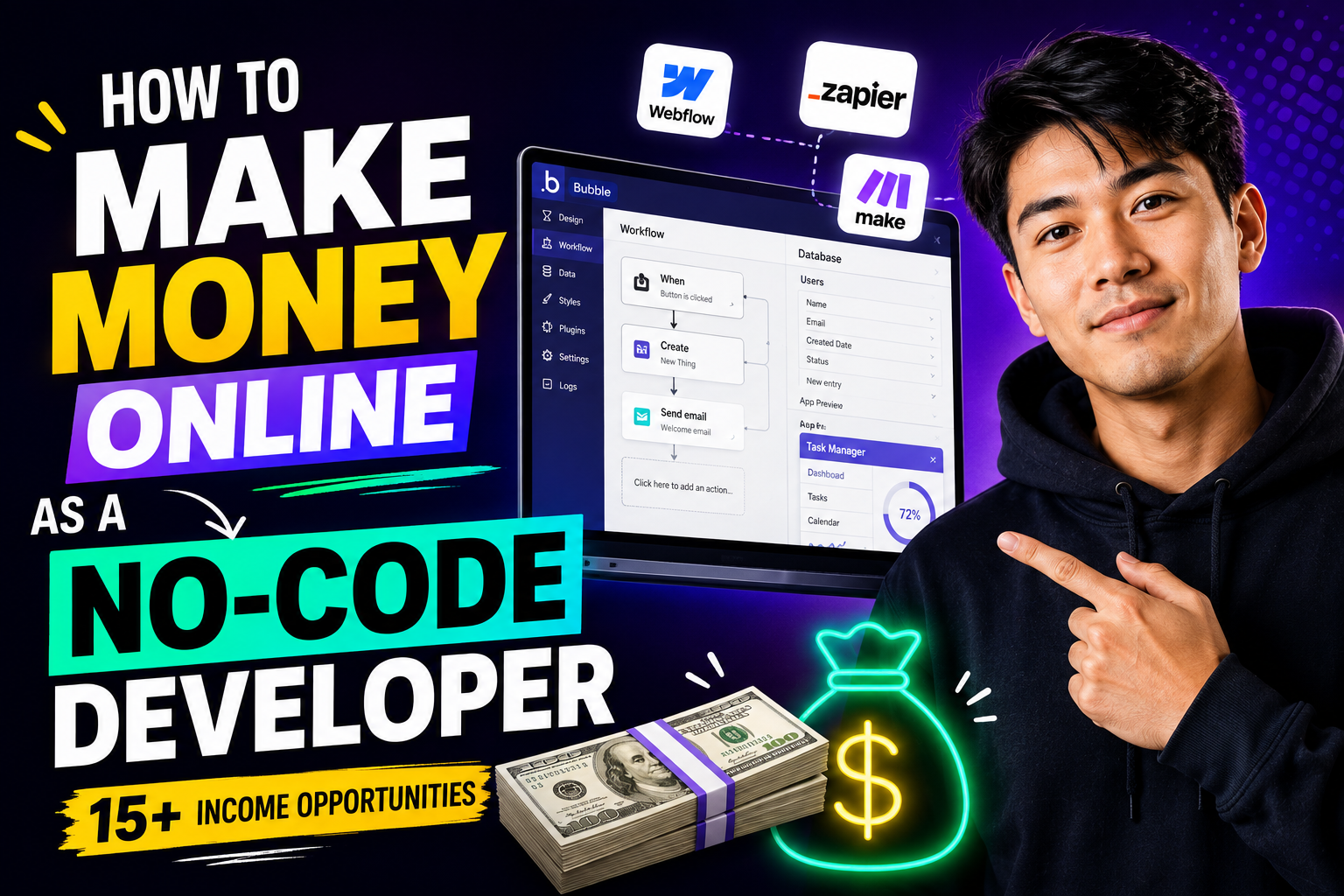
A few years ago, building a serious software product usually followed a familiar path: IDEA → DESIGN → DEVELOPERS → MONTHS OF DEVELOPMENT → TESTING → LAUNCH. You either learned programming yourself or paid developers to turn the idea into software.
That barrier has fallen dramatically.
In 2026, visual development platforms and AI-assisted builders can generate interfaces, databases, workflows and even functioning applications from plain-language instructions. Bubble, for example, now generates pages, workflows and database structures from prompts, while Framer can generate editable websites from a description. Automation platforms such as Zapier and Make have also moved beyond simple “if this, then that” workflows into AI-agent systems.
The new path can look more like: IDEA → AI/NO-CODE BUILDER → DATABASE → AUTOMATION → TEST → LAUNCH.
But there is an important catch. Building software faster does not automatically mean building useful software. A business does not particularly care that you know Bubble, Webflow, Framer, Zapier, Make or n8n. It cares whether you can solve a problem.
Can you stop sales leads from disappearing? Can you replace a spreadsheet-based approval process? Can you launch a founder's MVP quickly enough to test demand? Can you automate a report that an employee currently spends four hours preparing every Friday? Can you build a portal where clients can submit documents and check their project status?
That is where the money is. No-code does not eliminate software development. It changes which parts of software development require the most human value. This guide pairs the full monetization playbook with a step-by-step Vezill resource on this exact topic, plus structured skill-building at Inceptor Institute for the technical depth that separates a serious builder from a tool operator.
A no-code developer can make money online by building websites, landing pages, web applications, startup MVPs, internal tools, client portals, CRM systems, ecommerce workflows, business automations and AI-powered applications. Other opportunities include maintenance retainers, automation consulting, white-label agency work, templates, training, digital products and Micro-SaaS businesses. Your earning potential depends less on how many tools you know and more on your ability to identify valuable problems, build reliable solutions, acquire customers and maintain what you build.
 A no-code developer's real workspace — a visual app builder on one screen, a workflow and database interface on the other.
A no-code developer builds software using visual development tools, prebuilt components, databases, APIs and automation platforms rather than writing most of the application manually in a traditional programming language.
That does not necessarily mean the developer understands nothing about technology. A professional no-code builder still benefits enormously from understanding databases, APIs, authentication, permissions, webhooks, user experience and basic software architecture. The boundaries are also becoming less clear.
| Role | Primary Method | Coding Required? | Typical Projects | Best Use |
|---|---|---|---|---|
| No-code developer | Visual builders and configuration | Little or none | Apps, websites, portals, workflows | Rapid business solutions |
| Low-code developer | Visual tools + custom code | Some | More customized systems | Projects requiring extensions |
| Traditional developer | Programming languages/frameworks | Yes | Highly customized software | Maximum technical control |
| AI-assisted developer | Natural language + development tools | Varies | Apps, prototypes, features | Accelerating development |
Bubble illustrates this convergence particularly well. Its current AI builder can generate an initial application's interface, workflows and database, after which the builder can visually inspect and modify the result. Bubble itself stresses that an AI-generated first version still requires editing, testing and debugging before it is production-ready.
That distinction matters. No-code should not mean no technical understanding.
There are six useful ways to think about no-code value: 1. Build — turn an idea or requirement into something people can actually use. 2. Connect — make separate systems communicate through APIs, webhooks and integrations. 3. Automate — remove repetitive manual tasks. 4. Organize — turn messy information and processes into structured systems. 5. Improve — redesign an inefficient process so it becomes faster, clearer or less error-prone. 6. Maintain — keep systems functioning as software, APIs, requirements and businesses change.
This leads to an important formula: BUSINESS PROBLEM → WORKFLOW → SOFTWARE → OUTCOME. Not: TOOL → FEATURES → CLIENT.
 Six ways no-code developers create real business value.
Website development remains one of the simplest ways to turn no-code skills into a service. Potential clients include consultants, law firms, restaurants, agencies, coaches, local businesses and startups.
Modern platforms are making the initial build increasingly automated. Framer's current AI agent, for example, can generate editable pages, sections, copy and visuals from a description, while retaining visual control over responsive layouts, CMS content, SEO and publishing. That means merely saying “I build Framer websites” is becoming weak positioning.
A stronger offer: Professional Lead-Generation Website for Consultants. The deliverable could include the site, mobile responsiveness, contact/booking forms, analytics setup, basic search optimization and lead-routing integration. The customer is buying a system for attracting enquiries — not your familiarity with a website builder.
You can find customers through direct outreach, LinkedIn, agencies, local businesses, professional networks and freelance marketplaces. The initial website can also lead to ongoing maintenance, landing pages, analytics and conversion improvements: Website → leads → optimization → maintenance → recurring relationship. Building real design and technical judgement behind a no-code website — not just assembling blocks — is exactly what Inceptor's Web Design with AI course is built around.
Landing pages are an excellent beginner service because the scope can be much smaller than a complete application. Potential customers include SaaS companies, agencies, ecommerce brands, coaches, course creators and companies running advertising campaigns.
A package could be: Campaign Landing Page — responsive page + lead form + analytics + CRM connection + basic SEO + testing. A good portfolio project can use a hypothetical company, provided you clearly identify it as a demonstration rather than a real client.
The real value isn't “one Framer page.” It is: Campaign → visitor → page → enquiry/signup/purchase.
An MVP, or Minimum Viable Product, is the smallest useful version of a product that lets a team test important assumptions with real users.
Imagine a founder wants to build a marketplace connecting customers with local photographers. They could spend months building advanced recommendations, mobile applications, sophisticated messaging, dozens of profile features and complex analytics. Or they could test the core idea with: Profiles → listings → search → enquiries → simple admin.
No-code is particularly useful for this type of validation. Bubble's current AI capabilities can create initial UI, workflows and database structures from a prompt, substantially reducing the work needed to get to a first version. But its own guidance makes the important distinction between generating a starting point and finishing a production-ready application.
The business opportunity is therefore not “I can generate apps.” It is “I help founders turn validated ideas into testable MVPs.” The workflow should be: IDEA → VALIDATE → MVP → USERS → FEEDBACK → IMPROVE. And sometimes your professional recommendation should be not to build yet.
This is one of the most overlooked no-code opportunities. Many companies do not need another public-facing app. They need better software for employees: inventory systems, approval workflows, order trackers, employee directories, lead-management systems, content approval tools, supplier databases, project trackers.
Consider an equipment-request system: Employee request → manager approval → inventory update → employee notification. Nobody needs to download it from an app store. It simply needs to work. Internal business tools can therefore be an excellent niche because the buying decision is often tied directly to efficiency.
A client portal gives customers a secure place to interact with a business — to log in, see project status, submit information, download documents, request changes, access invoices, contact support. Potential buyers include agencies, accountants, consultants, coaches and property-management companies.
Instead of advertising “I build Softr apps,” package the offer as: Branded Client Portal Setup for Agencies. If you build similar portals repeatedly, you can eventually standardize the underlying workflow and turn the service into a productized package.
This is one of the most commercially interesting no-code opportunities. Consider this manual process: Customer completes form → employee copies details → spreadsheet updated → email written → manager notified. Now redesign it: FORM → AUTOMATION → CRM/DATABASE → EMAIL → NOTIFICATION.
The value is not the automation canvas. It is less manual work, faster response, and fewer copying errors. Platforms such as Zapier and Make now also incorporate AI agents — Zapier describes its Agents product as assistants that can perform work across connected apps, while Make positions its AI Agents as a way to combine adaptive AI decisions with visible automation workflows. That creates room for an emerging professional role: business automation specialist.
AI automation goes beyond a fixed rule such as “New form → create spreadsheet row.” Suppose a property company receives an enquiry. An AI-assisted workflow might: Enquiry → classify intent → extract property preference → update CRM → draft response → notify appropriate salesperson. Or for document processing: Document uploaded → extract fields → categorize → database → human review.
The phrase human review matters. Language models can make mistakes. An AI workflow therefore needs error handling, permissions, monitoring and escalation paths.
Do not sell “AI agents.” Sell something specific, such as: Property Enquiry Qualification and Routing System. That is a business solution. Building this kind of judgment — where AI helps but humans stay accountable — is the exact focus of Inceptor's AI training course.
Many businesses already pay for customer relationship management software but never configure it properly. A no-code/automation specialist can help with: contacts → pipeline → forms → stages → automation → dashboards → reporting.
A packaged offer might be: CRM Setup for Small Sales Teams. You interview the team, map the sales process, configure stages, migrate appropriate data, connect forms, automate routine notifications and train employees. This also creates recurring work because processes change, employees join, reports evolve and integrations break.
Ecommerce no-code work can include storefront configuration, landing pages, product-page improvements, customer-email workflows, inventory connections, order workflows, internal operations and reporting automation. The professional approach is usually to integrate established ecommerce and payment infrastructure rather than trying to invent payment processing yourself.
A more valuable specialization might therefore be: Ecommerce Operations Automation rather than “I make online stores.”
A database is simply an organized system for storing and retrieving structured information. Many small organizations still manage critical information through scattered spreadsheets, messages and email. Potential projects include property directories, supplier databases, recruitment trackers, membership directories, inventory systems and content libraries.
The interface may be simple. The important work is designing the data correctly. As a project becomes more complicated, relationships, permissions, backups and data integrity become much more important — reason enough to learn basic database concepts even for someone who intends to stay primarily no-code, exactly the layer Inceptor's Software Development with AI course is designed to teach.
There is now an entire category between conventional no-code and traditional development: AI-assisted app building. Potential products include document assistants, internal knowledge tools, proposal assistants, research workflows, customer-support assistants and content-production systems.
But avoid building a Generic ChatGPT Wrapper #9374. Simply placing a chatbot inside another interface rarely creates much defensibility.
A stronger formula is: AI MODEL + SPECIFIC WORKFLOW + CUSTOMER PROBLEM + INTEGRATION + DISTRIBUTION = PRODUCT. For example, instead of a generic “AI writing assistant,” build a workflow specifically for property managers that converts inspection notes into structured maintenance requests.
Micro-SaaS is a narrowly focused software business built around a specific recurring problem. Consider a hypothetical product: Review Response Assistant for Independent Hotels. The system could: collect reviews → categorize feedback → draft responses → identify repeated complaints → generate monthly summary.
Do not immediately spend three months building it. You could initially perform much of the work manually for several hotels. If customers repeatedly value the service, standardize it. Then automate the repeated parts. The progression becomes: SERVICE → PRODUCTIZED SERVICE → AUTOMATION → MICRO-SAAS. This is a much safer way to approach no-code entrepreneurship than building an elaborate SaaS application and then searching for someone who might want it.
Building is only the beginning. After launch, clients may need bug fixes, workflow monitoring, integration repairs, database cleanup, new pages, user management, automation updates, support and optimization.
That creates one of the most important business transformations in freelancing: BUILD → RETAINER. Instead of continuously finding a completely new customer for another one-off project, maintain systems you already understand. A package could be: Monthly No-Code Support Plan — define exactly what is included so “maintenance” does not become unlimited free development.
You do not always have to find the end client. Marketing, branding, design and consulting agencies frequently need implementation partners. The agency sells the broader project; you handle the no-code development behind the scenes.
Advantages include repeat work and less time spent acquiring individual customers. The disadvantages are also real: margins may be lower, you can become dependent on a small number of agencies, and some white-label arrangements limit what you can publicly show. For someone technically strong but uncomfortable with sales, however, agency partnerships can be a practical route into paid work.
Eventually, your knowledge itself becomes sellable. Suppose a company has forms, spreadsheets, CRM, email marketing, manual reports, customer onboarding and support processes. Instead of immediately building something, conduct a Business Automation Audit. Map: PROCESS → PEOPLE → SOFTWARE → MANUAL STEPS → BOTTLENECKS → AUTOMATION OPPORTUNITIES.
The final deliverable might be an Automation Opportunity Map ranking improvements by business value, complexity and risk. This is an important career transition: IMPLEMENTER → PROBLEM SOLVER → CONSULTANT.
Once you build similar systems repeatedly, parts of your work can become reusable assets: website templates, Bubble application templates, Airtable systems, CRM structures, automation blueprints, onboarding systems, workflow diagrams.
Licensing Matters: A template containing third-party assets, plugins, fonts, images, code or components does not automatically give you the right to redistribute everything inside it. Build original assets or ensure the relevant licenses permit redistribution.Your expertise can also become a digital product: a No-Code MVP Planning Kit, Automation Discovery Questionnaire, CRM Setup Checklist, App Requirements Workbook, Client Discovery Templates, Workflow Mapping Toolkit, Database Planning Worksheet, No-Code Freelancer Proposal Kit, AI Workflow Testing Checklist, or API Integration Planning Guide.
The standard should be: Does this save someone meaningful time, confusion or setup work? Not: Can AI generate 40 pages about Bubble? That distinction separates useful products from generic information — it's the same filter behind Vezill's own guide, How to Make Money Online as a No-Code Developer.
Four areas deserve particular attention. AI-Agent Implementation — Make and Zapier now explicitly provide agent-building capabilities integrated with business applications, making agent configuration, orchestration, permissions and monitoring a potential client service rather than just an experimental hobby. AI-Native Internal Tools — companies can combine structured business data with AI to create internal research, support, document-processing and reporting systems. Natural-Language Application Development — Bubble can now generate working application foundations from prompts, while Framer's agents can generate and modify professional websites.
Interestingly, platform capabilities can also disappear. Webflow's documentation says its App Gen feature could generate and deploy full-stack web apps, but Webflow has now paused further App Gen development and is beginning its deprecation process. That is a useful reminder that professionals should understand architectures and migration risk rather than becoming completely dependent on one feature.
AI Workflow Monitoring and Maintenance — the more companies depend on automated systems, the more important monitoring becomes. A workflow that works today can fail later because an API changes, credentials expire, an AI response breaks expected formatting or a business process changes. That creates ongoing service opportunities.
| Income Model | Difficulty | Startup Cost | First-Client Speed | Recurring Revenue | Scalability | Best For |
|---|---|---|---|---|---|---|
| Landing pages | Low | Low | Faster | Low–Medium | Medium | Beginners |
| Websites | Low–Medium | Low | Faster | Medium | Medium | Designers |
| Automation | Medium | Low–Medium | Medium | High | High | Process thinkers |
| CRM setup | Medium | Low | Medium | High | Medium | Business-focused builders |
| Internal tools | Medium | Low–Medium | Medium | High | Medium | App builders |
| Client portals | Medium | Low–Medium | Medium | High | High | B2B specialists |
| MVP development | Medium–High | Medium | Medium | Medium | Medium | Product builders |
| AI automation | Medium–High | Medium | Medium | High | High | AI/automation specialists |
| Ecommerce systems | Medium | Medium | Medium | High | Medium | Ecommerce specialists |
| Database apps | Medium | Low–Medium | Medium | Medium | Medium | Structured thinkers |
| AI applications | High | Medium | Medium | High | High | Advanced builders |
| Maintenance | Medium | Low | Fast after a build | Very high | Medium | Existing freelancers |
| Consulting | High | Low | Slower | High | Medium | Experienced builders |
| Digital products | Medium | Low | Variable | N/A | High | Educators/builders |
| Micro-SaaS | High | Medium | Usually slower | Very high if validated | Very high | Entrepreneurs |
These are relative categories — not guarantees.
This may be the most important section in this article.
Weak: “I build Zapier automations.” Better: “I automate lead intake and follow-up for property agencies so new enquiries reach the correct salesperson quickly.”
Weak: “I build Bubble apps.” Better: “I help founders turn validated ideas into working MVPs they can test with users.”
Weak: “I make Webflow websites.” Better: “I build lead-generation websites for professional service firms.”
Use: NICHE + PAINFUL PROBLEM + SOLUTION + BUSINESS OUTCOME. The tool belongs behind the offer.
A strong portfolio should demonstrate different forms of problem-solving, not 12 nearly identical landing pages. Start with five projects: a lead-generation website (design, responsiveness, forms, conversion thinking), a business automation (integrations and workflow design), an internal tool (database and business logic), a client portal (authentication, permissions and UX), and a small MVP (product thinking and end-to-end development).
Every case study should explain: Problem → customer → old process → solution → stack → workflow → result → limitations → improvements. If there is no real customer, say clearly that it is a demonstration project. Do not invent testimonials, users or business results.
A strong example: Property Enquiry Management System. Suppose a small property company receives enquiries from its website and other approved channels, currently copying leads into spreadsheets manually. Build: WEBSITE FORM → DATABASE → CLASSIFICATION → CRM → AGENT NOTIFICATION → FOLLOW-UP → DASHBOARD. This single project demonstrates frontend development, databases, workflow automation, API/integration thinking, AI classification, notifications, CRM, analytics and business understanding — far more impressive to a potential business customer than a random app clone.
Pick one customer type first. Suppose you choose small real-estate agencies. Find 30 businesses and examine how their enquiries appear to work — you are not hacking their systems, you are observing the public customer journey and identifying potential friction. Build a small demonstration using fictional data, then record a short walkthrough.
Your positioning might be: “I help small property companies organize website enquiries, automatically route leads to the right salesperson and keep follow-ups inside one simple pipeline.”
A natural outreach message could say: “I noticed your website uses a standard property enquiry form. I built a small demonstration showing how an enquiry could automatically enter a sales pipeline, be categorized and notify the appropriate salesperson. Happy to send the two-minute demo if it would be useful.” Specificity makes the message believable.
If there is interest: DISCOVERY → SMALL PAID PILOT → DELIVER → MEASURE → TESTIMONIAL → SUPPORT OFFER. Client channels can include LinkedIn, freelance marketplaces, agency partnerships, referrals, startup communities, professional communities and direct outreach. Do not depend on only one.
There is no universal correct price. Common models include hourly billing, fixed projects, milestones, setup plus maintenance, monthly retainers, consulting fees and subscriptions. The appropriate structure depends on the work: a small landing page is easier to scope as a fixed project; a poorly defined startup application may be safer as milestones; ongoing workflow maintenance can fit a retainer; a Micro-SaaS typically uses subscription pricing.
When scoping a project, consider: complexity + integrations + users + authentication + database + AI usage + testing + support + documentation + maintenance. And remember: BUILD COST ≠ OPERATING COST. The client may separately pay for no-code platform subscription, database/hosting, automation executions, AI API usage, email/SMS, third-party APIs, payment processing and other SaaS subscriptions. Explain these before the client approves the project.
One-off projects produce one-off invoices. The same customer may still have recurring needs. After delivering a lead system, for example, offer workflow monitoring, database maintenance, integration support, monthly improvements, reporting, user support, AI-output monitoring and troubleshooting.
The transformation is: PROJECT → SUPPORT → RETAINER. And eventually: RETAINER → REPEATABLE PACKAGE.
Turn no-code into a productized service. Suppose you repeatedly work with property businesses. Create: Real Estate Lead Automation Package — Enquiry form → CRM pipeline → lead routing → follow-up workflow → salesperson notification → reporting dashboard. The scope is standardized. You are no longer redesigning your entire service for every prospect — that improves sales because customers understand what they are buying, and it improves delivery because you reuse a proven process. The progression becomes: FREELANCER → SPECIALIST → PRODUCTIZED SERVICE → CONSULTANT → PRODUCT.
Not every no-code asset needs to become software. Knowledge accumulated while building can be packaged into: a No-Code MVP Planning Kit, Business Automation Blueprint, CRM Setup Checklist, No-Code Freelancer Proposal Templates, AI Workflow Planning Toolkit, Client Discovery Questionnaire, Automation Testing Checklist, or Database Planning Workbook.
Vezill's current digital-product creation guide includes guides, templates, checklists and toolkits among the digital-product formats discussed on the marketplace, while its AI product-creation guide also lists software and mobile applications among supported product types.
Featured Vezill Guide
This exact playbook is available as a step-by-step Vezill guide — covering positioning, portfolio-building, pricing, retainers, productized services and how to package no-code expertise into real, recurring income.
Get the guide on Vezill →If a product is offered with Master Resell Rights, treat those rights as a specific licensing arrangement. Do not assume that owning a digital product gives you redistribution rights, and do not promise income from resale. A useful related resource is Vezill's guide on creating digital products with AI, which uses the sensible sequence: Problem → Research → Validation → Creation → Packaging → Pricing → Publishing → Marketing → Improvement. For choosing a strong product idea in the first place, see how to find winning digital product ideas before creating them, and for the full publishing walkthrough, how to create and sell digital products online.
Once you genuinely understand a tool or workflow, teaching becomes another income model: private tutoring, company workshops, Bubble training, automation training, AI workflow training, beginner courses.
Again, specificity wins. Weak: Learn Zapier. Better: Automate Repetitive Admin Work With Zapier. Weak: Learn Bubble. Better: Build Your First Client Portal Without Traditional Coding. The second version identifies a result.
AI is not simply another tool inside no-code. It is changing what “no-code” means. Bubble's current AI system can generate UI, database structures and workflows from natural-language descriptions. Framer can create editable website structures and content from prompts. Make and Zapier now provide AI-agent systems that can interact with connected business applications.
This creates a paradox: THE EASIER BUILDING BECOMES, THE LESS VALUABLE “I CAN BUILD” BECOMES. If a potential client can produce a reasonable first draft themselves, your value must move higher up the stack — toward problem selection, requirements, architecture, workflow design, UX, integration, security, testing, deployment and maintenance.
AI can make a skilled builder faster. It also makes mediocre implementation easier to produce. Those are not the same thing.
AI is likely to automate more of the implementation work that no-code developers currently perform, but that does not make all no-code work disappear. It changes which skills are valuable. Basic websites, prototypes and simple workflows will probably continue becoming easier to generate.
Bubble itself now says its AI builder can produce a working application foundation within minutes, but it also emphasizes that production readiness still requires editing, testing and debugging. Real client projects involve ambiguity. A client says: “Our leads aren't being followed up properly.” That is not a technical specification. Someone must discover: Where do leads come from? Who owns them? What counts as qualified? What happens after hours? Which CRM exists? Who can access what? What should happen if AI misclassifies something? How are duplicates handled? What happens when an API fails?
That is professional work. The safest no-code career is not becoming the fastest person at clicking through a builder. It is becoming the person who understands the customer's business well enough to design the right system.
Business Skill: Client acquisition, positioning and communication decide whether all of this technical work ever finds a paying customer — the exact focus of Inceptor's Digital Marketing course.Professionalism includes knowing when not to use your preferred tool. No-code may be inappropriate—or require traditional engineering support—for projects involving unusual performance requirements, highly specialized algorithms, custom infrastructure, specialized hardware, certain advanced offline or real-time requirements, or security and regulatory requirements that the chosen platform cannot adequately satisfy.
It is not enough to say “Bubble can build apps, therefore everything should be Bubble.” Sometimes the correct recommendation is: This project needs traditional engineering. Clients should trust your judgment more because you are willing to say that. Building that deeper foundation — knowing exactly when a no-code ceiling has been hit — is what Inceptor's Software Development with AI course and Python Programming course are designed to teach.
Visual development abstracts code. It does not remove security. You still need to understand authentication, authorization, database permissions, API keys, secrets, user roles, personal information, backups and access control.
Bubble's own current AI-development guidance explicitly notes that generated applications still require privacy configuration and testing before real users arrive.
Never expose secret API credentials in a frontend. Never make a sensitive database public merely because it is easier. Never upload confidential client information into a public AI service unless the client has authorized the use and the relevant data-handling terms are appropriate. For regulated or high-risk systems, obtain appropriate technical and legal expertise.
There are two markets to think about: LOCAL PROBLEMS + GLOBAL CLIENTS. Local businesses can have extremely practical software needs: property enquiry management, inventory tracking, hotel operations, school administration, NGO workflows, ecommerce operations, CRM, marketing reporting, appointment systems, logistics, SME automation.
Consider a small business receiving enquiries across several channels. A useful project might organize approved inbound channels into: ENQUIRY → CRM → ASSIGNED PERSON → FOLLOW-UP → REPORTING. That is much more valuable than building technology for technology's sake.
A developer in Kenya can also sell remotely wherever contractual, payment, platform and regulatory requirements allow. Your portfolio, communication, reliability and specialization matter because the deliverable itself is digital.
Think in five levels. Level 1 — Fundamentals: web basics, UX, responsive design, forms and basic databases. Level 2 — Professional No-Code: choose one serious web/app platform and learn databases, authentication, APIs, webhooks and automation. Level 3 — AI & Automation: AI APIs, structured outputs, workflow automation, human review, error handling and tools such as Make, Zapier or n8n. Level 4 — Technical Depth: enough HTML, CSS, JavaScript, SQL, APIs, Git and security fundamentals to understand what is happening underneath your abstractions. Level 5 — Business: discovery, customer research, proposals, scope, pricing, sales, documentation, consulting and project management.
The important principle is: No-code should not mean no technical understanding. For readers who need deeper traditional foundations, Inceptor Institute of Technology's current course catalogue includes verified programs such as the Web Design with AI course, the Software Development with AI course, and the Python Programming course. The latter covers programming, databases, APIs, Python, JavaScript and AI-assisted development. That can complement no-code rather than replace it.
Inceptor Institute's Software Development with AI, Web Design with AI, and Python Programming courses cover exactly what sits underneath the abstractions — databases, APIs, security and real architecture decisions.
Explore Inceptor's Full Course Catalog →Week 1 — Choose. Pick one stack + one customer + one problem. Do not try to learn Bubble, Webflow, Framer, Make, Zapier, n8n, FlutterFlow and five AI builders simultaneously.
Week 2 — Build. Create one complete demonstration solving a real business problem.
Week 3 — Package. Prepare your case study, landing page, demo video, offer, scope and prospect list.
Week 4 — Sell. Start conversations. Show the demonstration. Try to close a small paid pilot. Get feedback even when people decline.
The first objective is not to create a giant agency. It is to prove: SOMEONE HAS THIS PROBLEM → I CAN SOLVE IT → SOMEONE WILL PAY FOR THE SOLUTION.
Month 1 — Deliver. Complete a small project well. Learn where your estimates were wrong. Document everything.
Month 2 — Specialize. Notice which problems keep repeating. Refine your offer. Develop reusable components and processes.
Month 3 — Productize. Turn the repeated service into a package. Add maintenance where appropriate.
The longer-term path can become: FREELANCER → SPECIALIST → PRODUCTIZED SERVICE → CONSULTANT → MICRO-SAAS / DIGITAL PRODUCT. You do not need to reach every stage. A specialized freelancer with good clients can already have a strong business.
 From one freelance project to a real no-code business — a gradual climb, not a single leap.
Be cautious about building a generic AI chatbot, another to-do app, a generic directory, a broad CRM clone, a random marketplace or a social network with no existing distribution.
The problem isn't that these products can never work. The problem is that the idea usually begins with “I can build this” instead of “These people repeatedly experience this painful problem.” A generic directory becomes more interesting if you already control unique data or distribution. A generic chatbot becomes more interesting if it performs a specialized workflow using information and integrations customers genuinely need. A marketplace becomes more interesting if you already have access to one side of the market. Technology is rarely the missing ingredient.
Use: PROBLEM → INTERVIEW → MANUAL SOLUTION → PAID PILOT → MVP → AUTOMATE.
Ask potential customers: How do you handle this today? How often does it happen? Who handles it? How much time does it consume? What happens when it goes wrong? Which software do you already use? Have you previously paid to solve it?
If nobody cares about the manual version of your solution, automation does not magically create demand. Do not spend three months building before talking to customers.
Success does not have to mean building a huge SaaS company. Your first meaningful milestones could be: first working portfolio project → first serious prospect → first paid pilot → first testimonial → first repeat client → first monthly retainer → first agency partner → first digital-product sale → first SaaS subscriber.
A no-code project can also lead to a better traditional job because it provides public evidence that you understand product development and business problems.
 What a business is really buying — an outcome at the end of the workflow, not the automation canvas itself.
Yes. No-code developers can sell websites, applications, automations, CRM implementations, internal tools, MVPs, maintenance, consulting, templates, training and other digital products. Success depends on solving problems customers value rather than simply knowing a particular builder.
A no-code developer designs and builds digital systems using visual development platforms, databases, integrations and automation rather than manually programming most of the system.
Yes, but the valuable skill is moving beyond basic tool operation. AI is making first drafts easier to generate, increasing the importance of product thinking, workflow design, integration, testing, security and customer understanding.
Yes. Many platforms are designed for people without traditional programming backgrounds. However, learning basic web concepts, databases, APIs, security and eventually some HTML/CSS/JavaScript or SQL can significantly improve your capabilities.
Common channels include direct outreach, LinkedIn, freelance marketplaces, startup communities, agency partnerships, local businesses and referrals. A specialized portfolio and clear offer generally make outreach stronger than simply listing tools.
Landing pages, straightforward business websites and simple business automations are usually easier to scope than complex SaaS products or multi-role applications.
Yes. Bubble can be used for client applications, startup MVPs, portals, internal tools and SaaS products. Its current AI system can generate UI, database structures and workflows, but production applications still require refinement and testing.
Yes. Businesses pay for professional websites, landing pages, CMS sites and ongoing site improvements. Increasing AI generation means differentiation should increasingly come from strategy, design quality, integrations and business outcomes rather than simply assembling pages.
Yes. Businesses can hire specialists to automate lead handling, reporting, onboarding, CRM workflows and other repetitive processes. Both platforms now also offer AI-agent capabilities.
Yes, depending on the product's requirements. No-code platforms can support many SaaS use cases, but specialized performance, infrastructure, security or other technical requirements can make custom engineering a better choice.
Yes. Current platforms can generate or visually build applications that incorporate AI. However, a useful AI application still requires appropriate data handling, workflows, testing, security and a real customer problem.
AI will likely automate more basic implementation work. That makes higher-level abilities—requirements gathering, architecture, integrations, UX, testing, security and business understanding—more important.
There is no universal rate. Pricing depends on scope, complexity, integrations, data, users, testing, support, maintenance and business value. Projects can be billed hourly, fixed-price, by milestones, through retainers or as subscriptions.
A strong beginner portfolio can include a lead-generation website, automation workflow, internal business tool, client portal and small MVP. Explain the problem, workflow, tools, decisions, limitations and expected business outcome.
Yes, where relevant platforms, contracts, payment methods and laws permit it. Because no-code development is digitally deliverable, client location does not inherently need to match the developer's location.
No-code has changed who can build software. AI is changing it again. A person can now describe an application and receive a functioning starting point in minutes. A website can begin as a prompt. An automation can include an AI agent capable of interacting with multiple business systems.
That does not make professional builders irrelevant. It raises the bar for what professional means.
Do not stop at “I know Webflow.” Move toward “I build lead-generation websites.” Then “I build lead-generation systems for property companies.” Then perhaps “I have a standardized property lead automation package.” And eventually “I help property businesses redesign how enquiries are captured, routed and followed up.”
The strongest progression is: SKILL → PROBLEM → SOLUTION → CUSTOMER → RESULT → RECURRING SERVICE → SYSTEM → ASSET.
You do not need to master every no-code platform. You need to become very good at identifying a valuable problem, choosing the right tools, building a reliable solution, getting it in front of customers and improving it through real feedback.
NO-CODE IS THE TOOL. THE BUSINESS IS THE PROBLEM YOU SOLVE.
Start This Week
The complete step-by-step version of this guide — with pricing frameworks, outreach scripts and portfolio structures — is available on Vezill.
Get How to Make Money Online as a No-Code Developer →Discover more articles you might be interested in
Learn where to find reliable step-by-step guides online, how to choose the right tutorial for your task, check whether it is current and follow instructions safely.
By Davie
Stop searching broad topics and start finding the exact knowledge you need. Learn how to define your problem, search smarter, choose reliable sources, verify answers and take action.
By Davie
Quick Knowledge or an online course? Learn when a focused answer is enough, when structured learning is better, and how to choose the right learning depth for your goal.
By Davie
Learn how to turn one useful digital product into multiple income streams through premium versions, bundles, courses, licensing, services, subscriptions, B2B sales and complementary products.
By Davie
Get the updates, on newly released, popular & fast-moving MRR digital products
Up to Top
Comments All
Nelson mandela
@nelson_mandela
I really enjoyed this article! I like how it explains that you don’t necessarily need to be a traditional programmer to get started in tech. The different ways a no-code developer can make money online were really interesting and practical. Definitely a good read for anyone looking to turn their skills into an online income. 👏
September 04,2026 At 11:21 PM