
Ellan
Joined - December 2025

How many websites, apps and online accounts have access to information about you?
Which apps can access your location, camera, microphone, contacts or photos?
Are you still using passwords that have been reused across several accounts?
Could an old email address or account have appeared in a known data breach?
And how much personal information about you can someone find online?
You don't need to be a cybersecurity expert to start answering these questions.
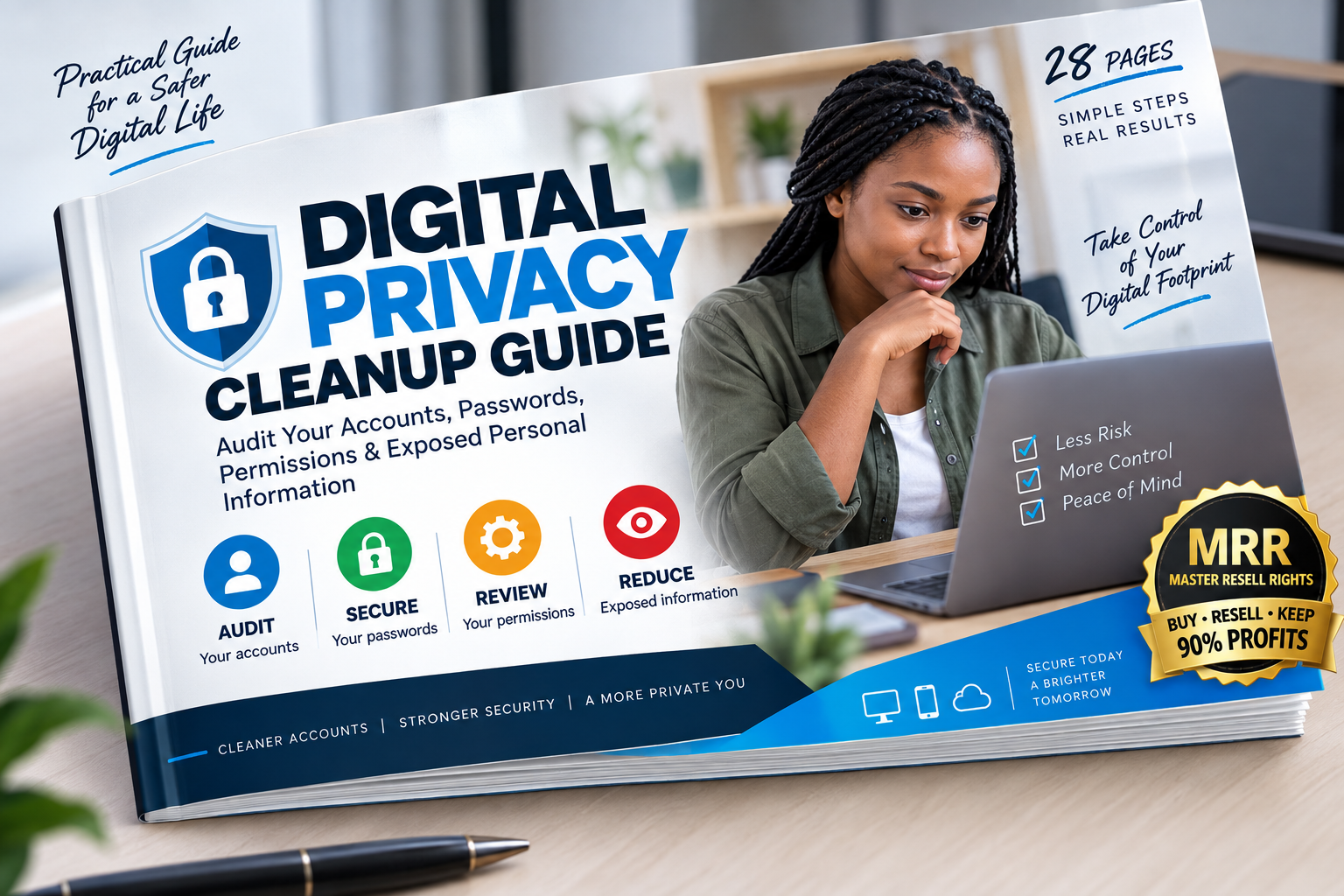
The Digital Privacy Cleanup Guide is a practical 28-page step-by-step digital privacy workbook designed to help everyday internet users audit their online accounts, strengthen important passwords, review app permissions, identify unnecessary access and reduce personal information they no longer want exposed online.
Instead of overwhelming you with cybersecurity terminology, the guide gives you straightforward CHECK → REVIEW → CLEAN → SECURE actions you can follow using your phone or computer.
Think of it like cleaning your house - except this time you're cleaning your digital life.
Over the years, most people accumulate:
Old online accounts
Forgotten apps
Reused passwords
Connected third-party services
Saved payment information
Public social-media posts
Location permissions
Browser permissions
Old email accounts
Forgotten subscriptions
Public profiles
Apps that can access personal information
Individually, some may seem harmless.
Together, they can create a much larger digital footprint than you realize.
The Digital Privacy Cleanup Guide helps you systematically identify these areas and decide what should be kept, secured, restricted, revoked, cleaned up or deleted.
Start by building your personal Digital Privacy Map.
The guide helps you identify accounts associated with:
✓ Email
✓ Social media
✓ Shopping
✓ Cloud storage
✓ Banking and payments
✓ Work
✓ Education
✓ Streaming services
✓ Travel websites
✓ Forums
✓ Messaging apps
✓ Government services
✓ Apps using Google, Apple or social sign-in
You'll also get an Account Discovery Worksheet so you can decide:
KEEP → SECURE → REVIEW → DELETE
Learn a systematic way to search for your own digital footprint.
Review information associated with your:
✓ Name
✓ Email address
✓ Phone number
✓ Usernames
✓ Old online profiles
✓ Social-media accounts
✓ Business contact information
✓ Public posts
✓ Photos
✓ Location information
Then use the included Digital Exposure Worksheet to record what needs attention.
The objective isn't to disappear from the internet.
It's to understand what is publicly visible and whether you still want it there.
What happens when a website you've used suffers a data breach?
Your email address, password or other account information may potentially be exposed.
This guide explains how to use reputable breach-checking services safely and what to do if you discover that an account has appeared in a known breach.
You'll learn the practical response:
BREACH FOUND → IDENTIFY ACCOUNT → CHANGE AFFECTED/REUSED CREDENTIALS → SECURE EMAIL → ENABLE MFA/PASSKEY → REVIEW SESSIONS → MONITOR
No panic.
Just a clear action plan.
Still using one password across several websites?
The guide explains why password reuse can increase your exposure and walks you through a Password Health Audit without requiring you to write your actual passwords anywhere in the workbook.
Learn how to:
✓ Identify password reuse
✓ Prioritize important accounts
✓ Replace compromised credentials
✓ Create stronger password habits
✓ Understand password managers
✓ Understand passphrases
✓ Understand passkeys
✓ Avoid unsafe password storage
Important: The guide never asks you to record your actual passwords, PINs or recovery codes.
Your primary email and identity accounts can provide access to many other services.
The guide therefore helps you review important security and privacy areas associated with accounts such as:
Google
Apple
Microsoft
You'll learn what to check, including:
✓ Recovery information
✓ Signed-in devices
✓ Recent security activity
✓ Third-party connections
✓ Password security
✓ Two-factor authentication
✓ Passkeys
✓ Privacy settings
Remember that website you signed into using Google two years ago?
Or the app you installed once and never used again?
Some third-party services may remain connected until you revoke their access.
The guide gives you a simple decision system:
DO I RECOGNIZE IT?
DO I STILL USE IT?
DOES IT NEED THIS ACCESS?
Then:
UNKNOWN → INVESTIGATE
OLD / UNUSED → CONSIDER REVOKING
CURRENT / NECESSARY → KEEP + REVIEW PERMISSIONS
Your smartphone may contain some of your most personal information.
Use the guide to systematically review app access to:
✓ Location
✓ Camera
✓ Microphone
✓ Contacts
✓ Photos and files
✓ Calendar
✓ Bluetooth / nearby devices
✓ Notifications
✓ Background activity
Separate guidance is provided for Android and iPhone users.
You'll also learn a useful privacy principle:
Which apps know where you are?
Which people can see your location?
Which photos contain location information?
The guide helps you review:
✓ Precise location access
✓ Approximate location
✓ Background location access
✓ Photo location metadata
✓ Social-media location sharing
✓ Family/friend location sharing
✓ Device-finding services
Use the practical social-media audit to review privacy areas across services such as:
Facebook
Instagram
TikTok
LinkedIn
X
WhatsApp
Telegram
Check:
✓ Phone-number visibility
✓ Email visibility
✓ Birthday information
✓ Old posts
✓ Tagged photos
✓ Location information
✓ Followers/friends visibility
✓ Connected apps
✓ Active sessions
✓ Advertising/privacy settings
✓ Accounts you no longer use
Deleting an app from your phone doesn't necessarily delete your online account.
The guide explains the important differences between:
LOG OUT
UNINSTALL
DEACTIVATE
and
DELETE
Then follow a structured cleanup procedure:
IDENTIFY → DOWNLOAD NEEDED DATA → CANCEL SUBSCRIPTIONS → REVIEW SAVED INFORMATION → DELETE/DEACTIVATE → CONFIRM
Your 28-page Digital Privacy Cleanup Guide also covers:
✓ Browser privacy cleanup
✓ Email privacy cleanup
✓ Public personal-information cleanup
✓ Photo and document privacy
✓ Online-shopping privacy
✓ Stored payment information
✓ Suspicious account activity
✓ Phishing awareness
✓ Device/session reviews
✓ Digital Privacy Cleanup Score
✓ Final Privacy Cleanup Checklist
✓ 15-Minute Monthly Privacy Routine
And there's an important emergency section:
Instead of trying to figure everything out while you're worried, use the included quick-response workflow to determine what to secure first.
You don't need to understand complex cybersecurity terminology.
The guide was specifically structured for:
OPEN → CHECK → REVIEW → REMOVE → SECURE → DONE
Use it on your phone.
Use it beside your laptop.
Print the worksheets if you prefer.
Tick each task as you complete it.
Don't have time to complete everything today?
Start with the guide's priority checklist:
□ Secure your primary email
□ Review account recovery information
□ Check signed-in devices
□ Check known breach exposure
□ Replace reused or compromised passwords
□ Enable stronger authentication where available
□ Remove unnecessary connected apps
□ Review phone permissions
□ Review location sharing
□ Check what personal information is publicly searchable
Then return later and complete the full audit.
Digital Privacy Cleanup Guide — 28-Page Compact PDF
Inside you'll receive:
✓ Step-by-step privacy cleanup instructions
✓ Account Discovery Worksheet
✓ Personal Exposure Audit
✓ Password Health Audit
✓ MFA Setup Tracker
✓ App Permission Audit
✓ Location Privacy Audit
✓ Social Media Privacy Checklist
✓ Browser and Email Cleanup
✓ Digital Privacy Cleanup Score
✓ Master Cleanup Checklist
✓ Monthly Privacy Routine
✓ Account-Compromise Emergency Checklist
Digital delivery means you can start using it immediately after purchase.
You're not only buying knowledge you can use yourself.
This product includes Master Resell Rights for resale through Vezill, subject to the product's MRR licence terms.
That means you can:
LEARN IT → APPLY IT → RESELL IT
Once you've purchased the guide, you can also promote the product to other people who need practical digital-privacy guidance.
Your buyers can receive the applicable resale rights too, creating an additional reason for people to purchase the product.
Where the applicable Vezill arrangement provides for the seller to retain 90% of eligible resale revenue, your actual earnings will depend entirely on your selling price, completed sales, platform terms and results.
MRR provides resale rights — it does not guarantee sales or income.
This practical guide is suitable for:
Smartphone users
Students
Freelancers
Professionals
Parents
Entrepreneurs
Remote workers
Small-business owners
Social-media users
Online shoppers
Anyone with multiple online accounts
Anyone concerned about online privacy
Anyone who wants to reduce their digital footprint
If you've been online for several years, chances are you have accounts, permissions and information worth reviewing.
Digital privacy isn't something you configure once and forget.
New apps get installed.
New accounts get created.
Old passwords remain.
Permissions accumulate.
Devices change.
Information gets shared.
That's why this guide finishes with a simple 15-minute recurring privacy routine to help you periodically review your digital life instead of waiting until something goes wrong.
You don't need to delete everything.
You don't need to stop using social media.
And you don't need to become a cybersecurity professional.
You simply need to understand:
WHAT ACCOUNTS YOU HAVE
WHAT INFORMATION IS EXPOSED
WHO OR WHAT HAS ACCESS
WHAT YOU NO LONGER NEED
and
WHAT SHOULD BE BETTER SECURED
The Digital Privacy Cleanup Guide gives you the structured process to do exactly that.
Get the Digital Privacy Cleanup Guide and start taking control of your digital footprint today.
Educational privacy and security guide. Completing the checklist does not guarantee anonymity, prevent every cyberattack, or guarantee that information can be completely removed from the internet.
Get the updates, on newly released, popular & fast-moving MRR digital products
Up to Top



Comments