
Ellan
Joined - December 2025

Want to learn AI video creation and video editing but don't know where to start?
Maybe you have seen impressive AI-generated videos online and wondered:
How are people creating these videos? Can I learn it as a beginner? Can I turn an image into a video? How do I write the right AI video prompts? How do I edit everything into a professional finished video? And could I eventually use these skills for content creation, freelancing, business or digital products?
This course book was created to take you through that journey step by step.
You don't need to begin as a filmmaker, professional editor or AI expert.
You begin with the fundamentals-and progressively learn how to turn an idea into a finished video.
IDEA → SCRIPT → STORYBOARD → GENERATE → EDIT → PUBLISH → PORTFOLIO → OPPORTUNITY
AI is changing video production.
But having access to an AI video generator does not automatically make someone a video creator.
You still need to know what to create, how to communicate the idea, how to prompt the AI, how to control scenes and motion, how to maintain visual consistency, how to edit the clips, how to use audio and captions, and how to deliver a finished video that actually looks professional.
That is the gap this course book is designed to address.
Instead of teaching you isolated tools, it teaches a complete production workflow.
By progressing through the course, you learn how to move from:
"I don't know how to make AI videos."
to:
"I can plan, generate, edit and deliver my own videos."
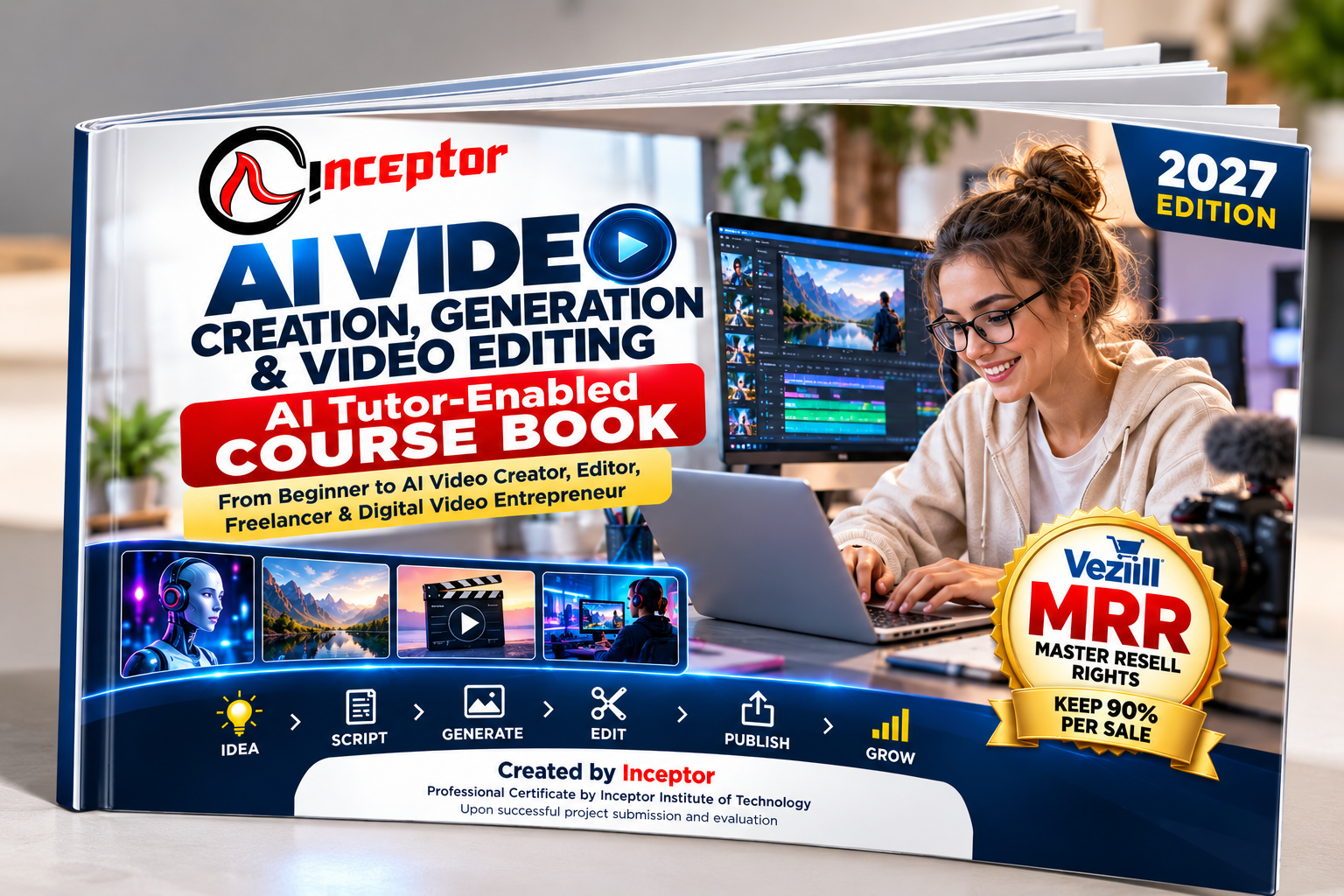
This is a 2027 AI Tutor-Enabled Self-Paced Professional Course Book created by Inceptor for people who want practical AI video-production skills.
It combines:
Professional Course Book + AI Tutor + Practical Training Manual + Prompt Library + Projects + Portfolio Development + Freelancing & Business Pathway
The curriculum is designed around the practical competencies needed to independently create and deliver video content for creator, freelance and commercial applications. -
Instead of requiring you to sit in a classroom at a fixed time, the book gives you a structured curriculum you can follow at your own pace while using an AI assistant as your interactive tutor.
One of the biggest differences between this course book and an ordinary ebook is the AI Tutor learning model.
Throughout the course, you receive ready-to-use prompts that can turn a capable AI assistant into your:
AI Video Tutor • Script Coach • Prompt Coach • Creative Director • Film Director • Editing Coach • Client Simulator • Portfolio Reviewer • Certification Preparation Tutor
You can ask the AI Tutor to:
Explain this concept to me as a beginner.
Demonstrate how to do it.
Give me a practical exercise.
Review my script.
Improve my AI video prompt.
Critique my storyboard.
Diagnose why my generated video went wrong.
Act as my client.
Review my portfolio.
Prepare me for my project assessment.
The course therefore follows a much more active learning process:
That AI Tutor model is explicitly built into the course structure rather than added as an afterthought. -
The course progresses from beginner foundations to complete AI-assisted video production.
You'll learn how to develop video ideas and creative briefs, use AI for research and scriptwriting, turn scripts into scenes and storyboards, understand shot types and camera movements, generate visual assets, create videos from text and images, control subject and camera motion, maintain character and scene consistency, generate voiceovers, work with music and sound effects, edit video professionally, add captions and titles, colour-correct footage, export for different platforms, and build client-ready projects.
You'll also learn how to apply those skills to YouTube videos, Shorts, Reels, social media content, advertisements, product videos, educational videos, business promotions and other commercial content.
The full curriculum contains 16 structured modules spanning AI video creation fundamentals through professional production, freelancing and digital-product creation. -
Have an idea but no footage?
You'll learn a structured text-to-video prompting framework:
Instead of typing vague prompts and hoping for a good result, you'll learn how to think like a video creator.
You'll understand how descriptions of the subject, action, environment, framing, camera movement and timing work together to influence the generated shot.
Already have an image, product photo, character, illustration or AI-generated scene?
Learn the workflow:
The course teaches image-to-video as its own skill rather than treating it exactly like text-to-video.
You'll learn how to think about:
Subject Motion + Camera Motion + Environmental Motion + Timing
You'll also learn how to troubleshoot common problems such as unwanted movement, facial distortion, morphing, inconsistent subjects and unrealistic motion. -
If you've ever generated a video that looked nothing like what you imagined, this section is especially important.
You'll learn how to write better prompts for:
Cinematic scenes • Product videos • Social media ads • Storytelling • Fashion • Food • Property • Travel • Educational videos • Documentary-style content • Technology ads • B-roll • Close-ups • Tracking shots • Aerial shots • Slow motion • Character movement • Product rotations • Image animation
The course specification includes at least 25 reusable professional video prompt templates. -
That means you're not simply being told to "write a good prompt."
You learn a reusable system.
Creating one impressive AI clip is one thing.
Creating several shots that actually feel like they belong in the same video is a much more valuable skill.
The course teaches:
Character consistency • Clothing consistency • Environment consistency • Visual references • Master character sheets • Lighting consistency • Shot-to-shot continuity • Visual identity • Reference-driven workflows
Your practical assignment is to create a coherent 30–60 second multi-shot AI story. -
AI-generated clips are often only raw material.
The real production comes together in the edit.
You'll progressively learn:
Project Setup → Import → Organize → Timeline → Trim → Split → Sequence → B-Roll → Transitions → Titles → Keyframes → Audio → Music → Captions → Colour Correction → Grading → Effects → Final Polish → Export
The course can be applied using accessible or professional editing environments, with examples drawn from tools such as CapCut, DaVinci Resolve, Adobe Premiere Pro, Canva and other suitable editors. The curriculum deliberately teaches transferable principles rather than depending on one commercial application. -
Your skills shouldn't end with random practice clips.
You learn workflows for creating:
Social Media Videos
YouTube Videos
Reels & Shorts
Product Videos
Business Promotional Videos
Service Advertisements
Explainer Videos
Educational Videos
E-commerce Videos
Event Promotions
Brand Videos
Social Advertising Creatives
For commercial work, you'll learn the professional workflow:
-
The course culminates in practical projects designed to create evidence of your skills.
Your project pathway includes:
15-Second Text-to-Video Creative
Image-to-Video Cinematic Sequence
30–60 Second Social Media Advertisement
Multi-Shot AI Storytelling Video
Product/Business Promotional Video
Vertical Reel/Short
3–5 Minute Educational/Explainer Video
Final Client-Ready Capstone Project
The capstone takes you through the entire production process:
-
One of the biggest frustrations with self-learning is completing hours of tutorials but having nothing meaningful to show afterward.
This course is designed differently.
You'll learn how to develop approximately 5–8 strong portfolio projects and document each project professionally with:
Objective • Audience • Creative Brief • Your Role • Tools Used • AI Contribution • Human Contribution • Challenges • Final Deliverable • Skills Demonstrated
-
That portfolio can become evidence of your abilities when approaching clients, businesses, collaborators or other opportunities.
The learning pathway can lead to a:
Awarded by Inceptor Institute of Technology upon satisfactory completion, submission and evaluation of the required practical work.
The proposed competency assessment structure covers practical exercises, module projects, portfolio evidence and the final capstone project. -
Important: Purchasing the course book does not automatically award a certificate. Certification is subject to the applicable project submission, assessment and competency requirements.
This means the certificate pathway is connected to evidence of what you can do, not simply possession of the course book.
This course can be especially useful if you are a:
Complete beginner who wants a structured way to learn AI video creation.
Content creator who wants to produce more compelling videos.
Freelancer looking to add AI video creation or editing to your services.
Video editor who wants to integrate generative AI into existing workflows.
YouTuber or social media creator who needs B-roll, visual storytelling, Shorts or promotional content.
Entrepreneur or small-business owner who wants to create marketing videos.
Digital marketer who wants to produce video advertisements and campaign creatives.
Student or job seeker who wants practical projects and portfolio evidence.
Digital-product creator who wants to transform video-production knowledge and reusable assets into legitimate digital products.
No previous professional video-production experience is required by the course design. -
Depending on your competence, portfolio, market and experience, potential pathways include:
AI Video Creator
Video Editor
Social Media Video Editor
Short-Form Video Creator
YouTube Video Editor
AI Content Creator
Marketing Video Creator
Product Video Creator
AI Video Prompt Specialist
Creative Assistant
Freelance Video Producer
The course also teaches niche selection, service definition, portfolio creation, pricing principles, proposals, prospecting, client communication, revisions and repeat-client development. -
No income or employment outcome is guaranteed; the objective is to build practical, demonstrable capability.
What if you could learn from the course book and also have the opportunity to resell it?
With the applicable Vezill Master Resell Rights (MRR) licence, an authorized reseller can promote and resell the course book subject to the licence and current Vezill product/platform terms.
Where the applicable Vezill listing provides the 90% reseller arrangement, the reseller can keep 90% of eligible sales revenue, subject to the applicable terms, refunds, payment processing, taxes and other conditions.
That creates two potential forms of value:
Use the course book to develop your own AI video creation and editing abilities.
Identify other people who need these skills and promote the authorized course book to them under its MRR terms.
For example, potential audiences could include aspiring creators, university students, freelancers, marketers, entrepreneurs, small businesses, YouTubers and people interested in learning AI-powered content creation.
MRR does not transfer copyright ownership and does not guarantee earnings. Resellers must follow the applicable licence and current Vezill terms.
Random tutorials can answer individual questions.
But learning a professional skill requires sequence.
You need to understand what comes first, what comes next, how the pieces connect and what you should be able to produce at each stage.
That is why this course follows:
↓
↓
↓
↓
↓
↓
↓
That transformation pathway is the central design of the course. -
When you purchase the course book, you're getting a structured learning resource containing:
16 Professional Learning Modules
AI Tutor Prompts
AI Video Prompt Engineering Frameworks
25+ Professional Prompt Templates
Text-to-Video Training
Image-to-Video Training
AI Image Creation for Video
Scriptwriting & Storyboarding
Camera & Cinematography Fundamentals
Multi-Shot & Character Consistency Workflows
Professional Video Editing Training
Voice, Music & Sound Workflows
Social Media & Short-Form Video Training
YouTube & Educational Video Production
Commercial & Business Video Production
Freelancing & AI Video Business Pathway
Digital Product Creation Guidance
Troubleshooting Playbook
Real-World Projects
Capstone Project
Portfolio Framework
Assessment & Certification Pathway
30-Day Self-Paced Learning Roadmap
The course specification is deliberately designed as a compact professional training programme, rather than a bloated textbook. -
The real advantage of an AI Tutor-enabled course book is that the page doesn't have to be the end of the lesson.
When something doesn't make sense, ask your AI Tutor to explain it.
When you need an example, ask it to demonstrate.
When your prompt fails, ask it to diagnose the problem.
When you've created something, ask it to critique your work.
When you're ready for a client, ask it to simulate one.
When you're building your portfolio, ask it to assess your evidence.
You control the pace.
The course provides the structure.
AI provides interactive assistance.
You provide the practice.
AI video is most valuable when you can turn it into an actual capability.
Not simply knowing the names of AI tools.
Not collecting hundreds of prompts you'll never use.
Not watching endless tutorials.
But being able to say:
That is the capability this course is designed to help you build.
Created by Inceptor
Professional Certificate pathway by Inceptor Institute of Technology — subject to successful project and portfolio evaluation.
Start learning. Start creating. Build evidence of your skills.
Choose the Vezill MRR opportunity where applicable and become an authorized reseller.
Get the updates, on newly released, popular & fast-moving MRR digital products
Up to Top
Comments