
Ellan
Joined - December 2025

You may already be receiving customer enquiries through WhatsApp.
But are those conversations actually organized to move potential customers from “How much?” to “How do I order?”
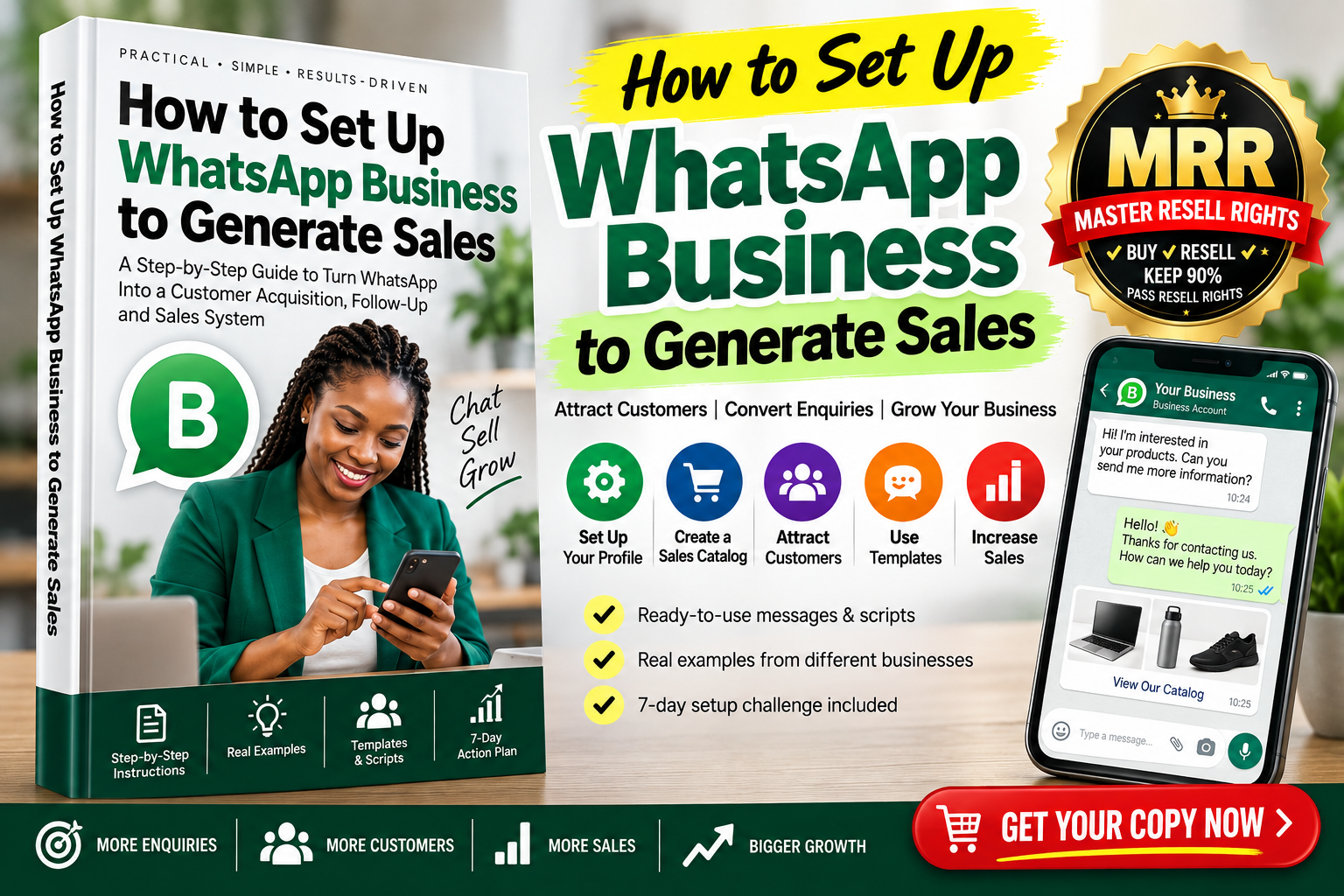
How to Set Up WhatsApp Business to Generate Sales is a practical, step-by-step knowledge pack designed to help small-business owners, online sellers, freelancers, service providers, consultants and entrepreneurs set up WhatsApp Business as a structured sales channel.
This isn't a long book filled with marketing theory.
It's an action-oriented WhatsApp Business setup guide that shows you what to configure, what to write, how to organize customer enquiries, how to follow up prospects and how to create a repeatable sales workflow.
Traffic → WhatsApp Enquiry → Conversation → Qualification → Offer → Follow-Up → Sale → Repeat Customer
The objective is simple:
Stop using WhatsApp only as a messaging app. Start using WhatsApp Business as an organized system for handling customer enquiries and sales opportunities.
Follow the guide step by step and learn how to:
✓ Set up a professional WhatsApp Business profile
✓ Write a business description that clearly communicates what you sell
✓ Create a sales-ready product or service catalog
✓ Use WhatsApp short links and QR codes to generate enquiries
✓ Create pre-filled customer enquiry messages
✓ Set up professional greeting and away messages
✓ Prepare reusable replies for common customer questions
✓ Organize prospects so potential sales don't disappear inside hundreds of chats
✓ Handle common questions such as “How much?”, “Is there a discount?” and “Let me think about it”
✓ Follow up interested prospects without becoming annoying or spammy
✓ Use WhatsApp Status strategically to showcase your business
✓ Move prospects from social media, websites and offline marketing into WhatsApp
✓ Create a post-purchase system for reviews, referrals and repeat business
✓ Track enquiries, orders and sales conversion
✓ Build a simple 30-minute daily WhatsApp sales routine
A customer who opens your WhatsApp Business profile should quickly understand:
Who are you?
What do you sell?
Can I trust this business?
How can this product or service help me?
What should I do next?
The guide walks you through setting up the important elements of your business presence and turning them into part of your customer journey.
You'll even get a simple formula for writing your business description:
What You Sell + Who You Help + Main Benefit + Availability/Location + Next Action
So instead of a vague profile saying:
“Welcome to our business. We sell quality products.”
you can create a specific profile that helps customers understand your offer and what they should do next.
Don't send the same photos, prices and product descriptions manually every time somebody asks.
Learn how to structure your WhatsApp Business catalog so prospects can quickly understand your products or services.
The guide covers:
✓ Product naming
✓ Images
✓ Pricing
✓ Benefit-focused descriptions
✓ Important specifications
✓ Product/service codes
✓ Relevant links
✓ Calls to action
✓ Catalog organization
You'll also learn the difference between simply describing a feature and communicating the benefit to the customer.
The result?
A catalog designed to reduce unnecessary back-and-forth and help move customer conversations toward a buying decision.
One of the hardest parts of selling through WhatsApp isn't getting a message.
It's knowing what to say next.
The guide gives you a practical WhatsApp sales conversation framework:
For example:
CUSTOMER:
“How much?”
WEAK RESPONSE:
“Ksh 3,500.”
Conversation almost over.
Instead, the guide teaches you how to answer the question while naturally continuing the conversation.
You'll get practical scripts for situations including:
✓ Price enquiries
✓ “That's too expensive.”
✓ “Let me think about it.”
✓ “Do you have a discount?”
✓ “I'll come back later.”
✓ “Where are you located?”
✓ “Do you deliver?”
✓ “Can I trust you?”
✓ “Send me more information.”
✓ “I saw it cheaper somewhere else.”
✓ Customer suddenly stops responding
✓ Customer is ready to order
✓ Upselling
✓ Cross-selling
✓ Repeat purchases
No manipulative pressure tactics.
Just clearer, more useful sales conversations.
A prospect contacts you.
You send the price.
They say:
“Okay, I'll get back to you.”
Three days later, you've completely forgotten about them.
Sound familiar?
This guide helps you build a simple lead-management workflow such as:
NEW LEAD → INTERESTED → PRICE SENT → FOLLOW-UP → ORDER CONFIRMED → PAID → DELIVERED → REPEAT CUSTOMER
You'll know which conversations need attention and what action should happen next.
Not every interested customer purchases immediately.
Some are comparing options.
Some are waiting for money.
Some become distracted.
Others simply need one unanswered question clarified.
You'll receive practical follow-up templates for:
Follow-Up 1 — Help & Clarification
Follow-Up 2 — Useful Reminder
Follow-Up 3 — Final Low-Pressure Check-In
You'll also learn when not to continue messaging.
That means your follow-up becomes systematic without turning your business into a source of unwanted messages.
Posting random products every day isn't a complete marketing strategy.
The guide introduces five simple Status content categories:
Use Status to share:
✓ Helpful tips
✓ Product demonstrations
✓ Customer feedback—with permission
✓ FAQs
✓ Behind-the-scenes content
✓ New products
✓ Product benefits
✓ Genuine offers
✓ Customer success stories
✓ Direct calls to action
You'll also receive a 7-day WhatsApp Status content framework to make planning easier.
WhatsApp works particularly well when it becomes the conversation layer behind your other marketing.
The guide shows how to create WhatsApp customer entry points from:
Facebook • Instagram • TikTok • Your Website • Search Presence • QR Codes • Business Cards • Packaging • Posters • Referrals • Existing Customers • Physical Shops • Networking • Organic Content • Advertising
And you'll learn one critical principle:
Instead of:
“WhatsApp us.”
Try something specific:
“Message CATALOG to see today's available designs and prices.”
or:
“Need help choosing a laptop? Message LAPTOP with your budget and intended use.”
Small change.
Much clearer customer action.
Don't buy another guide that stays unread in your Downloads folder.
Use this one.
By Day 7, the objective is to have an operational WhatsApp Business sales workflow you can continue improving.
Once your system is running, use this simple daily routine:
5 Minutes — Check and organize new enquiries
10 Minutes — Respond to prospects
5 Minutes — Follow up warm leads
5 Minutes — Publish useful Status content
5 Minutes — Review orders, results and next actions
Simple.
Repeatable.
Designed for busy business owners.
You don't have to write everything from scratch.
The knowledge pack includes editable templates for:
✓ Greeting messages
✓ Away messages
✓ Product enquiry responses
✓ Price responses
✓ Follow-up messages
✓ Abandoned-conversation messages
✓ Order confirmations
✓ Payment confirmations
✓ Delivery messages
✓ Review requests
✓ Referral requests
✓ Repeat-customer messages
✓ WhatsApp Status CTAs
✓ Social-media-to-WhatsApp CTAs
✓ Promotional messages
Customize the placeholders with your own business information and adapt the messages to your customers.
This knowledge pack is useful if you are a:
Small-business owner wanting to generate and manage more customer enquiries.
Online seller selling through WhatsApp, Facebook, Instagram or TikTok.
Freelancer using WhatsApp to communicate with prospects and clients.
Consultant or trainer who receives enquiries about services, courses or appointments.
Digital-product seller who needs a better system for converting enquiries.
Shop owner wanting to showcase products and communicate with customers.
Home-business owner selling food, clothing, beauty products, crafts or other products.
Service provider offering repairs, beauty services, cleaning, construction, professional services and more.
If customers already message you on WhatsApp, this guide can help you organize those conversations more effectively.
This isn't only knowledge you can use.
It's also a digital product you can resell.
Your purchase includes Master Resell Rights (MRR) under the applicable Vezill product licence.
That means you can learn the WhatsApp Business sales system for yourself and, subject to the licence terms, share your authorized Vezill purchaser/reseller link with other entrepreneurs who need the same knowledge.
Think about the potential audience around you:
Small businesses.
Online sellers.
Boutiques.
Restaurants.
Salons.
Barbershops.
Freelancers.
Digital marketers.
Real-estate agents.
Trainers.
Consultants.
Home businesses.
Retail shops.
Creators.
Many of these businesses already use WhatsApp- but may not have a structured system for profiles, catalogs, enquiries, follow-ups and repeat sales.
That creates a natural market for practical WhatsApp Business knowledge.
After purchasing the guide with the applicable Master Resell Rights:
1. Learn the system yourself
Use the knowledge to improve your own WhatsApp Business sales process.
2. Get your authorized reseller link
Use the Vezill mechanism provided under your licence.
3. Share the product with relevant potential buyers
Promote it through your WhatsApp Status, social media, business communities, educational content or other permitted channels.
4. A customer purchases through your link
Vezill handles the digital-product transaction according to its platform terms.
5. Keep your applicable share of the sale
Under Vezill's MRR model for this product, the reseller can keep up to 90% of the eligible sales revenue, subject to the product licence and platform terms.
6. Your buyer can receive applicable resell rights too
Where permitted by the MRR licence, the knowledge can continue moving from buyer to buyer.
Suppose, purely for illustration, the guide sells at Ksh 520.
If you made:
10 sales × Ksh 520 = Ksh 5,200 gross sales
At a 90% reseller share:
Potential reseller share = Ksh 4,680
At 50 sales:
50 × Ksh 520 = Ksh 26,000 gross sales
90% reseller share:
Potential reseller share = Ksh 23,400
These figures are examples for illustration only, not income promises or guarantees. Actual results depend on your selling price, applicable licence/platform terms, marketing effort, audience, demand, conversion rate, refunds/charges where applicable and other factors.
The opportunity is straightforward:
Use the guide to improve how your own business:
Attracts → Responds → Follows Up → Converts → Retains Customers
Introduce the guide to other entrepreneurs who want to learn how to use WhatsApp Business more effectively and earn your applicable reseller share when eligible purchases occur through your link.
Learn it. Apply it. Share it. Resell it.
How to Set Up WhatsApp Business to Generate Sales
✓ Practical step-by-step knowledge pack
✓ WhatsApp Business profile setup
✓ Sales-ready catalog framework
✓ Customer enquiry system
✓ Lead organization workflow
✓ Follow-up system
✓ Sales conversation scripts
✓ WhatsApp Status strategy
✓ Customer acquisition ideas
✓ Repeat-customer strategy
✓ Sales tracking framework
✓ 7-day implementation challenge
✓ 30-minute daily routine
✓ Copy-and-paste templates
✓ Master Resell Rights under the applicable licence
Your next customer conversation could begin with something as simple as:
“Hi. Is this still available?”
What happens after that depends on your system.
Build a professional WhatsApp Business presence.
Make your products easier to understand.
Respond more consistently.
Organize your prospects.
Follow up appropriately.
Create clearer calls to action.
Turn satisfied customers into repeat customers and referrals.
And with the included MRR opportunity, you can also resell the knowledge pack to other entrepreneurs who need the same solution.
Get your copy of “How to Set Up WhatsApp Business to Generate Sales” and start building your WhatsApp sales system today.
Sales results are not guaranteed. WhatsApp features can vary by country, device and account and may change over time. Master Resell Rights and reseller revenue are subject to the specific Vezill product licence and applicable platform terms.
Get the updates, on newly released, popular & fast-moving MRR digital products
Up to Top



Comments