
Ellan
Joined - December 2025

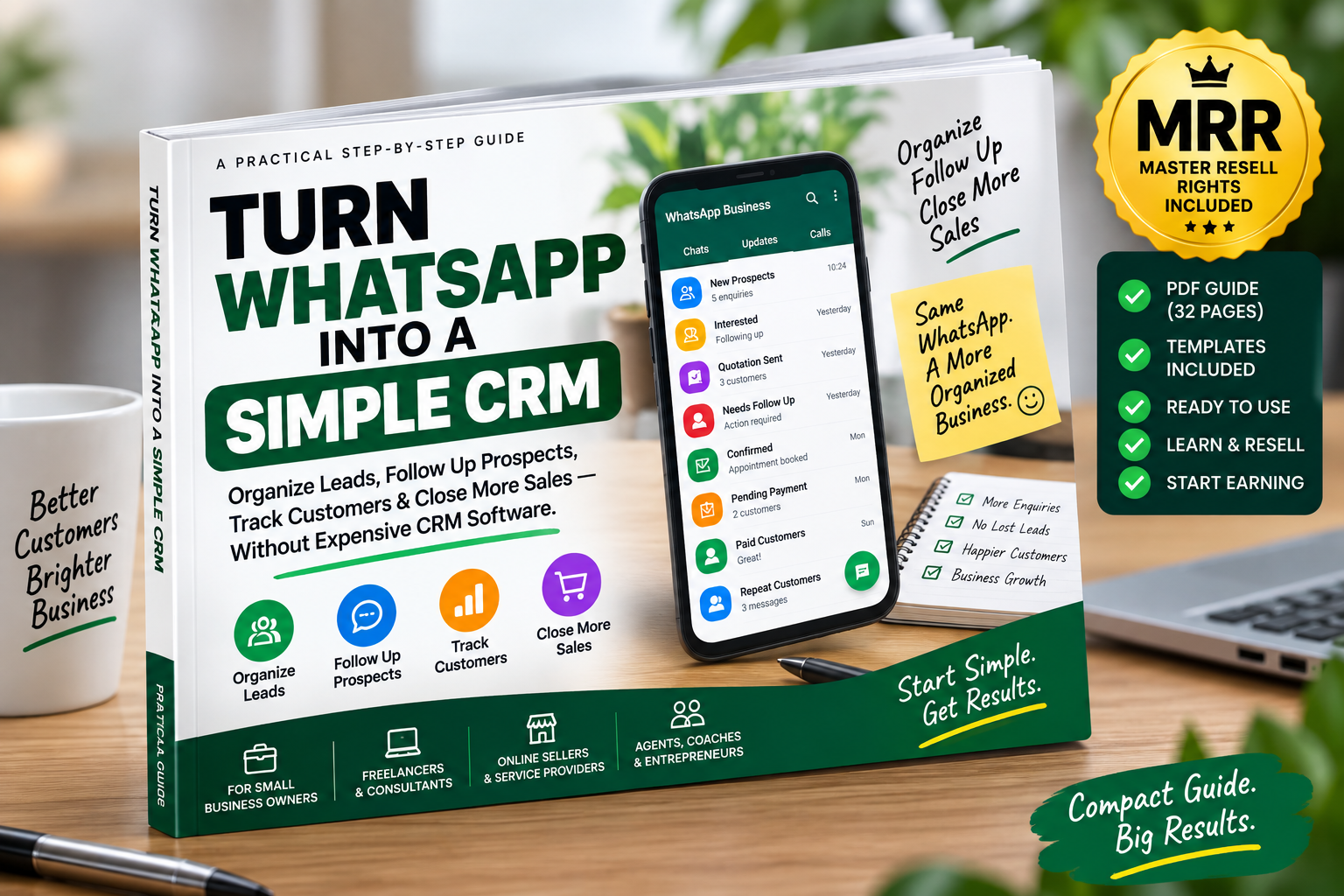
Practical Step-by-Step WhatsApp Business CRM Guide + Ready-to-Use Templates + MRR Resell Rights
Do customer enquiries keep disappearing inside your WhatsApp chats?
Maybe a customer asked for a quotation and you forgot to follow up.
Someone else said, “I’ll pay on Friday” — but Friday passed.
Another prospect asked about your services, seemed interested, and then their conversation disappeared beneath dozens of newer messages.
Meanwhile, you are trying to remember:
Who is a new lead?
Who received a quotation?
Who needs follow-up?
Who confirmed an order?
Who still needs to pay?
Who has already paid?
Who should you contact again?
If you use WhatsApp to communicate with customers, the problem may not be getting messages.
The problem may be managing those conversations as business opportunities.
Turn WhatsApp Into a Simple CRM is a practical implementation guide that shows you how to organize customer conversations using a simple CRM-like workflow built primarily around WhatsApp Business.
You don't need to begin with complicated or expensive CRM software.
Instead, you'll learn how to create a straightforward system for managing the customer journey:
NEW LEAD → INTERESTED → QUOTE SENT → FOLLOW-UP → ORDER/BOOKING → PAYMENT → CUSTOMER → REPEAT CUSTOMER
The objective is simple:
Know where every important customer conversation stands — and know what you need to do next.
WhatsApp is excellent for talking to customers.
But an inbox full of conversations can quickly become difficult to manage.
Without a system, you may:
✓ Forget promising leads
✓ Lose enquiries inside hundreds of chats
✓ Forget who received prices or quotations
✓ Miss important follow-ups
✓ Forget customers who promised to pay
✓ Mix prospects with existing customers
✓ Repeatedly type the same answers
✓ Lose track of orders and bookings
✓ Forget previous customers who could buy again
✓ Depend too heavily on memory
This guide shows you how to bring structure to those conversations.
Create practical Lists/Labels for different customer stages, including:
NEW LEAD
INTERESTED
QUOTE SENT
FOLLOW-UP
ORDER/BOOKING CONFIRMED
PAYMENT PENDING
PAID/CUSTOMER
REPEAT/VIP
COLD/LOST
You'll understand exactly when to move a customer from one stage to another and what action should come next.
Stop scrolling endlessly through chats trying to remember who needs attention.
Learn how to categorize important conversations so you can quickly identify prospects, customers, pending payments and follow-ups.
Set up reusable responses for common situations such as:
/welcome
/price
/catalog
/quote
/payment
/followup
/booking
/location
/hours
/thankyou
/review
You also get editable message templates that can be personalized before sending.
Stop relying on memory.
Learn a simple daily routine for checking prospects who need attention and deciding the appropriate next action.
The guide includes practical follow-up messages for:
✓ Quotations
✓ Price enquiries
✓ “I'll think about it” prospects
✓ Customers who stop responding
✓ Appointment enquiries
✓ Abandoned purchases
✓ Payment promises
✓ Completed sales
✓ After-sale follow-up
One of the most useful habits in this guide is simple:
Never finish an important customer conversation without knowing the next action.
If a customer says:
“I'll pay Friday.”
You know what happens next.
If they say:
“Send me a quotation.”
You know what happens next.
If they confirm an order:
You know what happens next.
This small habit can completely change how organized your customer conversations feel.
Use a straightforward workflow:
QUOTATION SENT → ORDER CONFIRMED → DEPOSIT EXPECTED → PAYMENT PENDING → PAID → DELIVERED/COMPLETED
The guide also explains where WhatsApp's role should stop.
WhatsApp Business is not accounting software, and it is not presented as a complete replacement for a dedicated CRM.
You'll learn how to use it for what it does well and recognize when your business has grown enough to need more advanced software.
A completed sale doesn't have to be the end of the customer relationship.
Learn a practical after-sale workflow:
SALE → DELIVERY → SATISFACTION CHECK → REVIEW/FEEDBACK → CUSTOMER LIST → RELEVANT FUTURE FOLLOW-UP
Use it to manage:
✓ Customer satisfaction checks
✓ Review requests
✓ Appropriate reorder reminders
✓ Repeat purchases
✓ Referrals
✓ Relevant customer reactivation
Without turning your WhatsApp into a spam channel.
You don't need to spend hours maintaining the system.
□ Check new leads
□ Check follow-ups
□ Check pending payments
□ Identify urgent customer issues
□ Move conversations to the correct stages
□ Check unanswered prospects
□ Review confirmed orders/bookings
□ Update payment status
□ Identify tomorrow's follow-ups
A simple routine can prevent important conversations from disappearing into your inbox.
Spend approximately 15–20 minutes reviewing:
✓ New enquiries
✓ Quotations sent
✓ Prospects requiring follow-up
✓ Customers won
✓ Outstanding payments
✓ Cold opportunities
✓ Potential repeat customers
✓ Frequently asked questions
✓ Quick Replies you should add
✓ Unresolved customer issues
The guide includes examples for:
Freelancers
Consultants
Online sellers
Beauty salons & barbers
Real-estate/property agents
Repair technicians
Restaurants & catering businesses
Tutors & training providers
Photographers
Small retail businesses
You can customize the pipeline to match how your own customers buy.
Don't just read another ebook.
Build the system while you read.
Complete your WhatsApp Business profile.
Create your CRM Lists/Labels.
Organize your important active prospects.
Create essential Quick Replies.
Identify customers who need follow-up.
Send appropriate follow-ups and establish your daily routine.
By the end, you should have the foundations of a functioning manual customer-management workflow.
You'll also receive an editable template bank covering:
✓ New enquiry replies
✓ Qualification questions
✓ Price responses
✓ Quotation follow-ups
✓ Gentle follow-ups
✓ Second follow-ups
✓ Payment reminders
✓ Appointment confirmations
✓ Order confirmations
✓ Thank-you messages
✓ Delivery confirmations
✓ Customer satisfaction checks
✓ Review requests
✓ Repeat-order reminders
✓ Customer reactivation
Edit them to suit your business and customer.
Need slightly more tracking?
The guide includes a simple CRM tracker structure covering:
Customer Name | Phone | Product/Service | Lead Source | Current Stage | Quote/Value | Last Contact | Next Action | Follow-Up Date | Payment Status | Notes
Use it in a spreadsheet if and when your business needs additional visibility.
This guide does not pretend WhatsApp Business is a full CRM.
You'll also learn when it may be time to upgrade to dedicated CRM software - particularly when you need:
✓ Multiple sales representatives
✓ Lead ownership and assignment
✓ Advanced automation
✓ Detailed reporting
✓ Large pipelines
✓ Integrations
✓ Sales forecasting
✓ Complex customer histories
Start simple. Get organized. Upgrade when the business actually requires it.
This isn't only a practical guide you can use in your own business.
Your purchase also includes Master Resell Rights (MRR), subject to the included licence terms.
That means you can:
✓ Learn and apply the system yourself
✓ Resell the digital guide to other customers and earn from it, buy just sharing your uniques resell link.
✓ Keep 90% of your sales revenue
✓ Offer the guide to freelancers, entrepreneurs and small-business owners
✓ Pass on the MRR licence to your buyers.
Instead of starting from scratch creating your own WhatsApp CRM guide, you receive a ready-made digital knowledge product together with its specified resale licence.
Important: MRR gives you resale permissions defined by the licence. It does not transfer ownership of WhatsApp trademarks, Meta intellectual property, or third-party content, and it does not guarantee sales or earnings.
This guide is especially useful if you:
Use WhatsApp to receive customer enquiries
Sell products through WhatsApp
Send quotations through WhatsApp
Book clients through WhatsApp
Follow up prospects manually
Collect or confirm customer payments through conversations
Run a small service business
Want a simple CRM system without immediately buying CRM software
Want an MRR digital product you can legally resell under its licence terms
❌ Hundreds of unsorted conversations
❌ Forgotten prospects
❌ Missed follow-ups
❌ Lost quotations
❌ Unclear payment status
❌ Customer information kept in memory
✓ Organized leads
✓ Clear customer stages
✓ Consistent follow-up routine
✓ Categorized customers
✓ Easier payment follow-up
✓ Repeat customers identified
✓ Clear next actions
You don't necessarily need another complicated platform just to start becoming more organized.
You need a customer-management process you can understand and consistently use.
Turn WhatsApp Into a Simple CRM gives you that process step by step.
Organize your leads.
Follow up prospects.
Track customers.
Manage pending payments.
Build repeat business.
Know what to do next.
Instant Digital PDF Access + Practical Templates + CRM Tracker + MRR Licence
BUY NOW → SET IT UP → APPLY IT → START USING YOUR SIMPLE CRM SYSTEM
Get the updates, on newly released, popular & fast-moving MRR digital products
Up to Top



Comments