
Ellan
Joined - December 2025

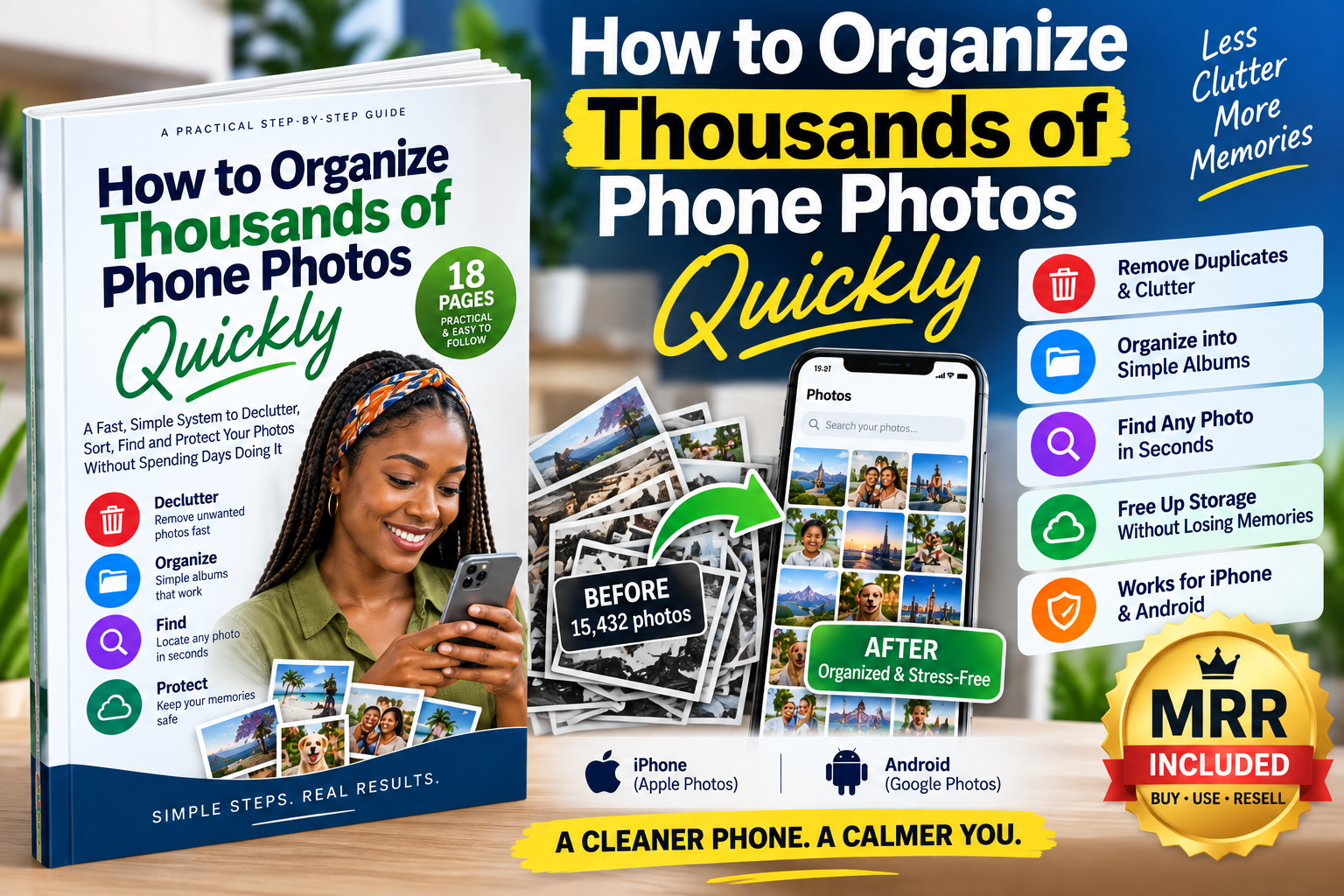
18-Page Practical Step-by-Step Guide | iPhone & Android | Includes Master Resell Rights (MRR)
Do you have 5,000, 10,000, 20,000 or even 50,000+ photos sitting on your phone?
Your camera roll may be full of screenshots, duplicate photos, similar shots, WhatsApp images, blurry pictures, old downloads, memes, screen recordings and large videos — mixed together with family memories and important photos you definitely don't want to lose.
And the biggest problem?
You don't know where to start.
Trying to organize thousands of photos one by one can take days.
How to Organize Thousands of Phone Photos Quickly is a compact, practical 18-page action guide that gives you a simple system for taking control of an overloaded photo library.
Instead of endlessly scrolling through thousands of images, you'll learn how to work in batches, deal with the biggest sources of clutter first, organize only what actually needs organizing, and use your phone's built-in tools to find photos faster.
BACK UP → DECLUTTER → REMOVE DUPLICATES → KEEP THE BEST → ORGANIZE → SEARCH → MAINTAIN
No complicated photo-management system.
No need to manually put every photo into an album.
No need to spend an entire weekend scrolling through your camera roll.
Learn a batch-cleanup method designed for large photo libraries.
Start with the categories that can make the biggest difference:
Screenshots → Duplicates → Similar Photos → Blurry Photos → Large Videos → Downloads & App Clutter
Then organize what remains.
Don't know where to begin?
Follow a simple first-session plan:
0–5 minutes: Protect your important photos
5–10 minutes: Attack easy clutter
10–20 minutes: Review duplicates and similar photos
20–30 minutes: Build your basic organization system
You'll know exactly what to do first instead of staring at thousands of photos wondering where to begin.
Learn how to identify duplicate and near-identical photos and decide which ones are actually worth keeping.
Instead of keeping 12 almost identical pictures from one moment, use the simple:
KEEP THE BEST → DELETE THE REST
method.
Learn the important difference between:
Deleting a photo
Removing a device copy
Removing something from an album
Moving something to Trash/Recently Deleted
Cloud backup
Cloud synchronization
Device storage
The guide emphasizes protecting your important photos before mass deletion.
The guide includes practical guidance for people using:
iPhone + Apple Photos + iCloud Photos
You'll understand how to approach duplicates, albums, search, backup and storage without building an unnecessarily complicated filing system.
Learn how Google Photos can help you work through a large library, including similar-photo organization, Photo Stacks, storage management and device-space cleanup.
Stop believing every photo needs to be manually filed into an album.
Learn to use photo search more effectively with things such as:
People • Places • Dates • Objects • Events • Categories • Text
Your photo library becomes something you can actually search instead of endlessly scroll through.
The guide includes a dedicated:
Rather than trying to fix everything at once, follow a manageable five-session system:
Day 1: Backup + obvious clutter
Day 2: Duplicates + similar photos
Day 3: Large videos + screen recordings
Day 4: Important memories + records
Day 5: Finish your simple organization system
Your goal isn't to perfectly categorize every photograph.
Your goal is to create a library that is:
SAFER • CLEANER • SEARCHABLE • EASIER TO MAINTAIN
One of the simplest techniques inside the guide helps you decide what to do with each photo:
Obviously useless, duplicate, accidental or temporary?
Delete it after making sure you don't need it.
Worth keeping but doesn't require special organization?
Leave it in your main photo library.
Something you intentionally need to retrieve later?
Put it in a useful album or category.
That's it.
You don't need 100 complicated albums.
The guide shows you how to build a simple structure around categories such as:
People & Family
Events
Travel
Work & Business
Important Records
You'll also learn when not to create an album and use Search instead.
Having thousands of photos isn't necessarily the problem.
Not being able to find the photo you need is the problem.
The guide shows you how to make better use of search so that you can locate old photos without remembering exactly where you stored them.
Search for things such as:
Nairobi
Beach
Birthday
Dog
Car
Receipt
December 2025
…and let your photo application's search capabilities do more of the work.
Deleting thousands of files without understanding backup and synchronization can be risky.
That's why this guide starts with protection.
You'll learn what to check before mass deletion and how to think about:
✓ Device storage
✓ Cloud storage
✓ Google Photos backup
✓ iCloud Photos
✓ Recently Deleted / Trash
✓ Sensitive photos and documents
✓ Additional backups for irreplaceable memories
The objective is simple:
Remove clutter — not memories.
Cleaning up once isn't enough if another 10,000 photos pile up.
The guide gives you a simple maintenance routine:
1 minute: Remove bad photos
1 minute: Clear unnecessary screenshots
1 minute: Review downloaded/app clutter
1 minute: Favorite or organize important photos
1 minute: Confirm backup is working
Just 5 minutes a week can help prevent another overwhelming camera roll.
Don't just read the guide.
Apply it.
Use the included challenge to process your first 1,000 cluttered photos and record:
✓ Starting photo count
✓ Photos processed
✓ Photos removed
✓ Storage before
✓ Storage after
✓ Backup status
✓ Organization progress
This turns the guide from information into an action plan.
📘 18-Page Practical PDF Guide
📱 Instructions relevant to iPhone and Android
☁️ Guidance for Apple Photos, iCloud Photos and Google Photos
⚡ 30-Minute Photo Rescue Plan
🗂️ Simple photo organization system
🔍 Photo search strategy
🧹 Duplicate, screenshot and clutter cleanup workflow
💾 Storage-management guidance
🔐 Photo safety and privacy guidance
⏱️ 5-minute weekly maintenance routine
🏁 1,000-Photo Cleanup Challenge
This guide is ideal if:
✓ Your phone has thousands of photos.
✓ Your storage keeps getting full.
✓ You have too many screenshots and duplicate/similar pictures.
✓ Important photos disappear inside your camera roll.
✓ You've been postponing photo organization because the job looks overwhelming.
✓ You recently bought a new phone and want to clean up your old library.
✓ You use Google Photos but don't fully understand its organization tools.
✓ You use an iPhone and want a simpler Apple Photos system.
✓ You want to protect family memories while removing unnecessary clutter.
✓ You want a straightforward system rather than another long technical ebook.
When you purchase this guide, you're not only buying knowledge you can apply to your own phone.
Subject to the Vezill MRR terms attached to the product, you can also resell this digital guide to other people who need the same solution.
That means you can:
✓ Learn and apply the system yourself
✓ Recommend the guide to other smartphone users
✓ Resell your licensed copy using your Vezill purchaser/reseller link
✓ Earn from qualifying sales under Vezill's applicable revenue-sharing terms
✓ Build a digital-product income stream around useful, practical knowledge
Photo clutter is not limited to one country, profession or age group.
Smartphone users everywhere take screenshots, duplicate pictures, family photos, work images and videos.
As their libraries grow, they search for solutions such as:
“How do I organize thousands of photos?”
“How do I clean up my phone photos?”
“How do I delete duplicate photos?”
“How do I organize Google Photos?”
“How do I free up storage without losing my photos?”
“How do I organize photos on my iPhone?”
You can sell a practical solution to that problem instead of trying to convince people they have a problem.
This is the Vezill knowledge model in action:
LEARN → APPLY → GET A RESULT → SHARE THE SOLUTION → SELL
You can use the guide to clean up your own photo library first.
Then, through the included Master Resell Rights, you can offer the same practical knowledge to other people looking for a faster way to organize their photos.
MRR provides a resale opportunity, not guaranteed income. Actual sales and earnings depend on factors including your marketing, audience, pricing and demand.
You don't need another year of photo clutter.
You don't need to manually sort 15,000 photos one by one.
And you don't need to keep scrolling endlessly whenever you're trying to find one important picture.
Get the system.
Follow the steps.
Clean the clutter.
Protect what matters.
18 practical pages. One simple system. A cleaner camera roll.
Get the updates, on newly released, popular & fast-moving MRR digital products
Up to Top



Comments