
David
Joined - July 2026

Are you selling products online but struggling to take attractive photographs?
Maybe you sell clothes, shoes, skincare products, jewellery, food, electronics, or handmade items.
You have a good product, but your photographs don't show its true quality.
The lighting is poor. The background looks distracting. The product appears blurry, or the colours don't look right.
You see other businesses posting beautiful product photographs and wonder how they achieve those results.
What if you could start improving your product photographs using the smartphone you already own?
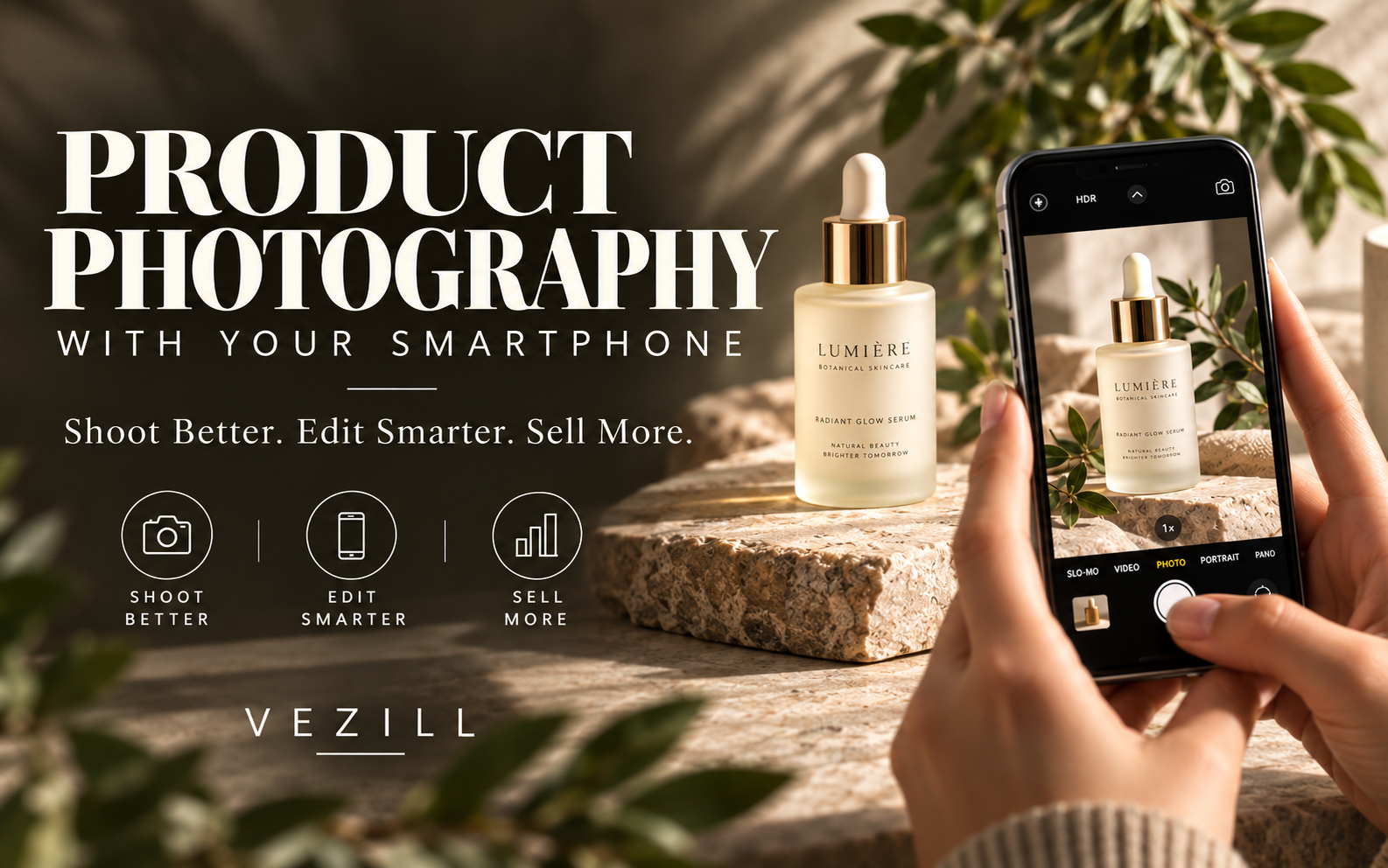
Product Photography With Your Smartphone is a practical, illustrated beginner's guide that teaches you how to photograph products, work with lighting, create attractive compositions, edit your images, and prepare photographs for online selling.
You don't need an expensive DSLR camera, a professional studio, or previous photography experience to get started.
This guide shows you how to make the most of your smartphone and simple, affordable photography setups.
When someone shops online, they cannot physically inspect your product.
They rely on photographs to understand what you're selling.
Your images help customers examine a product's appearance, colour, shape, texture, details, and presentation.
Poor photographs can make it difficult for customers to understand what they're buying.
Clear, attractive, and accurate product photographs help you present your products more professionally and give potential buyers useful visual information.
Whether you sell through WhatsApp Business, Instagram, Facebook, an ecommerce website, or another online marketplace, learning how to take better product photographs is a practical skill you can apply to your business.
And you can start with your phone.
You don't need to rent a photography studio to start learning product photography.
Discover how to create a simple photography setup using everyday materials.
You'll learn how to:
✓ Choose a suitable photography location.
✓ Prepare your product before taking photographs.
✓ Create clean backgrounds using affordable materials.
✓ Position your product for better photographs.
✓ Use household items as simple photography props.
✓ Set up your smartphone for a product shoot.
✓ Create a practical photography workspace without expensive equipment.
The guide includes visual explanations and practical exercises to help you prepare your first product photography setup.
Good lighting can make a major difference to your product photographs.
But you don't need expensive studio lights to begin.
This guide teaches you how to use natural window light and affordable lighting arrangements to improve your images.
Discover how to:
✓ Find a suitable source of natural light.
✓ Position your product near a window.
✓ Use soft lighting to create more appealing images.
✓ Reduce distracting shadows.
✓ Create simple reflectors using household materials.
✓ Understand how lighting direction changes a photograph.
✓ Avoid common lighting mistakes.
You'll also learn how to experiment with different lighting setups and compare the results.
You don't need to become a professional photographer to understand the basic camera controls that affect your product images.
Learn how to use your smartphone camera more effectively.
This section covers:
✓ Choosing the appropriate camera on your phone.
✓ Understanding focus and exposure.
✓ Taking sharper product photographs.
✓ Selecting useful camera angles.
✓ Reducing camera shake.
✓ Understanding zoom and image quality.
✓ Avoiding distorted product photographs.
✓ Capturing product details.
✓ Maintaining accurate product colours.
The guide explains photography techniques suitable for beginners using iPhones and Android smartphones, with alternatives where camera features differ.
Taking a good product photograph is not just about pointing your camera at an item.
How you arrange your product, background, lighting, and props affects the final result.
Learn how to:
✓ Choose backgrounds that complement your product.
✓ Position products within the camera frame.
✓ Use simple props without distracting from the main product.
✓ Select useful photography angles.
✓ Create clean, minimalist product photographs.
✓ Photograph important product details.
✓ Maintain a consistent visual style.
✓ Plan different photographs for a product gallery.
You'll learn how to create images that show your products clearly while making the most of their visual appeal.
Different products require different photography approaches.
A skincare bottle, a pair of shoes, a necklace, and a plate of food do not present the same photography challenges.
This guide introduces practical techniques for photographing:
✓ Clothing and fashion items.
✓ Shoes and accessories.
✓ Skincare and beauty products.
✓ Jewellery and reflective objects.
✓ Food and beverages.
✓ Electronics and household items.
✓ Transparent bottles and glass products.
Learn how to choose appropriate backgrounds, lighting arrangements, camera positions, and compositions for different product categories.
The guide includes illustrative examples and photography exercises you can adapt to products you already own.
Taking the photograph is only part of the process.
You can also improve your images through careful editing.
Learn a beginner-friendly smartphone editing workflow covering:
✓ Selecting your best photographs.
✓ Cropping and straightening.
✓ Adjusting brightness and exposure.
✓ Correcting white balance.
✓ Improving contrast.
✓ Maintaining natural-looking product colours.
✓ Reducing distracting visual elements.
✓ Applying sharpening appropriately.
✓ Preparing the finished photograph for sharing or publishing.
You'll learn how to make useful adjustments without excessively editing your images or misrepresenting the product you are selling.
Taking attractive photographs is useful, but you also need to prepare them for the platforms where your customers will see them.
This guide shows you how to organize and prepare product photographs for online use.
Learn how to:
✓ Choose a suitable main product image.
✓ Create useful detail photographs.
✓ Prepare lifestyle product images.
✓ Build a consistent product gallery.
✓ Crop photographs for different platforms.
✓ Understand basic image formats and quality.
✓ Organize product photographs into folders.
✓ Export images for online publishing.
✓ Check your photographs before uploading them.
Apply these skills to your online shop, business website, WhatsApp Business catalogue, or social media pages.
This is not a guide you simply read and put away.
You'll also work through practical exercises designed to help you apply what you learn.
Discover how to plan and complete a simple product photography project from beginning to end.
You'll practise:
Selecting and preparing products.
Creating a photography setup.
Planning the photographs you need.
Setting up lighting and backgrounds.
Capturing different product images.
Selecting and editing your photographs.
Organizing the finished files.
Reviewing the quality of your work.
By completing the exercises, you can begin building a collection of product photographs that demonstrate your developing photography skills.
Product photography is also a skill you can explore offering to other businesses.
Small online sellers, fashion stores, beauty businesses, food vendors, and independent product creators may need photographs of their products.
The guide introduces the practical steps involved in preparing a beginner product photography service.
Learn how to:
✓ Create a sample photography portfolio.
✓ Understand a client's photography requirements.
✓ Plan a simple product shoot.
✓ Prepare a photography quotation.
✓ Calculate the time and expenses involved in an assignment.
✓ Organize client photographs.
✓ Prepare finished files for delivery.
✓ Communicate professionally about revisions and deliverables.
You can use these skills to explore photography services, improve your own business images, or develop a creative portfolio.
No clients, sales, or income are guaranteed.
You receive a practical digital learning package containing:
✓ An illustrated smartphone product photography ebook.
✓ Beginner-friendly explanations of essential photography techniques.
✓ Affordable home photography setup ideas.
✓ Lighting and composition guidance.
✓ Smartphone camera instructions.
✓ Product-category photography examples.
✓ Mobile photo-editing guidance.
✓ Practical photography assignments.
✓ A final product photography project.
✓ Portfolio-building guidance.
✓ An introduction to offering product photography services.
The accompanying learning resources include:
✓ Product Photography Shot List.
✓ Photography Setup Checklist.
✓ Product Styling Planner.
✓ Client Photography Brief.
✓ Photography Pricing Calculator.
✓ Photography Portfolio Planner.
✓ Photography Final Assessment.
✓ Smartphone Photography Quick Reference.
These resources help you plan your photographs, organize your workflow, practise your new skills, and prepare for simple photography projects.
This digital product is suitable for:
✓ Small business owners who want to improve their product photographs.
✓ Online sellers using WhatsApp, Instagram, Facebook, or ecommerce websites.
✓ Fashion and clothing sellers.
✓ Beauty and skincare businesses.
✓ Food vendors and restaurant owners.
✓ Jewellery and accessories sellers.
✓ Content creators who want to develop photography skills.
✓ Beginners interested in learning smartphone photography.
✓ Aspiring freelance product photographers.
✓ Anyone who wants to create better-looking product images using a smartphone.
No previous photography experience is required.
You can begin with a smartphone and affordable household materials.
You're not only getting a practical product photography learning guide.
You also receive an opportunity to resell this digital product through Vezill, subject to the applicable Master Resell Rights terms.
This gives you two ways to use your purchase.
Use the guide to develop your smartphone product photography skills.
Improve how you photograph products for your business, practise photography as a creative skill, or explore offering simple photography services.
Use your eligible Vezill reseller account and product link to introduce the guide to other people who want to learn smartphone product photography.
Earn 90% of qualifying resale revenue under Vezill's applicable MRR terms.
Potential customers include online sellers, small business owners, content creators, fashion entrepreneurs, beauty businesses, students, and aspiring photographers.
You do not need to create the ebook yourself to resell it under the applicable licence.
Learn the skill. Apply the knowledge. Share the guide.
Important: Master Resell Rights are subject to the product's licence and Vezill's current reseller terms. Resale rights do not guarantee customers, sales, profits, or income. The 90% arrangement applies to qualifying sales under the relevant terms.
You don't have to wait until you can afford an expensive camera or professional studio.
Start by learning how to use the tools you already have.
With the right lighting, composition, camera techniques, and editing skills, you can begin creating clearer, more attractive photographs of your products.
Whether you want to improve your online business, learn a practical creative skill, or explore offering product photography services, this guide provides a structured starting point.
Your smartphone is your starting point. Your next product photograph is your first project.
Get Product Photography With Your Smartphone today and start learning how to create better product images.
Get the updates, on newly released, popular & fast-moving MRR digital products
Up to Top



Comments