
Ellan
Joined - December 2025

Is your Android phone running out of storage - but you don't want to lose your photos, videos, documents or other important files?
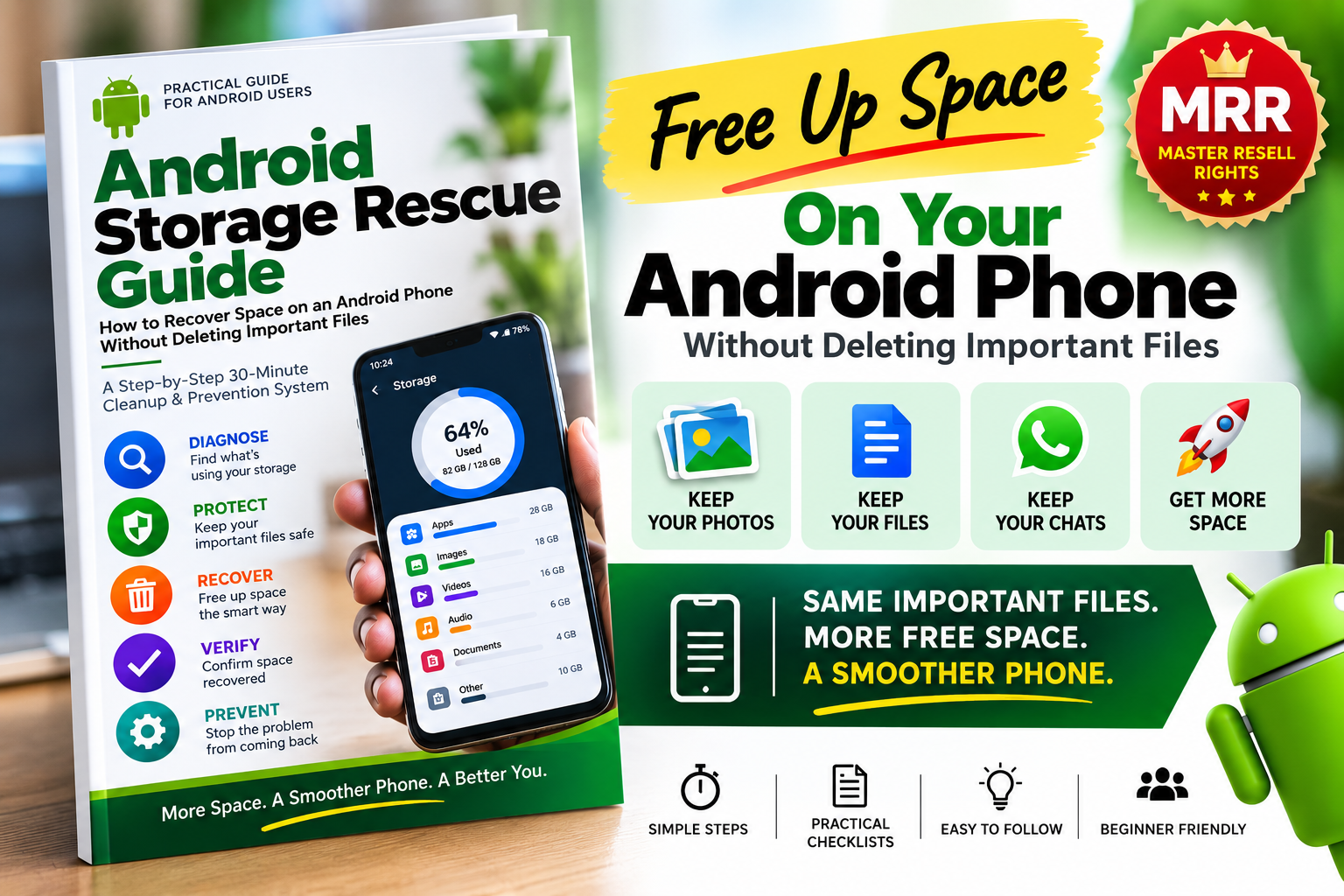
The Android Storage Rescue Guide gives you a simple, practical system for finding what is consuming your phone storage, identifying what can safely be cleaned, protecting important files and recovering valuable space without blindly deleting things you may need later.
Instead of randomly deleting photos, uninstalling apps or pressing unfamiliar cleanup buttons, you'll follow a structured process:
The goal is simple:
Keep what matters. Recover the space you don't need.
That's exactly where many people get stuck.
Your phone may contain gigabytes of:
App cache and temporary files
Old downloads
Large videos
WhatsApp and messaging media
Screenshots
Duplicate files
Offline movies and music
Downloaded podcasts
Offline maps
Old PDFs and ZIP files
APK installation files
Screen recordings
Video-editing exports
Unused apps
Files sitting in Trash or Bin folders
The problem isn't simply finding things to delete.
The real problem is knowing what is safe to remove and what you should protect first.
This guide walks you through that decision.
This isn't a long technical Android manual.
It is designed to be opened while you are holding your phone, so you can work through the cleanup process step by step.
You'll start by checking what is actually consuming your storage.
Then you'll protect important files.
Next, you'll work through the safest storage-recovery opportunities before touching anything that could cause data loss.
Finally, you'll measure the space recovered and configure your phone to reduce future storage problems.
1. DIAGNOSE
Find out exactly what is using your phone storage.
2. PROTECT
Identify photos, videos, documents and other files that should be backed up or moved before cleanup.
3. RECOVER
Work through storage opportunities from lower-risk cleanup to larger files, messaging media, offline downloads and unused apps.
4. VERIFY
Check your storage again and confirm your important files are still accessible.
5. PREVENT
Create a simple routine that helps stop unnecessary files from filling your phone again.
One of the most useful features of the guide is its simple traffic-light safety system.
Items that are normally temporary or replaceable and can generally be cleaned with relatively low risk when the instructions are followed.
Files that may contain something important.
You'll learn how to review, move or back them up before removing the local copy.
App data, personal files, unknown folders and other items where pressing the wrong option could cause permanent data loss, log you out of an app or affect how an app works.
You'll know when to stop and check first.
These options may sound similar, but they are not the same.
The guide shows you the difference and helps you avoid one of the easiest Android storage-cleanup mistakes.
You'll learn:
✓ What clearing cache actually does
✓ When clearing cache may help
✓ Why cache can return after using an app
✓ Why “Clear Storage” or “Clear Data” requires much more caution
✓ How to investigate a large app before deleting its data
No more pressing cleanup buttons and hoping for the best.
Your obvious photos and documents aren't the only places consuming space.
The Hidden Storage Hunt takes you through commonly overlooked locations, including:
✓ WhatsApp videos and attachments
✓ Downloaded social-media videos
✓ Screen recordings
✓ Screenshots
✓ Old PDFs
✓ ZIP files
✓ APK installers
✓ Offline maps
✓ Downloaded movies
✓ Downloaded music
✓ Podcasts
✓ Video-editing exports
✓ Camera videos
✓ Bluetooth/shared files
✓ App caches
✓ Trash/Bin folders
✓ Forgotten downloads
Instead of checking folders randomly, you'll know where to look, what to check and what action to consider.
Your photos and videos may contain memories you can never recreate.
The guide therefore teaches:
BACK UP → VERIFY → FREE DEVICE SPACE
You'll learn how to check whether important content is actually backed up before relying on the backup.
You'll also understand the important difference between:
Removing a copy from your device
and
Deleting something from your photo library/cloud account.
The objective isn't to sacrifice your memories for extra storage.
It's to manage local storage intelligently.
Before cleaning anything, complete the included Phone Storage Diagnosis Sheet.
Record:
Phone capacity: ______ GB
Free storage: ______ GB
Apps: ______ GB
Images: ______ GB
Videos: ______ GB
Documents: ______ GB
Downloads: ______ GB
Audio: ______ GB
Other/System: ______ GB
Then identify:
Biggest storage problem: __________
Storage recovery target: ______ GB
Now your cleanup has a target instead of being guesswork.
Deleting hundreds of tiny files can take time while producing little improvement.
The guide shows you how to identify your largest files and ask three simple questions:
You need the file on your phone.
The file is valuable, but doesn't need to occupy your phone's internal storage.
The file is unnecessary, duplicated, obsolete or easily replaceable.
This simple decision system can make storage cleanup much faster.
Storage recovery doesn't necessarily mean destroying files.
The guide includes a Move, Don't Delete strategy showing how suitable files can be transferred to options such as:
A computer
SD card where supported
USB/OTG storage where supported
Cloud storage
You verify the transferred file first — and only then decide whether the original needs to remain on your phone.
Messaging apps can accumulate large amounts of media over time.
The guide helps you review:
✓ Large videos
✓ Large attachments
✓ Frequently forwarded media
✓ Unnecessary documents
✓ Repeated photos and videos
The emphasis is on selective cleanup, rather than automatically deleting entire conversations.
You may have storage tied up in content you've forgotten downloading.
The guide reminds you to investigate offline:
Movies
Music
Podcasts
Maps
Videos
Other app downloads
Removing an unnecessary offline copy may recover storage without deleting your account or the original online content.
There's a dedicated Emergency Mode:
Instead of panicking and deleting personal files, you'll get a prioritized procedure designed to start with lower-risk, potentially useful actions.
The guide also explains why a factory reset should not be treated as a normal storage-cleaning technique.
Your Android Storage Rescue Guide includes:
✓ Phone Storage Diagnosis Sheet
✓ Important File Protection Checklist
✓ Safe-to-Delete Traffic Light System
✓ Storage Recovery Ladder
✓ Largest Files First Method
✓ KEEP → MOVE → DELETE Decision System
✓ Hidden Storage Hunt
✓ 30-Minute Storage Rescue Checklist
✓ Emergency Full-Phone Procedure
✓ Storage Recovery Decision Guide
✓ Before & After Storage Audit
✓ 10-Minute Monthly Phone Cleanup Routine
✓ Quick Reference Safety Table
✓ Troubleshooting Guide
Find out what is consuming storage.
Identify and verify important files and backups.
Start with appropriate lower-risk temporary and redundant storage.
Review downloads, duplicates and large files.
Check messaging apps, offline media and large apps.
Measure the result and configure your maintenance routine.
Your actual results and time required will depend on your phone, its Android version and the files stored on it.
The included Before & After Storage Audit helps you record:
Used: ______ GB
Available: ______ GB
Used: ______ GB
Available: ______ GB
______ GB
You'll be able to see exactly what changed and identify which storage categories were responsible.
You don't need to be a phone technician.
This guide is designed for:
Students with phones full of PDFs, videos, screenshots and learning materials.
Professionals storing work documents, WhatsApp attachments, photos and downloads.
Business owners who depend on their phones for communication and business files.
Parents and families who don't want to risk losing important photos and videos.
Content creators dealing with videos, recordings, edited files and exports.
And practically any Android user struggling with insufficient phone storage.
The value of this knowledge pack is not simply information about Android storage.
You can find individual Android tips online.
The value is having those actions organized into a safe sequence you can actually follow:
What should I check first?
↓
What is consuming my storage?
↓
Is this safe to clean?
↓
Should I back it up?
↓
Should I KEEP, MOVE or DELETE it?
↓
How much space did I recover?
↓
How do I stop the problem from returning?
That's the difference between random cleanup tips and a structured Android Storage Rescue System.
The guide also helps when:
Storage is still full after cleanup
“Other” or “System” appears unusually large
You can't find your photos
WhatsApp is consuming too much storage
An app becomes large again
Clearing cache recovered very little space
Your phone says storage is full but you can't find large files
You don't have enough cloud storage
Your phone doesn't show the exact menu described
Because Android phones differ, the guide also explains how to find equivalent settings when menu names vary between Android versions and manufacturers.
Your purchase can do more than help you recover phone storage.
When this product is purchased with Vezill Master Resell Rights (MRR), you may also receive the right to resell the digital product according to its Vezill license terms.
BUY → LEARN → APPLY → SHARE → RESELL
After purchasing:
1. Use the guide yourself
Follow the system and learn the storage-recovery process.
2. Share your unique Vezill purchaser/reseller link
Recommend the same knowledge product to other people who need it.
3. Earn from qualifying sales
Under the applicable Vezill MRR arrangement, you can keep up to 90% of the sales revenue generated through your eligible reseller link.
4. Your buyers can receive applicable resell rights too
This can extend the distribution of the knowledge product through the Vezill marketplace.
MRR terms, eligibility, platform charges and revenue share are subject to the applicable Vezill product licence and marketplace terms. Reselling does not guarantee sales or income.
Recover storage and organize your Android phone.
Where the included Vezill MRR licence permits, share the product with others who need the same solution and earn from qualifying sales.
That means you're not simply purchasing another PDF.
You're purchasing structured, applicable knowledge with potential resale utility.
Before deleting another photo, document or important video just because your phone says “Storage almost full,” find out what's actually consuming the space.
Follow a safer process.
Protect what matters.
Remove what doesn't.
Move what you want to keep.
And create a system that makes future storage management easier.
Get Instant Digital Access on Vezill
Digital PDF knowledge pack. Results vary according to device capacity, Android version, installed applications and existing files. Some Android features and menu paths vary by phone manufacturer and software version.
Get the updates, on newly released, popular & fast-moving MRR digital products
Up to Top



Comments