
Ellan
Joined - December 2025

How to Diagnose Android Phone Problems Before Paying for Repair – Step-by-Step Troubleshooting Handbook
Is your Android phone slow, overheating, draining battery, refusing to charge, restarting, freezing or simply not working properly?
Before you pay a technician or replace a part that may not even be faulty-find out what could actually be wrong.
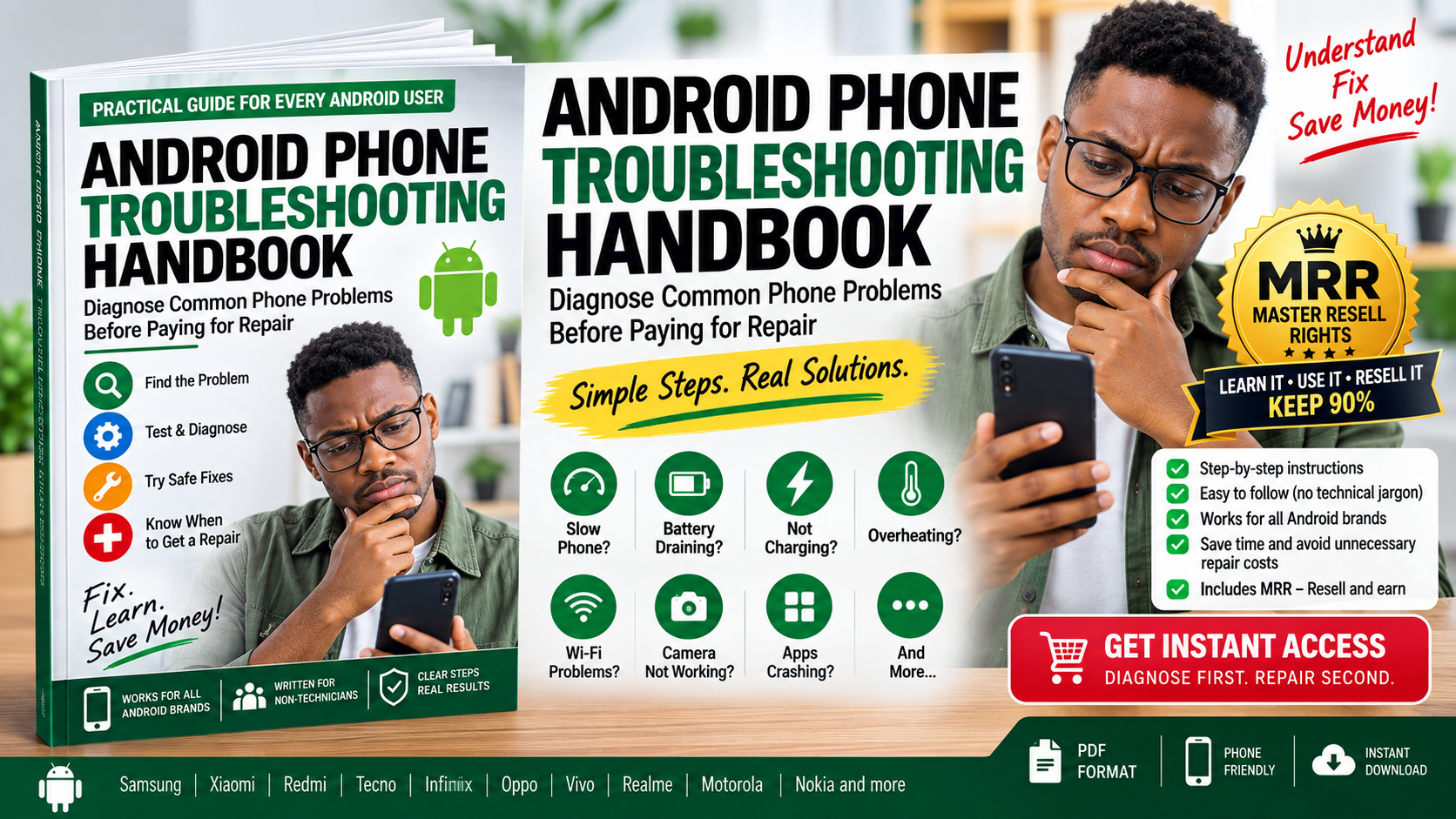
The Android Phone Troubleshooting Handbook is a practical, beginner-friendly digital guide designed to help everyday Android users systematically diagnose common smartphone problems, try safe fixes and recognize when professional repair is genuinely necessary.
No phone-repair experience required.
Many Android problems can have several possible causes.
A phone that won't charge, for example, could involve the cable, charger, power source, charging port, moisture protection, software, battery or internal hardware. Likewise, poor battery life can be related to apps, screen usage, network conditions, heat or battery deterioration.
That is why randomly changing settings, or immediately paying for repair -isn't always the best first step.
This handbook gives you a structured process:
PROBLEM → CHECK → TEST → IDENTIFY LIKELY CAUSE → TRY SAFE FIX → RETEST → DECIDE
Instead of guessing, you work through the problem logically.
Use the guide when your Android phone is experiencing problems such as:
Learn how to check storage, apps, background activity, updates, overheating and other possible causes before assuming the phone is simply too old.
Investigate apps, screen usage, mobile signal, GPS, hotspot, background activity, overheating and possible battery deterioration.
Learn the difference between normal warmth during demanding tasks and unusual heat that requires further investigation.
Follow a logical diagnostic sequence covering the wall outlet, charger, USB cable, charging port, moisture/temperature warnings, software and battery/device.
Check whether you're dealing with a discharged battery, frozen system, charging problem, display problem, power-button issue or possible internal fault.
Investigate storage, problematic apps, updates, buttons, heat and possible battery or hardware problems.
Follow a practical troubleshooting ladder—from restarting and updating to storage, cache, permissions and Safe Mode investigation.
Find what's consuming your storage and clean it more safely without carelessly deleting important photos, documents and personal files.
Test for screen contamination, accessories, software freezing, overheating or possible display/digitizer damage.
Learn how to determine whether the problem is actually your phone, router, SIM, mobile network or connected accessory.
Troubleshoot blurry photos, black camera screens, crashes, autofocus problems and other common camera symptoms.
Perform simple tests to determine which audio function is actually affected.
Know what to do and importantly, what not to do-after possible liquid exposure.
Use a post-drop inspection checklist covering the screen, touch, frame, camera, charging, audio, buttons, network and battery behaviour.
Investigate unwanted advertisements, suspicious applications and unusual permissions without immediately installing questionable “cleaner” apps.
One of the handbook's most useful sections helps you compare symptoms that are more consistent with a software problem against those that may indicate hardware damage.
For example:
Did the problem begin after installing an app?
Does it disappear in Safe Mode?
Does only one app have the problem?
Did the problem begin immediately after dropping the phone?
Is the charging connector physically loose?
Does the phone operate while the screen remains black?
Is there visible battery swelling?
These clues can help you make a more informed decision about what to do next.
Not sure where to begin?
Start with the handbook's 5-Minute Phone Check.
It guides you through basic checks such as:
✓ Restarting the phone
✓ Checking available storage
✓ Checking Android and app updates
✓ Reviewing recently installed apps
✓ Checking battery usage
✓ Looking for abnormal heat
✓ Inspecting the phone externally
✓ Inspecting the charging port
✓ Testing another compatible charger/cable where appropriate
✓ Checking for drop or liquid damage
The objective isn't to turn you into a repair technician.
It's to help you understand your phone before spending money on it.
You don't need technical training to use this handbook.
The instructions are written in straightforward language and organized around symptoms and actions.
It is suitable for users of many Android brands, including:
Samsung • Google Pixel • Xiaomi • Redmi • Tecno • Infinix • Oppo • Vivo • Realme • Motorola • Nokia/HMD and other Android phones
Because Android menus and procedures can differ by manufacturer and Android version, the handbook avoids pretending that one exact menu sequence applies universally.
Good troubleshooting also means knowing when to stop.
The handbook uses a simple safety system:
🟢 SAFE DIY CHECK
Simple diagnostic checks that generally don't require opening your phone.
🟡 PROCEED CAREFULLY
Actions where you should pay attention to your data, settings or device condition.
🔴 STOP — PROFESSIONAL REPAIR RECOMMENDED
Situations involving potentially dangerous battery or physical damage.
The guide specifically warns against risky actions such as puncturing batteries, opening swollen batteries, inserting metal objects into charging ports or applying uncontrolled heat.
The handbook also includes a Repair Preparation Checklist.
Learn what to do before handing over your device, including:
✓ Backing up important data
✓ Recording the symptoms
✓ Recording the phone model and Android version
✓ Photographing the physical condition
✓ Protecting sensitive information
✓ Asking for a diagnosis before authorising repair
✓ Asking which component is believed to be faulty
✓ Asking whether replacement parts are original/OEM, refurbished or aftermarket
✓ Confirming the total repair cost
✓ Asking about the repair warranty
You'll also get useful questions to ask the technician, including:
“What exactly did you diagnose as faulty?”
“What tests confirmed it?”
“Does this component need replacement?”
“What type of replacement part will be installed?”
This isn't designed as a long technical textbook.
It's a compact troubleshooting tool you can keep on your phone.
Inside you'll also find:
✓ Quick Diagnostic Matrix
Jump from a symptom to the first and second checks you should perform.
✓ 10 Things to Try Before Paying for Phone Repair
A fast checklist for everyday troubleshooting.
✓ Diagnostic Worksheet
Record the problem, tests performed, likely cause and repair quotation.
✓ Repair Preparation Checklist
Go to the repair shop better informed.
Today your problem might be battery drain.
Next month it could be Wi-Fi.
Later it could be charging, storage, an app that keeps crashing or a phone that suddenly refuses to turn on.
Instead of searching through dozens of articles and videos every time something goes wrong, keep a structured troubleshooting handbook available on your phone.
Current troubleshooting resources commonly organize Android problems around these same high-frequency categories—charging, battery drain, overheating, slow performance, black screens, restarts, connectivity and sound—making a single structured reference particularly practical.
This purchase doesn't have to end with learning from the handbook.
It also comes with Vezill Master Resell Rights (MRR).
That means, subject to the applicable Vezill MRR licence terms, you can:
✓ Learn from the handbook yourself
✓ Resell the digital product through Vezill
✓ Earn from qualifying sales
✓ Allow subsequent buyers to receive the applicable resell rights
So you are not simply buying information.
You are acquiring a useful digital product that may also become something you can market to other Android phone users.
For example, after using the handbook yourself, you could recommend it to:
smartphone owners;
students;
parents;
small-business owners;
delivery and ride-hailing drivers;
Android users experiencing common phone problems;
people considering paying for phone repair.
Any earnings depend on actual sales and are not guaranteed.
Because when your phone develops a problem, the most important first question isn't:
“How much will the repair cost?”
It is:
This handbook helps you answer that question more systematically.
It may help you solve a simple problem yourself, communicate more clearly with a technician, protect your data, avoid inappropriate DIY repairs, or understand when professional repair really is the sensible next step.
Get the Android Phone Troubleshooting Handbook today.
Keep it on your phone and open the relevant section whenever something goes wrong.
Diagnose the problem.
Perform the safe checks.
Understand the likely cause.
Know when to seek repair.
Get Instant Digital Access + Vezill MRR
Get the updates, on newly released, popular & fast-moving MRR digital products
Up to Top



Comments