
Ellan
Joined - December 2025

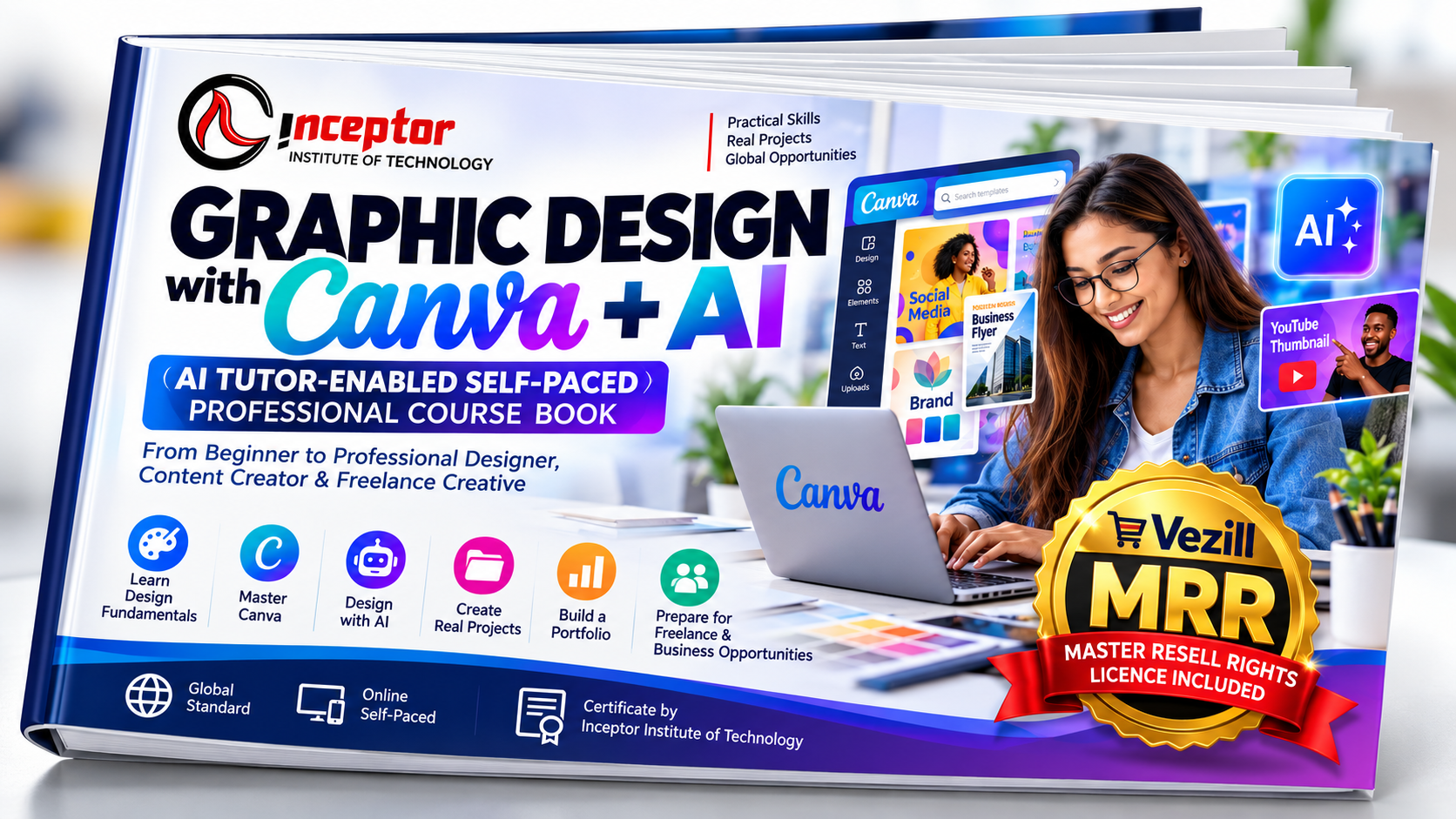
Want to learn graphic design with Canva and AI - but don't know where to start?
Maybe you can already open Canva and edit a template, but your designs still don't look professional.
Maybe you want to create better social-media graphics, flyers, advertisements, presentations, brand materials or business content.
Or perhaps your bigger goal is to develop a skill you can use for freelancing, content creation, your own business or digital products.
Graphic Design with Canva + AI was created for exactly that journey.
This is an AI Tutor-Enabled Self-Paced Professional Course Book created by Inceptor to help a complete beginner progressively learn the principles, tools, workflows and practical skills used to create professional visual content.
And it goes beyond learning where Canva's buttons are.
You don't need:
❌ Previous graphic-design experience
❌ Advanced design software knowledge
❌ To attend a physical classroom
❌ To be naturally "artistic"
❌ To know how AI prompting works
❌ An existing professional portfolio
You start with the fundamentals and progressively build your skills through guided practice.
BEGINNER → DESIGN FUNDAMENTALS → CANVA → AI-ASSISTED DESIGN → REAL PROJECTS → PORTFOLIO → FREELANCE / BUSINESS READINESS
Graphic design is increasingly becoming an AI-assisted profession rather than an AI-free profession.
Canva's current AI curriculum teaches learners to communicate with AI, turn prompts into designs, images and copy, refine generated work and use AI in content workflows.
Canva also describes AI as a creative partner while emphasizing that the learner still brings the thinking and refinement.
At the same time, freelance-market data indicates that graphic design remains commercially relevant alongside rapidly increasing AI adoption. Upwork lists graphic design among its current in-demand AI-enabled skills, and its 2026 reporting shows businesses increasingly seeking finished AI-assisted creative production rather than simply experimenting with AI tools.
That creates an important opportunity:
Graphic Design with Canva + AI is a practical self-paced course book that combines:
Graphic Design Fundamentals + Canva + Generative AI + Practical Projects + Portfolio Development + Freelance & Business Skills
Instead of teaching isolated Canva tricks, it shows you how to move through a professional creative workflow:
You'll learn the principles behind good design and then apply them using Canva and AI.
Learn the visual principles that separate professional-looking work from random decoration, including:
Balance
Contrast
Alignment
Repetition
Proximity
Visual hierarchy
White space
Scale
Emphasis
Consistency
Composition
You learn not only what looks good, but why it works.
Learn how to select and combine colors intentionally.
Understand:
Color psychology
Complementary colors
Analogous palettes
Monochromatic palettes
Brand colors
Contrast
Accessibility
HEX colors
RGB and CMYK
Building professional color systems
You'll complete a practical brand-color project.
Stop choosing fonts simply because they look attractive.
Learn:
Serif vs sans serif
Display and script fonts
Font pairing
Font personality
Kerning
Tracking
Leading
Text hierarchy
Headlines and subheadings
Body copy
Calls to action
Mobile readability
You'll learn how typography can make a design look either amateur or professional.
Learn practical Canva workflows including:
Templates
Text
Elements
Photos
Uploads
Frames
Grids
Layers
Positioning
Alignment
Grouping
Transparency
Image editing
Projects
Collaboration
Exporting and sharing
Most importantly, you'll learn:
Because professional Canva design is much more than replacing text in templates.
This is where the course becomes particularly powerful.
Learn how to use AI as your:
Creative Assistant + Idea Generator + Copy Assistant + Prompting Partner + Design Critic + Content Assistant
You'll explore AI-assisted workflows for:
Design concepts
Images
Backgrounds
Marketing copy
Headlines
Social-media ideas
Brand concepts
Mood boards
Presentations
Content repurposing
Creative direction
Design critique
Canva's current AI learning resources specifically emphasize prompting, brainstorming, generating designs and images, creating content and iterative refinement - making these increasingly central skills for modern Canva users.
Instead of typing:
"Make me a nice poster."
You'll learn to construct controlled visual prompts using:
For example:
Create a premium social-media advertisement for a modern coffee brand targeting young urban professionals. Use a minimalist editorial style, warm earth-tone palette, strong product focus, generous negative space and premium commercial-photography aesthetics. Vertical 4:5 composition with clean space for the headline and CTA.
The course contains ready-to-use AI prompts that you can adapt to real projects.
Want to design for businesses and brands?
Learn how to create a cohesive visual identity rather than simply making a logo.
You'll work with:
Creative briefs
Target audiences
Brand personality
Mood boards
Logo concepts
Brand colors
Typography systems
Image styles
Brand consistency
Mini brand guidelines
Create a mini brand identity for a fictional startup.
Learn how to create professional content for channels such as:
Instagram • Facebook • LinkedIn • TikTok • YouTube • Pinterest • WhatsApp
Create:
Feed graphics
Stories
Carousels
Promotional posts
Educational content
Advertisements
Announcements
YouTube thumbnails
Branded campaigns
You'll learn a valuable content-production principle:
Learn to create practical assets businesses regularly need, including:
Flyers • Posters • Brochures • Business Cards • Menus • Price Lists • Banners • Advertisements • Presentations • Infographics • Lead Magnets • Company Profiles • Product Catalogs
The workflow becomes:
Not:
Open Canva → Pick something pretty → Hope it works.
Learn how to structure marketing creatives around:
Attention
Visual hooks
Customer benefits
Offers
Social proof
Product focus
Urgency
Calls to action
Mobile readability
A/B creative variations
You'll create multiple advertising concepts for the same product and learn why each version exists.
Learn presentation design for:
Business presentations
Pitch decks
Educational presentations
Proposals
Reports
Marketing presentations
You'll complete a professional presentation project suitable for your portfolio.
This section is particularly useful for:
Business owners • marketers • freelancers • content creators • social-media managers
Learn:
You'll build a practical 30-day content system for a business.
This isn't just a PDF that tells you what to read.
Throughout the course you'll find AI Tutor prompts designed to turn an AI assistant into your interactive learning companion.
For example:
"Act as my professional graphic-design tutor. I'm learning visual hierarchy. Explain it at beginner level using three practical examples. Give me a Canva exercise and wait for my attempt. Then critique my work using hierarchy, alignment, contrast, spacing and readability."
Use your AI Tutor when you're:
Confused → Practicing → Designing → Troubleshooting → Looking for ideas → Requesting critique → Building your portfolio
This makes the book much more interactive than a conventional static guide.
Graphic design is a practical skill.
That's why the course emphasizes projects.
You'll work on projects such as:
Promotional flyer
Brand color system
Typography redesign
Mini brand identity
Business card
Social-media campaign
Advertising creatives
Business presentation
30-day content system
Digital product
Freelance service package
Full capstone brand campaign
Every completed project becomes evidence of what you can do.
One of the biggest beginner problems is:
"How do I get clients or apply for opportunities when I don't have a portfolio?"
This course addresses that directly.
By progressing through the projects, you can build approximately 8–12 strong portfolio pieces, potentially including:
Brand Identity | Business Flyer | Social Campaign | Advertising Creative | YouTube Thumbnail | Presentation | Brochure | Event Poster | Digital Product | Content Campaign
You'll also learn how to turn projects into case studies using:
This portfolio emphasis aligns closely with current professional Canva training, which uses hands-on projects and portfolios to demonstrate practical capability.
The course doesn't stop after teaching design.
It introduces the professional workflow:
Learn about:
Finding your niche
Defining services
Client briefs
Project scope
Pricing approaches
Proposals
Revision limits
Client communication
Portfolio presentation
Service packages
Repeat clients
Possible services include:
Social Media Design • Flyers • Brand Kits • Presentations • Advertisements • Thumbnails • Business Cards • Brochures • Content Packages • Canva Templates • Lead Magnets • Digital Product Design
No income is guaranteed—the objective is to give you practical skills, evidence and a workflow you can use to pursue opportunities.
You don't have to become a freelance designer.
Business owners can use these skills to create:
Social-media content
Promotions
Advertisements
Presentations
Product graphics
Business flyers
Price lists
Marketing campaigns
Brand assets
Lead magnets
Instead of depending on someone else for every small creative task, you'll understand how to create and evaluate visual content yourself.
You'll also learn how your skills can be applied to products such as:
Templates • Planners • Workbooks • Worksheets • Presentation Templates • Social-Media Packs • Checklists • Guides • Ebooks • Business Resources
You'll learn the workflow:
The course also addresses copyright, licensing and responsible use of Canva, stock and AI-generated assets.
This course is designed for:
✓ Complete graphic-design beginners
✓ Students and graduates
✓ Freelancers
✓ Content creators
✓ Social-media managers
✓ Digital marketers
✓ Virtual assistants
✓ Entrepreneurs
✓ Small-business owners
✓ Digital-product creators
✓ People wanting to learn Canva professionally
✓ People interested in AI-assisted graphic design
✓ Anyone wanting to build a practical design portfolio
You can find thousands of isolated Canva tutorials online.
The problem is that random tutorials often teach features without a structured competency pathway.
This course connects the pieces:
That means you're learning toward an outcome - not simply collecting tips.
The course book is:
Learners can follow the applicable assessment pathway toward a:
Certification is based on practical evidence, including:
Knowledge Assessment — 20%
Practical Projects — 40%
Capstone Project — 20%
Professional Portfolio — 20%
Certification is subject to successful project submission, portfolio evaluation and assessment.
Simply purchasing or reading the course book does not automatically award certification.
Your purchase includes a Vezill Master Resell Rights (MRR) Licence, subject to the licence terms supplied with the product.
That creates two distinct forms of value:
Learn graphic design, Canva and AI for:
Freelancing • Employment • Content Creation • Marketing • Business • Digital Products
Use the included Vezill MRR rights to market and resell the authorized digital product under the licence conditions - Earn 90% from your qualifying sales revenue.
This means you're not buying only something to consume.
You're acquiring a digital knowledge product that can also have a resale opportunity.
Step 1 — Buy the Course Book
Get your legitimate copy together with the applicable Vezill MRR licence.
Step 2 — Understand the Product
Knowing what the course solves makes it easier to identify the right buyers.
Step 3 — Identify Your Audience
Potential audiences can include beginners, students, freelancers, business owners, marketers and content creators who want practical Canva + AI design skills.
Step 4 — Market It - Share the product using your Unique Reseller Link
Promote through channels appropriate to your audience, such as social content, short-form video, messaging communities, websites or other lawful marketing channels.
Step 5 — Make Authorized Resales
Sell according to the Vezill MRR licence terms and applicable platform rules.
Important: MRR does not transfer copyright, authorship, Inceptor certification authority or unrestricted rights over third-party Canva/stock/AI assets. Earnings are not guaranteed and depend on factors including pricing, audience, marketing, demand and execution.
Learn a practical creative skill.
Develop services and portfolio evidence.
Produce stronger branded content.
Create more of your own marketing assets.
Use the included Vezill MRR opportunity subject to its licence.
With Graphic Design with Canva + AI, you receive a practical learning resource built around:
✓ Step-by-step lessons
✓ Graphic-design fundamentals
✓ Canva training
✓ AI-assisted design workflows
✓ AI Tutor prompts
✓ Professional design prompts
✓ Practical exercises
✓ Real-world projects
✓ Branding exercises
✓ Social-media design
✓ Marketing and advertising design
✓ Content-creation workflows
✓ Freelancing guidance
✓ Client brief templates
✓ Quality-control checklists
✓ Portfolio development
✓ Capstone project
✓ Assessment framework
✓ Career/business pathway
✓ Vezill MRR licence opportunity where included with the product
Yes. The course begins with graphic-design fundamentals before progressing into Canva, AI-assisted workflows, branding, content creation and practical projects. Canva itself currently positions its foundational design and Canva Essentials learning as beginner-level.
Canva can be used to create a wide range of professional marketing, branding, presentation and social-media assets. The important distinction is that knowing the software is not the same as understanding design. That's why this course combines Canva with typography, color theory, layout, hierarchy, branding and project work.
Yes. AI-assisted design and prompting are integrated into the learning workflow rather than treated as an afterthought. Canva's current AI learning materials themselves emphasize prompting, design generation, images, copy, content and iterative refinement.
Yes. The course book is designed specifically for self-paced learning with AI Tutor prompts, exercises, projects and checklists.
Yes. Portfolio development is one of the core outcomes. You'll progressively build practical work and learn how to present selected projects as professional case studies.
It teaches relevant design skills, portfolio development, client briefing, proposals, pricing approaches, delivery and freelance workflows. It cannot guarantee clients or income.
Yes. The skills apply directly to social content, flyers, advertisements, presentations, brand materials and other business content.
It means the authorized copy can include Master Resell Rights, allowing you to resell the digital product according to the accompanying Vezill MRR licence. It does not transfer copyright, authorship or authority to issue Inceptor certificates.
No. Certification is separate from purchasing the course book and is subject to the applicable projects, portfolio and assessment requirements.
Canva makes design tools accessible.
AI makes creative production faster.
But the real advantage comes from knowing:
That's what Graphic Design with Canva + AI is designed to teach.
AI Tutor-Enabled • Self-Paced • Practical • Project-Based • Portfolio-Focused • Global Standard
Created by Inceptor
Certificate pathway by Inceptor Institute of Technology — Projects + Portfolio + Assessment
Vezill Master Resell Rights Opportunity Available Subject to Licence Terms
Get the updates, on newly released, popular & fast-moving MRR digital products
Up to Top
Comments