
Taji
Joined - November 2025

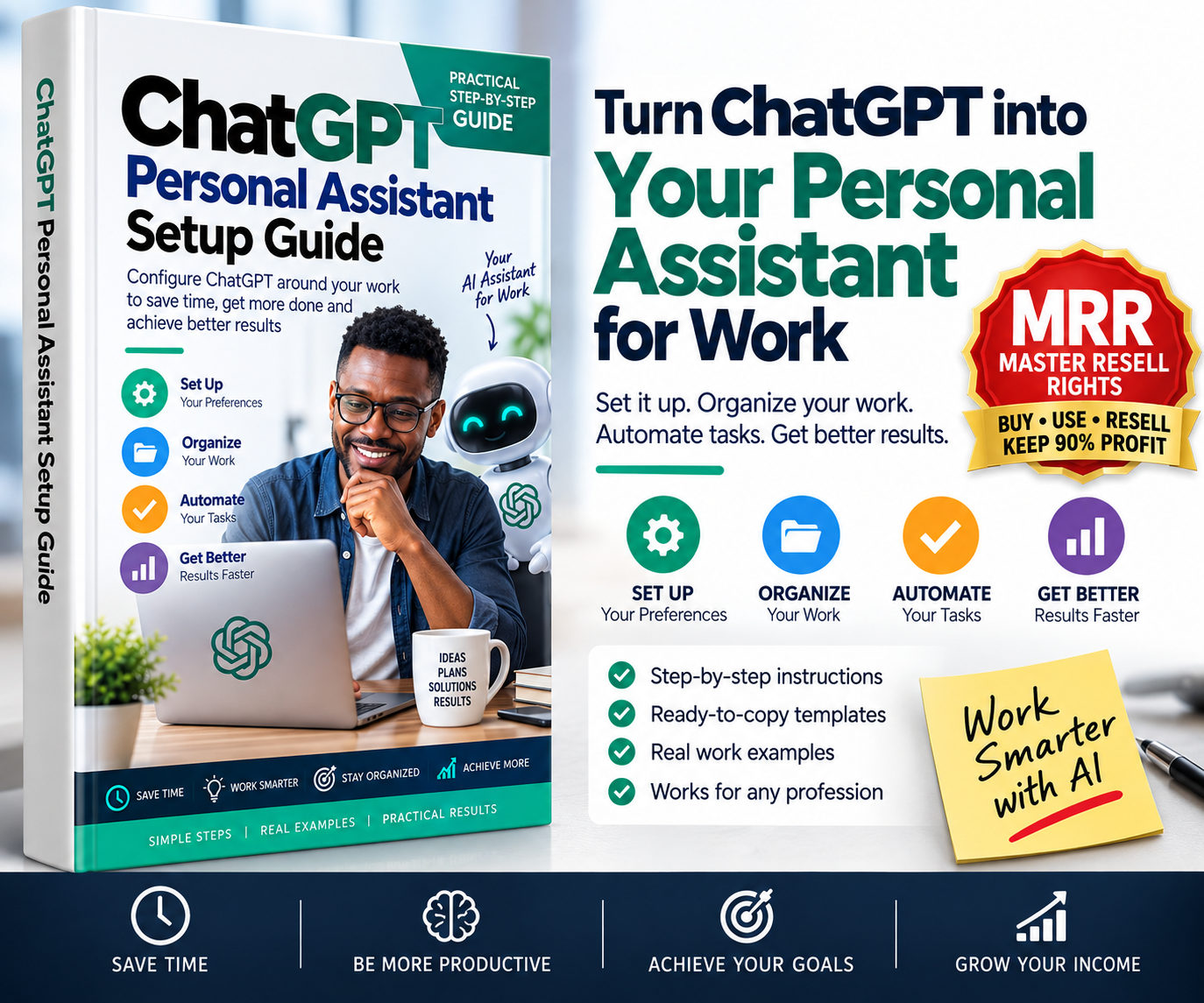
A step-by-step Practical Result Guide for setting up ChatGPT to understand your work, organize your projects, support recurring tasks, improve productivity and help you get better results faster.
Instead of opening ChatGPT every day and repeatedly explaining who you are, what you do and how you want it to respond, learn how to configure it around the way you actually work.
The ChatGPT Personal Assistant Setup Guide is a compact, action-focused PDF knowledge pack designed to help you build a practical AI work assistant using ChatGPT.
You don't need programming skills.
You don't need to be an AI expert.
Follow the setup process, copy the included templates, customize them to your work and start using ChatGPT more systematically.
By the end of this guide, you should have a working ChatGPT Personal Assistant System configured around:
Your Role → Your Goals → Your Preferences → Your Projects → Your Files → Your Workflows → Your Recurring Tasks
Instead of simply asking random questions, you will learn how to use ChatGPT as a structured work environment for activities such as:
planning your day
organizing projects
researching topics
preparing for meetings
drafting emails and documents
evaluating decisions
delegating work
organizing information
reviewing your week
identifying priorities
creating repeatable workflows
reducing repetitive administrative work
The objective is simple:
Spend less time explaining. Spend more time getting useful work done.
There are thousands of ChatGPT prompts online.
This is not another list of 500 prompts.
A giant prompt collection may give you things to type into ChatGPT, but it does not necessarily show you how to configure ChatGPT around your actual work.
This guide takes a different approach.
It helps you build a simple Personal AI Work System.
You will learn what information ChatGPT needs, where different information should go, how to organize ongoing work, how to create reusable workflows and how to test whether your setup is actually producing better results.
The focus is not:
“What clever prompt can I use today?”
The focus is:
“How can I configure ChatGPT so it becomes more useful every day?”
Start by identifying the information ChatGPT actually needs to help you effectively.
You will define:
your role
responsibilities
important goals
recurring tasks
common deliverables
people you communicate with
working constraints
preferred response style
frequently used tools
tasks where AI should be cautious
You also get a ready-to-copy Work Profile Interview Prompt that helps ChatGPT interview you and build the profile with you.
Learn how to create practical instructions that tell ChatGPT:
what you do
what outcomes matter to you
how detailed responses should be
how recommendations should be presented
how uncertainty should be handled
when current information should be verified
what ChatGPT should avoid doing
A copy-and-customize Global Work Instructions Template is included.
Learn the difference between information that should become part of your longer-term ChatGPT context and information that belongs inside a specific project.
The guide includes a Memory Audit Prompt to help you identify useful, outdated, vague or missing context.
The result is a cleaner setup with less unnecessary repetition.
Stop scattering important work across unrelated conversations.
Learn how to create focused workspaces such as:
Daily Operations
Clients & Delivery
Sales & Marketing
Finance & Administration
Learning & Research
You will also receive a reusable Project Instructions Template showing ChatGPT the project's:
purpose
desired outcome
source-of-truth rules
working method
quality requirements
success measures
Plus a Project Onboarding Prompt that turns your project information into a practical control sheet containing objectives, deliverables, stakeholders, constraints, decisions, risks and next actions.
This is where the guide becomes immediately actionable.
You receive ready-to-copy workflows for:
Turn a messy list of tasks, appointments and deadlines into clear daily priorities.
Classify communications into actions such as reply, delegate, schedule, reference or archive.
Prepare objectives, important facts, questions, objections, decisions and next steps before a meeting.
Compare options using criteria such as impact, cost, time, risk and operational complexity — then arrive at a practical recommendation.
Convert an idea or responsibility into a clear assignment with deliverables, deadlines, quality standards and approval requirements.
Move beyond information gathering.
Turn research into:
Answer → Evidence → Implications → Recommendation → Action
Review wins, incomplete commitments, bottlenecks, lessons, follow-ups and the following week's priorities.
You don't need to write a 500-word prompt every time you use AI.
Learn this simple structure:
TASK — What should ChatGPT do?
CONTEXT — What does it need to know?
CONSTRAINTS — What rules or limitations apply?
OUTPUT — What exactly should it produce?
Once your ChatGPT environment is properly configured, your everyday instructions can become shorter and more precise.
The guide helps you build reusable commands such as:
“Run Daily Command Center.”
“Turn this into a Decision Brief.”
“Prepare me for this meeting.”
“Convert this into a Delegation Brief.”
“Make this client-ready.”
“Audit this for gaps, risks and assumptions.”
“Research this and convert the findings into action.”
“Summarize only what changed.”
“What am I missing?”
“Run Weekly Review.”
Instead of constantly searching online for prompts, you build a small command library around the work you actually perform.
The guide also explains how recurring AI assistance can be structured for tasks such as:
morning work briefs
weekly reviews
meeting preparation
industry updates
reminders
recurring research
monitoring important changes
Where the relevant ChatGPT functionality is available on your account, this can help move ChatGPT from a purely reactive question-and-answer tool toward more proactive work assistance.
Learn where connecting external work tools may reduce repetitive work, including use cases involving:
calendars
cloud documents
team communication
work information
The guide also explains an important rule:
Connect only what produces a clear productivity benefit, and maintain human review for important external actions.
Don't assume your setup is good simply because you completed it.
The guide includes a practical 10-Point Personal Assistant Test.
Test whether ChatGPT can:
understand your important outcomes
communicate in your preferred style
make useful recommendations
understand project objectives
use supplied sources appropriately
recognize when current information needs verification
prioritize overloaded workloads
structure delegation
identify uncertainty
recommend concrete next actions
Target score: 8/10 or better.
If your setup fails, the guide shows you what to improve.
Don't read the guide and forget it.
Use the included implementation plan:
Day 1: Build your Work Profile and configure your preferences.
Day 2: Create your core work Projects.
Day 3: Start using the Daily Command Center and Decision Brief.
Day 4: Install Meeting Prep and Delegation workflows.
Day 5: Use Research-to-Action on a real problem.
Day 6: Build your personal command library.
Day 7: Run your first Weekly Review and optimize the entire system.
Within one week, ChatGPT can become substantially more integrated into your normal working routine.
This practical ChatGPT guide is suitable for:
Business Owners — organize operations, decisions, communications, marketing and planning.
Managers — prepare meetings, delegate tasks, review priorities and manage information.
Entrepreneurs — research opportunities, organize ideas, plan execution and create business materials.
Freelancers — manage clients, proposals, research, communications and deliverables.
Consultants — structure research, prepare client work and organize projects.
Content Creators — manage research, content planning, production and workflows.
Students & Researchers — organize learning, research projects, notes and study workflows.
Teachers & Trainers — plan lessons, organize materials, research topics and create educational content.
Sales & Marketing Professionals — organize campaigns, research prospects, prepare communications and evaluate strategies.
Administrative Professionals — accelerate routine planning, drafting, organization and information processing.
If a significant part of your day involves thinking, researching, writing, communicating, planning, organizing or making decisions, this guide can help you structure ChatGPT around those activities.
This guide is designed for practical users.
You don't need:
❌ Programming knowledge
❌ API knowledge
❌ Advanced prompt-engineering skills
❌ Automation experience
❌ Technical AI training
You need a ChatGPT account, some real work you want to improve and approximately 30–45 minutes for the initial setup.
The guide provides the structure and templates.
You customize them around your own work.
Imagine opening ChatGPT and already having a structured environment for your work.
Instead of:
“Let me explain everything again…”
You can say:
“Run my Daily Command Center.”
Instead of spending 30 minutes figuring out how to evaluate a problem:
“Turn this into a Decision Brief.”
Before a client meeting:
“Prepare me for this meeting.”
When assigning work:
“Turn this into a Delegation Pack.”
At the end of the week:
“Run my Weekly Review.”
That is the practical result this guide is designed to help you achieve.
Configure ChatGPT around your work and start using AI more systematically.
You receive:
✓ Complete step-by-step PDF guide
✓ Work Profile framework
✓ ChatGPT configuration template
✓ Project setup system
✓ Project Instructions Template
✓ Memory Audit Prompt
✓ Daily Command Center
✓ Meeting Preparation workflow
✓ Decision Brief workflow
✓ Delegation Pack
✓ Research-to-Action workflow
✓ Weekly Review workflow
✓ TASK Prompt Formula
✓ Personal Command Library
✓ 10-Point Assistant Test
✓ 7-Day Activation Plan
✓ Practical worked example
✓ Troubleshooting checklist
✓ Privacy and reliability guidelines
Your purchase include Master Resell Rights, subject to the VEZILL product licence supplied with this product.
That means you are not limited to learning from the guide yourself.
You can also turn your purchase into a digital product resale opportunity - by just sharing your unique reseller link provided upon completing your purchase.
Under the included MRR licence, you may be permitted to:
✓ Use the guide for your own learning and work.
✓ Resell the original digital product to other customers.
✓ Keep the reseller 90% share of revenue applicable to your VEZILL sale.
✓ Promote the product through your website, social media, messaging channels and other permitted marketing channels.
✓ Resell the guide repeatedly while your applicable resell rights remain valid.
✓ You are xpressly allowed by the attached licence, pass the specified resale rights to your buyers.
Master Resell Rights are licence rights, not copyright ownership.
You may not claim authorship, copyright ownership or intellectual-property ownership unless the licence expressly transfers those rights.
You may not modify, repackage, sublicense, distribute for free, pass on resale rights or use the product in another way unless that use is expressly permitted by the licence accompanying your purchase.
Always read the specific VEZILL licence supplied with the product before reselling it.
This is what makes the guide more than another downloadable PDF.
Understand how to configure ChatGPT around your work.
Use the system to improve your own productivity, planning, research, organization and decision-making.
Where your VEZILL MRR licence permits, sell the guide to other people who want to use ChatGPT more effectively.
One digital product can therefore provide both practical knowledge and a resale opportunity.
Yes — when it is given appropriate context, instructions and source material. The guide focuses on configuring those elements and creating repeatable workflows rather than treating ChatGPT as a simple question-and-answer tool.
No. It is intentionally designed as a compact Practical Result Guide.
The objective is not to teach you everything about artificial intelligence. It is to help you achieve one specific result:
Configure ChatGPT around your work and establish a practical personal-assistant workflow.
Most users should be able to complete the initial setup in approximately 30–45 minutes, although building more detailed Projects and workflows can continue as you use the system.
Not necessarily for the core principles and workflows. However, specific ChatGPT tools and usage limits can differ by plan, account, workspace and product availability.
No.
It helps you configure ChatGPT to support your work. You remain responsible for decisions, approvals, factual verification and important external actions.
No.
Prompts are included, but they are part of a larger setup covering your Work Profile, personalization, project structure, source material, repeatable workflows, verification and ongoing use.
Yes. The framework is deliberately role-independent. A manager, freelancer, entrepreneur, student, trainer, marketer or consultant can configure the templates around their own work.
If you purchase the version supplied with Master Resell Rights, you may resell it according to the specific VEZILL licence accompanying the product.
You may already have access to powerful AI.
The question is whether you have configured it to understand:
What you do.
What matters to you.
How you work.
What you're trying to achieve.
What information it should use.
And what it should help you do repeatedly.
The ChatGPT Personal Assistant Setup Guide gives you a practical system for putting those pieces together.
Get Instant Access to the ChatGPT Personal Assistant Setup Guide on VEZILL.
Learn → Configure → Apply → Work Smarter → Resell
Product note: ChatGPT features and interfaces may change over time. Some features described in the guide may depend on your ChatGPT plan, workspace, region or product availability. ChatGPT and OpenAI are trademarks of their respective owner. This guide is an independent educational product and should not imply endorsement by or affiliation with OpenAI unless expressly stated.
Get the updates, on newly released, popular & fast-moving MRR digital products
Up to Top
Comments