
Ellan
Joined - December 2025

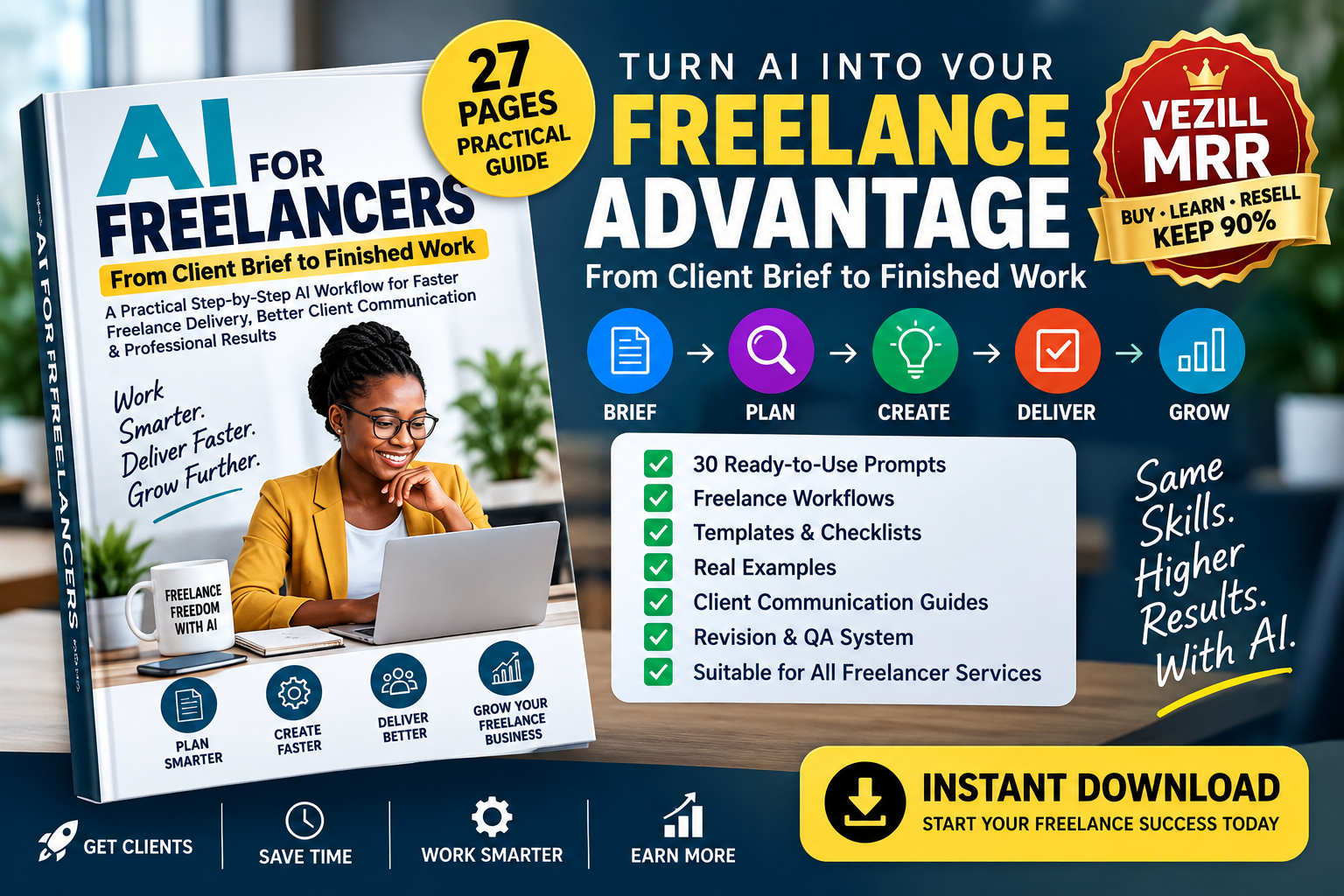
27-Page Practical AI Manual + Ready-to-Use Prompts + Freelance Workflows + Templates + Checklists + Vezill MRR
Freelancing with AI is about much more than asking ChatGPT to write something for you.
The real opportunity is learning how to use AI throughout your actual freelance workflow — from the moment a client sends a brief to the moment you deliver the finished work.
AI for Freelancers: From Client Brief to Finished Work is a compact, practical manual designed to help freelancers use AI to organize projects, understand client requirements, research faster, create first drafts, communicate with clients, process revisions, check quality and prepare professional final deliverables.
Instead of giving you hundreds of random prompts, this guide gives you a repeatable freelance delivery system:
CLIENT BRIEF → CLARIFY → PLAN → RESEARCH → CREATE → VERIFY → REFINE → DELIVER → REVISE → COMPLETE
The goal is simple:
This is where many freelancers lose time.
You may need to:
Understand exactly what the client wants
Identify missing information
Ask clarification questions
Research the subject
Plan the project
Create the work
Check facts
Write client messages
Process feedback
Handle revisions
Check whether new requests are outside the original scope
Prepare the final files
Deliver professionally
Now imagine having an AI-assisted system for handling each stage.
That is what this manual teaches.
Clients don't always send perfectly structured instructions.
Learn how to use AI to extract:
✓ Client objectives
✓ Required deliverables
✓ Target audience
✓ Specifications
✓ Deadlines
✓ Required assets
✓ Constraints
✓ Missing information
✓ Ambiguous instructions
✓ Success criteria
You'll also get a reusable Client Brief Analyzer Prompt.
Instead of immediately starting the project, you can first understand exactly what needs to be done.
Missing information can cause unnecessary revisions.
The manual shows you how to use AI to identify gaps in a brief and generate useful clarification questions before you begin.
This can help you move from:
"I think this is what the client wants..."
to:
"These are the confirmed deliverables, requirements and expected results."
Turn an approved client brief into a structured execution plan.
Learn how to generate:
✓ Work breakdown structures
✓ Task lists
✓ Project milestones
✓ Research plans
✓ Asset requirements
✓ Client dependencies
✓ Quality-control checkpoints
✓ Delivery checklists
You'll receive a reusable:
so you don't have to plan every project from scratch.
AI can make research faster — but AI-generated information is not automatically correct.
The manual teaches a professional research workflow:
QUESTION → SEARCH → FIND SOURCES → EXTRACT → COMPARE → VERIFY → SYNTHESIZE → CITE
You'll learn how AI can assist with:
✓ Research questions
✓ Search queries
✓ Competitor research
✓ Audience research
✓ Market research
✓ Keyword research
✓ Source comparison
✓ Document summarization
✓ Fact checking
✓ Identifying conflicting claims
A practical Fact Verification Checklist helps you review research before using it in client work.
Stop relying on vague prompts such as:
"Do this project for me."
The manual teaches a professional prompting framework:
CONTEXT + ROLE + OBJECTIVE + INPUT + REQUIREMENTS + CONSTRAINTS + OUTPUT FORMAT + QUALITY STANDARD
You'll receive a reusable Master Client-Work Prompt Template that can be adapted to different freelance projects.
The guide isn't written only for writers.
It contains practical workflow examples for:
✓ Content writers
✓ Copywriters
✓ Virtual assistants
✓ Social media managers
✓ Graphic designers
✓ Web designers
✓ Developers
✓ SEO freelancers
✓ Researchers
✓ Spreadsheet/data freelancers
✓ Video freelancers
Each workflow shows where AI can accelerate the process — and where human professional judgment is still required.
Use AI to analyze a job description or client request and identify:
CLIENT NEED → PROBLEM → EXPECTED RESULT → YOUR APPROACH
Learn how to use AI when preparing:
✓ Personalized proposals
✓ Short proposals
✓ Detailed proposals
✓ Upwork proposals
✓ Direct-client proposals
✓ Responses to invitations
✓ Proposal improvements
✓ Proofreading
The guide emphasizes truthful personalization rather than mass-generated generic proposals.
Client communication can take considerable time across multiple projects.
Use the included prompts to help prepare messages for:
✓ New client inquiries
✓ Clarification questions
✓ Scope confirmation
✓ Progress updates
✓ Missing assets
✓ Delays
✓ Draft submissions
✓ Feedback requests
✓ Revision requests
✓ Final delivery
✓ Follow-ups
You still control what is promised — AI helps you organize and communicate it clearly.
Have you ever received a long client message containing many changes?
Instead of trying to remember everything, learn the workflow:
CLIENT FEEDBACK → EXTRACT REQUESTS → CLASSIFY → CREATE REVISION CHECKLIST → REVISE → COMPARE → QA → RESUBMIT
Use the included Client Feedback Analyzer Prompt to turn unstructured feedback into an actionable revision list.
A client asks for "one more small change."
But is it really a revision — or an entirely new deliverable?
Use AI to compare:
ORIGINAL CLIENT BRIEF
versus
NEW CLIENT REQUEST
and identify:
✓ Included changes
✓ Genuine revisions
✓ Changed requirements
✓ New deliverables
✓ Potential scope expansion
This gives you a clearer factual basis for discussing additional time or fees with the client.
One of the most important sections of this manual is the Human QA Gate.
Before delivering client work, check:
□ Does it answer the original brief?
□ Are all deliverables included?
□ Are the facts verified?
□ Are names, numbers and dates correct?
□ Are citations genuine?
□ Is anything invented?
□ Does the work match the client's tone?
□ Is formatting correct?
□ Is confidential information protected?
□ Does anything sound generic or unfinished?
□ Does the work meet professional standards?
□ Would you confidently put your name on it?
AI can help produce the work.
You remain responsible for the finished result.
The manual includes a practical prompt library covering the entire freelance workflow.
You'll get prompts for:
✓ Client Brief Analysis
✓ Missing Requirements
✓ Client Questions
✓ Job Suitability
✓ Proposal Writing
✓ Project Planning
✓ Task Breakdown
✓ Research Planning
✓ Research Queries
✓ Source Comparison
✓ Audience Research
✓ Competitor Analysis
✓ Brainstorming
✓ Outlining
✓ First Drafts
✓ Editing
✓ Proofreading
✓ Fact Checking
✓ Brand Voice
✓ Data Analysis
✓ Client Emails
✓ Meeting Summaries
✓ Progress Updates
✓ Scope Comparison
✓ Client Feedback
✓ Revision Planning
✓ Quality Review
✓ Final Delivery Auditing
✓ Client Follow-Up
✓ Project-to-SOP Conversion
Simply replace the provided placeholders with information from your project.
The manual also includes practical templates for:
Client Brief Sheet
Client Clarification Sheet
Project Plan
AI Prompt Builder
Research Checklist
Project QA Checklist
Revision Checklist
Final Delivery Checklist
Client Follow-Up Checklist
AI & Client Data Safety Checklist
Instead of rebuilding your workflow for every new client, you can reuse and improve the same system.
For suitable small projects, the guide demonstrates an example workflow:
0–5 minutes: Analyze the brief
5–10 minutes: Identify questions
10–15 minutes: Create the plan
15–30 minutes: Research/create
30–40 minutes: Refine
40–50 minutes: Verify and QA
50–55 minutes: Format/package
55–60 minutes: Final review and delivery preparation
This is an illustration, not a guaranteed completion time. Complex client projects may require substantially more research, production and review.
The principle is what matters:
The manual doesn't stop at theory.
It walks through a realistic freelance project involving:
A client brief
Brief analysis
Clarification
Project planning
Research
Prompt creation
First draft
Fact verification
Editing
Quality control
Client submission
Revisions
Final delivery
This helps you see how the individual AI prompts fit together into one complete professional workflow.
This guide is suitable for:
Freelancers who want to use AI more effectively.
Virtual Assistants who handle multiple client tasks.
Writers & Copywriters who want faster research, drafting and editing workflows.
Social Media Managers managing ideas, calendars, copy and client approvals.
Graphic Designers using AI for ideation and creative workflows.
Web Designers & Developers using AI for planning, coding assistance, debugging and documentation.
SEO & Digital Marketing Freelancers handling research, analysis and content.
Researchers & Consultants working with large amounts of information.
Video Creators & Editors using AI throughout content-production workflows.
New Freelancers who need a structured method for handling client projects.
Freelance work is changing.
Clients increasingly expect freelancers to work efficiently with AI while still delivering polished, accurate and professional results.
The advantage isn't simply knowing how to open an AI tool.
The valuable skill is knowing how to connect AI to a real professional workflow:
Understand the problem.
Choose the right approach.
Use AI where it helps.
Check the result.
Deliver something the client can actually use.
This isn't only a manual you can learn from.
That means you can:
✓ Buy the manual
✓ Learn and apply the system yourself
✓ Resell the digital product through Vezill subject to the applicable Vezill MRR terms
✓ Earn from qualifying sales under Vezill's current revenue-sharing rules
✓ Pass the applicable resell rights to eligible subsequent buyers
This creates two potential uses from one purchase:
Use the manual to improve your own AI-assisted freelance workflow.
Use the included Vezill MRR opportunity to offer the same practical knowledge product to other freelancers who need it.
Your results will depend on factors such as demand, pricing, marketing and your own sales activity. Income is not guaranteed.
Always refer to the current Vezill MRR terms for the exact licence conditions and revenue share that apply to your purchase.
Format: Digital PDF Manual
Length: 27 Pages
Inside:
✓ Complete client-brief-to-delivery workflow
✓ 30 reusable AI prompts
✓ Client Brief Analyzer
✓ Proposal Assistant
✓ AI Research Workflow
✓ Project Planning System
✓ Client Communication Prompts
✓ Revision Management System
✓ Scope Comparison Prompt
✓ Human QA Gate
✓ Final Project Audit
✓ Freelance-service workflows
✓ Practical worked project
✓ Reusable templates
✓ Checklists
✓ Client data-safety guidance
✓ Vezill Master Resell Rights
You don't need hundreds of random prompts.
You need a system that helps you move from:
CLIENT BRIEF
to
FINISHED PROFESSIONAL WORK.
That's exactly what this manual is designed to help you do.
Learn it. Apply it. Improve your workflow. Deliver better. And with Vezill MRR, you can also resell the knowledge product under the applicable licence terms.
BRIEF → CLARIFY → PLAN → RESEARCH → CREATE → VERIFY → REFINE → DELIVER
Get the updates, on newly released, popular & fast-moving MRR digital products
Up to Top

Comments