
Ellan
Joined - December 2025

If you are searching for an Advanced Excel course, Excel for data analysis course, Excel business analysis training, Power Query course, PivotTable training, Excel dashboard course, or AI-powered Excel learning guide, this professional self-paced course book brings those skills together into one practical learning pathway.
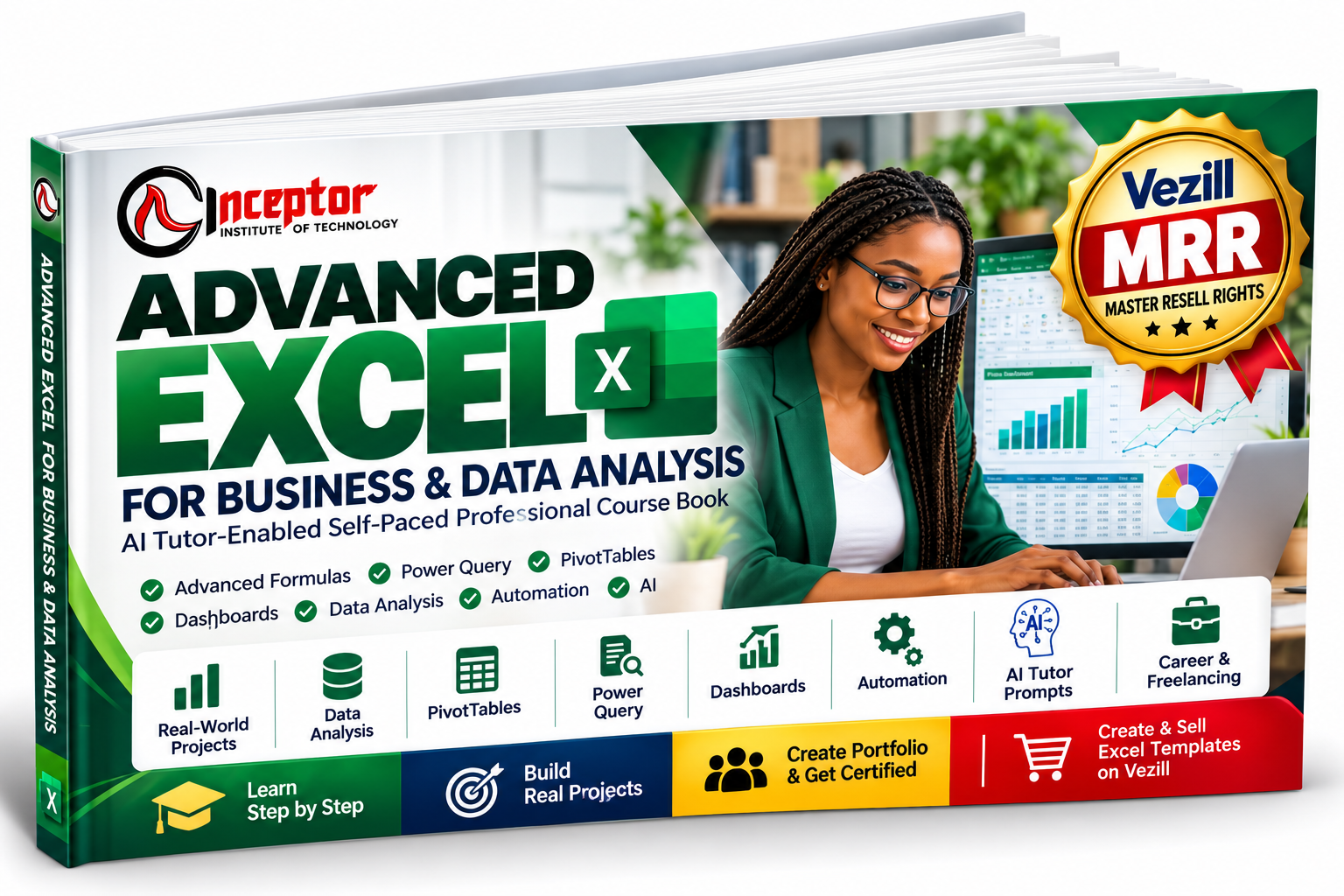
Advanced Excel for Business & Data Analysis is an AI Tutor-Enabled Self-Paced Professional Course Book created by Inceptor Institute of Technology. It is designed to take you progressively from Excel foundations to advanced formulas, data cleaning, Power Query, PivotTables, business analysis, dashboards, automation and AI-assisted Excel productivity.
You don't just read about Excel.
You learn it → practice it → solve business problems → build projects → create portfolio evidence → prepare for assessment and certification.
And because this digital course book includes Vezill Master Resell Rights (MRR), eligible buyers can also resell the product under the supplied licence and retain up to 90% of eligible resale revenue under Vezill's current reseller model.
Many people know enough Excel to enter data, format cells or calculate a total.
The difficulty begins when a workplace task requires you to:
clean hundreds or thousands of messy records;
combine monthly reports;
use XLOOKUP, SUMIFS or advanced formulas correctly;
analyze sales, financial, HR or operational data;
create PivotTables and PivotCharts;
build an interactive management dashboard;
automate repetitive reporting;
explain what the numbers actually mean;
or demonstrate Excel skills during a job interview.
That is the gap this course book is designed to address.
Instead of memorizing functions without understanding their purpose, you learn Excel through realistic business problems, datasets, guided exercises, AI Tutor prompts, projects and portfolio assignments.
The goal is practical competence: being able to open a dataset, understand the problem, clean the information, choose the right Excel technique, analyze it, visualize the result and communicate useful conclusions.
Start with workbook structure, worksheets, cells, ranges, data types, Excel Tables, sorting, filtering, professional formatting, relative references, absolute references and efficient workbook organization.
Progress into practical business formulas including:
SUMIFS • COUNTIFS • AVERAGEIFS • IF • IFS • AND • OR • IFERROR • XLOOKUP • XMATCH • INDEX • MATCH • FILTER • SORT • UNIQUE • LET • LAMBDA
You'll learn not only the syntax, but when and why to use each function.
Learn how to handle the kind of imperfect data encountered in actual workplaces:
duplicates • blanks • inconsistent categories • text problems • invalid dates • incorrect data types • missing values • outliers
You'll also work with text and date functions such as TRIM, CLEAN, LEFT, RIGHT, MID, TEXTJOIN, EOMONTH, NETWORKDAYS and more.
Learn how to build repeatable data-cleaning workflows with Excel Power Query.
Import, clean, transform, append and merge data—and create reports that can be refreshed instead of manually rebuilt each month.
Turn large datasets into useful summaries.
Learn grouping, filtering, ranking, percentage analysis, slicers, timelines, PivotCharts and management reporting.
Understand relational data, fact and dimension tables, relationships, measures, calculated columns and introductory DAX.
Learn to answer questions such as:
Which products generate the most revenue?
Which regions are underperforming?
Who are our most valuable customers?
What is driving costs?
Are sales improving or declining?
Which KPIs require management attention?
You'll work with averages, medians, percentiles, variance, standard deviation, correlation, trends, growth rates and contribution analysis.
Build professional reports using:
KPIs • charts • PivotCharts • slicers • timelines • dynamic formulas • interactive dashboards
The course culminates in an Interactive Business Performance Dashboard.
Apply Excel to:
Revenue • Costs • Gross Profit • Net Profit • Margins • Budget vs Actual • Variance • Break-Even • Cash Flow • ROI • Forecasts • Sensitivity Analysis
Learn how formulas, reusable templates, Power Query, macros and introductory VBA can reduce repetitive spreadsheet work.
This is not just another static Excel PDF.
The course book contains an AI Tutor learning system designed to work with capable AI assistants such as ChatGPT and Microsoft Copilot.
You'll receive reusable prompts for five learning modes:
TEACH ME → GUIDE ME → CHECK MY WORK → CHALLENGE ME → HELP ME APPLY IT
Instead of simply asking AI for an answer, you learn how to make AI teach, explain, challenge and review your work.
For example, when you're struggling with XLOOKUP, Power Query or PivotTables, your AI Tutor can guide you through the concept at your current level and generate additional exercises.
The course also teaches the critical verification workflow:
So you're not blindly trusting AI-generated formulas or analysis.
The complete learning pathway covers:
Excel Foundations → Business Formulas → Advanced Lookups → Dynamic Arrays → Text & Date Functions → Data Cleaning → Power Query → PivotTables → Power Pivot → Business Data Analysis → Data Visualization → Dashboards → Financial Analysis → Sales & Marketing Analysis → HR & Operations → What-If Analysis → Automation → Excel + AI → Python in Excel Introduction → Spreadsheet Design & Governance
The underlying course design prioritizes practical application over theory.
Knowing Excel and being able to prove you can use Excel are different things.
That's why this course includes practical portfolio projects.
Project 1: Sales Performance Analysis
Clean and analyze transactional sales data.
Project 2: Interactive Executive Dashboard
Build KPIs, charts, slicers and management insights.
Project 3: Financial Performance Workbook
Analyze budgets, profitability and variances.
Project 4: Power Query Automated Reporting System
Create a repeatable data import, cleaning and reporting workflow.
Project 5: Business Data Analysis Case Study
Analyze a realistic business dataset and produce recommendations.
Build a complete:
Your capstone can incorporate raw data, cleaning and transformation, formulas, PivotTables, KPIs, dashboards, analysis, written insights, recommendations and documentation.
This gives you something far more useful than simply saying:
"I know Excel."
You can show what you built.
The course teaches you to document projects using a professional framework:
Use completed work to create:
Project screenshots • sanitized workbooks • PDF case studies • portfolio descriptions • professional project profiles • interview explanations
This can strengthen your evidence when pursuing Excel-intensive opportunities.
This course book is designed for a broad global audience, including:
Students & graduates • Job seekers • Employees • Administrative professionals • Accountants & finance staff • Data analysts • Business analysts • Sales professionals • HR professionals • Operations teams • Entrepreneurs • Small-business owners • Virtual assistants • Freelancers • Consultants • Managers
You do not need a programming background.
The learning pathway begins with essential Excel concepts before progressing into advanced business and data-analysis applications.
Excel remains relevant across business functions because organizations need people who can turn operational data into useful information.
The skills covered in this course can support development toward roles such as:
Data Analyst • Business Analyst • Financial Analyst • Operations Analyst • Reporting Analyst • MIS/Reporting Officer • Sales Analyst • HR Analyst • Finance Assistant • Administrative Professional • Business Intelligence Assistant • Excel Consultant
The course does not guarantee employment. Instead, it helps you develop demonstrable skills, projects and portfolio evidence you can use when pursuing relevant opportunities.
Already employed?
The course is equally useful if your goal isn't changing careers.
Learn how to work more efficiently with:
monthly reports • management dashboards • sales reports • budgets • inventory • customer records • HR data • operational KPIs • financial analysis • automated recurring reports
The objective is straightforward:
Your Excel skills can also become a product-creation skill.
The course shows you how to turn useful spreadsheet solutions into original digital products such as:
Personal Budget Planners • Small Business Expense Trackers • Sales Dashboards • Inventory Trackers • Cash-Flow Planners • KPI Dashboards • Project Trackers • Profit Calculators • Business Budget Templates • Sales Commission Calculators
You'll follow a structured product-development process:
A digital-product package might contain:
Excel Workbook + Instructions PDF + Example Dataset + Quick-Start Guide + Preview Images
This creates a second pathway from your Excel knowledge:
There is another commercial opportunity included with this course book.
This product comes with a Vezill Master Resell Rights licence.
Under Vezill's current model, eligible buyers of an MRR product can become resellers, use their unique product/reseller link and retain 90% of eligible resale revenue, while the original creator receives the applicable royalty share. Vezill's current guidance also says reseller/trader participation requires activation of its reseller subscription plan.
That means your purchase can potentially serve two purposes:
Use the course book to develop Advanced Excel, data-analysis and AI-assisted productivity skills.
Subject to the included MRR licence and current Vezill rules, promote the same course book to other learners and retain the applicable reseller share.
Vezill currently supports digital products such as PDFs, courses, tutorials, templates and worksheets, and specifically describes a creator/trader model for reselling MRR-enabled products.
See how reselling digital products with MRR works on Vezill
Important: MRR is a licence, not a transfer of copyright ownership. Your exact permissions are governed by the MRR licence supplied with this product and Vezill's applicable terms. Earnings are not guaranteed and depend on factors including your marketing, audience, pricing, demand and platform conditions.
With your purchase, you receive the Advanced Excel for Business & Data Analysis – AI Tutor-Enabled Self-Paced Professional Course Book, covering 20 progressive learning modules, practical exercises, AI Tutor prompts, workplace scenarios, real-world projects, portfolio development, assessment preparation, career and freelancing guidance, Excel digital-product creation, and the applicable Vezill Master Resell Rights licence.
Format: Digital Course Book / PDF
Learning Mode: Self-Paced + AI Tutor-Enabled
Level: Beginner → Advanced
Focus: Practical, project-based professional skills
Created by: Inceptor Institute of Technology
Certification Pathway: Project and portfolio assessment by Inceptor Institute of Technology
MRR: Included, subject to the supplied licence and Vezill rules
This course book includes a pathway toward assessment by Inceptor Institute of Technology.
The assessment framework emphasizes practical competence through:
Module Practical Work — 20%
Business Analysis Projects — 25%
Dashboard Project — 20%
Capstone Project — 25%
Portfolio & Professional Presentation — 10%
Certification is not automatically awarded by purchasing or reading the book. It is subject to Inceptor's applicable project submission, assessment and certification requirements.
This distinction helps ensure that the certificate represents demonstrated work rather than simply access to a PDF.
Yes. It starts with professional Excel foundations and progressively develops advanced skills. Experienced Excel users can move more quickly through foundational material.
Yes. Data cleaning, Power Query, PivotTables, Data Models, statistics, business analysis, visualization, dashboards and management insights are major components.
Yes. You learn importing, cleaning, transforming, appending, merging and refreshing data.
Yes. You progressively build toward an Interactive Business Performance Dashboard.
Yes. It covers XLOOKUP, XMATCH, INDEX/MATCH, SUMIFS, COUNTIFS, IF/IFS, dynamic-array functions and other modern Excel techniques.
Yes. AI-assisted Excel learning and productivity are central to the course. You'll learn how to use AI for formula explanation, troubleshooting, analysis, data-cleaning guidance, dashboard planning and learning unfamiliar Excel functionality—while validating important outputs.
An introductory Python in Excel module is included as an optional advanced extension, subject to software/version availability.
Yes. The book is specifically designed as an AI Tutor-Enabled Self-Paced Professional Course Book.
No. Certification is a separate assessment process based on the applicable Inceptor requirements, including practical projects and portfolio evidence.
Yes, where your purchase is covered by the supplied Master Resell Rights licence and you satisfy applicable Vezill reseller requirements.
Vezill currently advertises eligible MRR resellers as retaining 90% per sale, subject to the product licence and current platform terms.
Not under the MRR licence we've defined for this product. MRR does not mean unrestricted copyright ownership. Follow the supplied licence.
You can use this course book to:
Improve your Excel skills.
Become more productive at work.
Develop business and data-analysis competence.
Build real Excel projects.
Create portfolio evidence.
Prepare for Excel-intensive career opportunities.
Offer legitimate Excel freelancing services.
Create original Excel templates and digital products.
And, under the included Vezill MRR licence, resell this course book as a digital product opportunity.
Don't stop at knowing how to enter formulas.
Learn how to use Excel to solve problems, analyze data, communicate insights and build useful business solutions.
Created by Inceptor Institute of Technology
Start learning. Build the projects. Develop the evidence. Apply the skill.
And if digital-product reselling fits your goals:
Vezill — Digital Products Marketplace
Get the updates, on newly released, popular & fast-moving MRR digital products
Up to Top
Comments